Heatmap Visualization for Gene Expression Data: A Comprehensive Guide for Biomedical Research
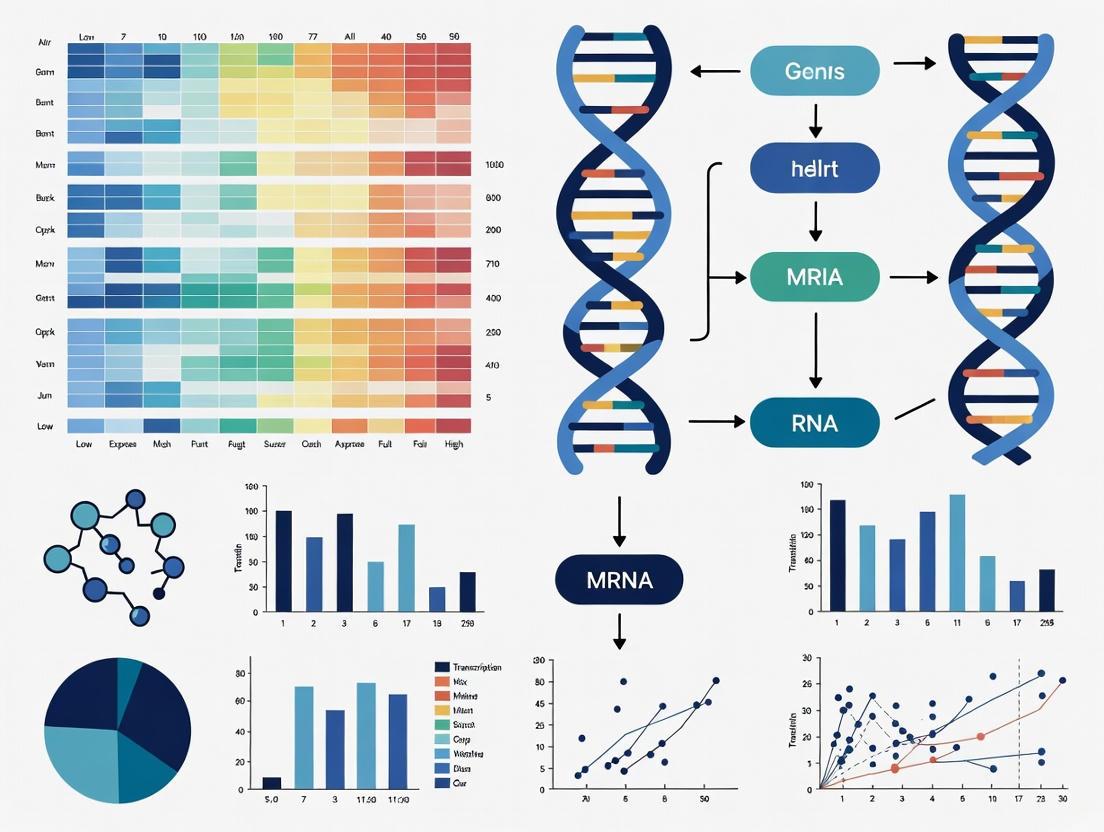
This article provides a comprehensive guide for researchers and drug development professionals on visualizing gene expression data using heatmaps.
Heatmap Visualization for Gene Expression Data: A Comprehensive Guide for Biomedical Research
Abstract
This article provides a comprehensive guide for researchers and drug development professionals on visualizing gene expression data using heatmaps. It covers foundational principles, from interpreting color gradients and dendrograms to understanding hierarchical clustering. The guide details practical implementation using R packages like pheatmap and ComplexHeatmap, including data normalization, annotation, and customization. It addresses common troubleshooting scenarios and explores advanced validation techniques and emerging methodologies. By integrating theoretical knowledge with hands-on application, this resource empowers scientists to effectively uncover biological patterns and communicate findings in genomic studies and therapeutic development.
Understanding Heatmaps: The Visual Language of Gene Expression
What is a Heatmap? Transforming Numerical Matrices into Color
In the field of genomics and bioinformatics, researchers are often faced with the challenge of interpreting vast tables of numerical data, such as gene expression levels across multiple samples. A heatmap is a powerful two-dimensional visualization technique that addresses this challenge by transforming a numerical matrix into a grid of colored cells, where each color represents a value [1]. This allows for an intuitive, visual overview of complex data, making it indispensable for tasks like identifying patterns in gene expression [2].
In the context of gene expression analysis, heatmaps are a cornerstone of data exploration. They provide a birds-eye view of the expression levels of thousands of genes across various experimental conditions, tissue types, or time points, enabling scientists to quickly discern biological signatures and generate new hypotheses [3].
What is a Heatmap? Core Principles and Definitions
At its core, a heatmap is a graphical representation of data where individual values contained in a matrix are represented as colors [3]. It is a form of visualization that encodes numerical values using a color scale, allowing the human eye to more easily detect patterns, trends, and outliers that would be difficult to spot in a raw table of numbers [4].
The fundamental principle behind a heatmap is the conversion of a numerical dimension into a visual dimension (color). Instead of comparing digits, the viewer compares color intensities and distributions [1]. The key components of a standard heatmap include:
- Rows and Columns: The two axes of the grid represent the variables of the dataset. In gene expression analysis, rows typically correspond to genes and columns to samples or experimental conditions [3] [2].
- Colored Cells: Each cell sits at the intersection of a specific row and column. Its color corresponds to the value of the data point at that intersection, such as the normalized expression level or log2 fold-change of a gene in a specific sample [2].
- Color Key/Legend: An essential guide that maps the color spectrum back to the numerical values it represents, allowing for interpretation of the data [3].
Table: Core Components of a Heatmap in Gene Expression Analysis
| Component | Description | Typical Representation in Gene Expression |
|---|---|---|
| Rows | Variables plotted on the vertical axis. | Genes, Operational Taxonomic Units (OTUs), or biological pathways [3] [2]. |
| Columns | Variables plotted on the horizontal axis. | Samples, patients, experimental conditions, or time points [3] [2]. |
| Cells | The individual units within the grid. | The expression value (e.g., log2 fold-change) of a specific gene in a specific sample [2]. |
| Color Palette | The sequence of colors used to encode values. | Sequential (for all-positive values) or Diverging (to highlight positive/negative change from a reference) [4]. |
The Anatomy of a Heatmap for Gene Expression
Beyond the basic grid, several elements are crucial for creating an informative and publication-ready heatmap in a research context.
The Color Scale: Interpreting the Data
The choice of color palette is not merely an aesthetic decision; it is a critical factor in accurate data interpretation. There are two primary types of color scales used:
- Sequential Palette: Uses gradients that move in one direction, typically from light to dark, representing continuously increasing values. This is suitable for data that is all positive or all negative, such as raw expression levels or abundance counts [4].
- Diverging Palette: Uses two contrasting hues that meet at a central, often neutral, color. This is ideal for data that includes a meaningful zero point and has both positive and negative values, such as log2 fold-change in differential expression analysis. The central color represents values near zero (no change), while the two end colors represent strong negative and positive deviations [4] [2].
Clustered Heatmaps: Revealing Hidden Patterns
One of the most powerful applications of heatmaps in biology is the clustered heatmap. This variant employs clustering algorithms to reorder the rows and columns based on the similarity of their data patterns [2].
- Gene Clustering: Genes with similar expression profiles across all samples are grouped together. This can reveal co-expressed gene sets, potentially implicating co-regulation or involvement in shared biological processes [3] [2].
- Sample Clustering: Samples with similar gene expression patterns are grouped together. This can validate experimental design by showing that replicates cluster closely, or it can uncover unexpected relationships, such as new disease subtypes [3] [2].
The results of this clustering are often visualized using dendrograms, tree-like diagrams drawn on the axes of the heatmap that illustrate the hierarchical relationships and similarity distances between the clustered genes and samples [2].
Workflow for Generating a Clustered Heatmap
Research Methodology: Creating a Gene Expression Heatmap
The generation of a biologically meaningful heatmap requires a meticulous workflow, from data preparation to final visualization. The following protocol outlines the key steps for creating a clustered heatmap from RNA-sequencing data.
Experimental Workflow
Gene Expression Heatmap Workflow
Detailed Experimental Protocol
Step 1: Data Preparation and Normalization
The input for a differential expression heatmap is typically a matrix of transformed values, such as log2 fold-change (log2FC) or normalized counts (e.g., VST, TPM) for a selected gene set across all samples [2].
- Action: Filter genes of interest (e.g., significantly differentially expressed genes) and format the data into a matrix where rows are genes and columns are samples.
- Rationale: Normalization ensures that comparisons between samples are not biased by technical variation (e.g., sequencing depth). Using log2 fold-change creates a diverging scale centered around zero, clearly visualizing up- and down-regulation [2].
Step 2: Clustering Analysis
Clustering is performed to group genes and/or samples with similar expression profiles.
- Action: Use a clustering algorithm (e.g., hierarchical clustering with a distance metric like Euclidean or Pearson correlation) on the rows (genes) and columns (samples). The resulting dendrograms guide the reordering of the matrix [3] [2].
- Rationale: This reordering is what reveals patterns. Genes involved in the same biological pathway will often cluster together, as will samples from the same experimental group or disease state [2].
Step 3: Visualization and Plotting
The clustered matrix is visualized by mapping the numerical values to a color scale.
- Action: Select an appropriate color palette (e.g., a diverging palette of blue-white-red for log2FC data). Plot the grid of colored cells and add the dendrograms, axis labels, and a color key legend [4].
- Rationale: The color palette must accurately and intuitively represent the data's direction (positive/negative) and magnitude. A clear legend is non-negotiable for correct interpretation [1] [3].
Essential Research Reagents and Tools
Table: Key Tools for Generating Gene Expression Heatmaps
| Tool/Reagent | Category | Function in Heatmap Creation |
|---|---|---|
| R Statistical Language | Software Environment | A primary platform for statistical computing and graphics, essential for bioinformatics analysis [3]. |
| Python (with seaborn, matplotlib) | Programming Language | Provides powerful libraries for data manipulation and advanced, customizable visualizations [3]. |
| Normalized Count Matrix | Data Input | The pre-processed numerical data (e.g., VST, TPM, log2FC) that serves as the direct input for the heatmap plot. |
| Clustering Algorithm | Computational Method | Groups genes and samples by similarity (e.g., Hierarchical Clustering) to reorder the matrix and reveal patterns [3]. |
| Color Palette | Visual Parameter | Defines the mapping from numerical value to color, critical for accurate and accessible data perception [4]. |
Interpretation and Accessibility in Scientific Research
A Guide to Interpreting a Heatmap
Correct interpretation is the final and most critical step. Scientists should systematically analyze a heatmap by examining its components [2]:
- Check the Color Scale: Identify what the colors represent (e.g., log2 fold-change, Z-score) and the range of values.
- Examine Sample Clustering: Look at the column dendrogram and cluster labels to see if samples group by known experimental conditions. Unexpected groupings may indicate novel biological insights or batch effects.
- Examine Gene Clustering: Look at the row dendrogram and gene clusters to identify sets of genes with coordinated expression, suggesting coregulation.
- Identify Global Patterns: Scan for large blocks of color. For example, a large red block in a cluster of cancer samples indicates a set of genes consistently upregulated in that condition.
Ensuring Accessibility and Adherence to Standards
For science to be inclusive and reproducible, visualizations must be accessible to all researchers, including those with color vision deficiencies (CVD) or low vision.
- Color Contrast: The Web Content Accessibility Guidelines (WCAG) recommend a minimum contrast ratio of 3:1 for graphical objects and user interface components [5] [6]. This applies to the color distinctions in a heatmap and the contrast of text labels against their background.
- Accessibility Strategies: Relying on color alone can exclude users with CVD. Effective strategies include [7]:
- Using Patterns/Shapes: Overlaying patterns (e.g., dots, lines) or symbols of different sizes on the colored cells to provide a secondary, non-color cue for value differentiation.
- Colorblind-Friendly Palettes: Choosing palettes that are perceptually uniform and distinguishable to all viewers, avoiding red-green combinations.
- Data Labels: Where the grid is not overly dense, directly annotating cells with their numerical values provides a precise, color-independent reference [1].
The heatmap remains an indispensable tool in the life scientist's arsenal, transforming dense numerical matrices into an intuitive visual language. Its power is magnified when combined with clustering analysis, revealing hidden patterns in gene expression data that drive discovery. By adhering to sound construction principles and prioritizing accessibility in design, researchers can ensure their heatmaps are not only visually compelling but also robust, inclusive, and scientifically rigorous tools for communicating complex biological findings.
In the field of genomics and life sciences research, heatmaps serve as an indispensable tool for visualizing complex, multidimensional data. They transform numerical matrices of gene expression levels into intuitive color-coded visual representations, allowing researchers to quickly identify patterns, clusters, and outliers within large datasets. The effectiveness of a heatmap hinges on three core components: the color scales that map expression values to colors, the data matrix containing the quantitative expression values, and the dendrograms that reveal clustering patterns among genes and samples. When properly implemented, these elements work in concert to facilitate discovery in differential expression analysis, biomarker identification, and therapeutic target validation [8] [9].
This technical guide examines the principles underlying these core components within the context of gene expression studies, providing researchers with both theoretical foundations and practical methodologies for generating publication-quality heatmaps that are both scientifically rigorous and accessible to diverse audiences.
Core Component 1: Color Scales
The Fundamentals of Color Mapping
Color scales, or colormaps, transform continuous numerical values (such as gene expression Z-scores or log-fold changes) into visual colors according to a defined mapping function. The choice of color scale fundamentally affects how patterns are perceived in the data. Two primary types of color scales are used in scientific visualization:
- Sequential Scales: Utilize a single hue progressing from low saturation (light) to high saturation (dark), ideal for displaying expression magnitude from low to high values.
- Diverging Scales: Employ two contrasting hues that meet at a neutral central color, perfectly suited for representing fold-change data centered around zero (e.g., upregulated and downregulated genes) [8].
Accessibility considerations must guide color scale selection. An estimated 8% of men experience some form of color vision deficiency, making red-green color schemes particularly problematic. Tools like ColorBrewer offer research-backed palettes that maintain perceptual uniformity while remaining accessible to color-blind users [10].
Quantitative Assessment of Color Contrast
For scientific visualizations, particularly those destined for publication, adherence to established contrast standards ensures that information remains decipherable across various media and viewing conditions. The Web Content Accessibility Guidelines (WCAG) define specific contrast ratio requirements for visual presentation [11].
Table 1: WCAG Contrast Requirements for Visual Elements
| Element Type | Minimum Ratio (Level AA) | Enhanced Ratio (Level AAA) |
|---|---|---|
| Standard Text | 4.5:1 | 7:1 |
| Large Text* | 3:1 | 4.5:1 |
| Graphical Objects | 3:1 | 3:1 |
*Large text defined as ≥18pt or ≥14pt bold [11] [6]
These requirements apply not only to text labels but also to critical graphical elements such as axis markings, legend text, and data labels within heatmaps. The highest standard should be pursued where possible, as enhanced contrast improves readability for all users, not just those with visual impairments [11].
Practical Color Scale Selection for Gene Expression
For gene expression heatmaps, diverging color schemes using blue-white-red or purple-white-yellow are well-established conventions. The neutral central color (typically white or yellow) represents baseline expression, while the saturated extremes represent downregulation and upregulation. Research indicates that perceptually uniform colormaps like Viridis or Cividis provide superior interpretability compared to traditional rainbow schemes, which can introduce false perceptual boundaries [8].
When expression value ranges exhibit extreme differences, a non-linear transformation (such as logarithmic normalization) may be necessary to enhance contrast across the entire data range without distorting the underlying data relationships [12].
Core Component 2: Data Matrix
Structure and Normalization of Expression Matrices
The data matrix forms the quantitative foundation of any heatmap visualization. In gene expression studies, this typically takes the form of a two-dimensional matrix with rows representing genes (features) and columns representing samples (conditions). Proper matrix construction and normalization are critical for generating biologically meaningful visualizations.
Table 2: Common Gene Expression Matrix Normalization Techniques
| Method | Primary Function | Use Case |
|---|---|---|
| Z-score Standardization | Centers to mean=0, scales to std=1 | Comparing expression across genes with different baseline levels |
| Log Transformation | Stabilizes variance across expression range | Handling RNA-seq count data with mean-variance relationship |
| Quantile Normalization | Makes distributions consistent across samples | Integrating data from different batches or platforms |
| TPM/FPKM Normalization | Accounts for gene length and sequencing depth | RNA-seq transcript abundance quantification |
The exvar R package, a recently developed tool for genomic analysis, incorporates multiple normalization routines specifically designed for RNA sequencing data, demonstrating the continued evolution of matrix preprocessing methodologies [9].
Experimental Protocol: Data Matrix Preparation
Objective: To transform raw gene expression data into a normalized matrix suitable for heatmap visualization.
Materials:
- Raw expression data (e.g., count matrix from RNA-seq, intensity values from microarrays)
- Computational environment with R or Python installed
- Normalization software (e.g., DESeq2, edgeR, or custom scripts)
Methodology:
- Data Import: Load raw expression values into analysis environment
- Quality Control: Filter genes with low expression across samples
- Normalization: Apply appropriate normalization technique (see Table 2)
- Transformation: Apply log2 or Z-score transformation as needed
- Annotation: Merge with gene metadata (identifiers, symbols, functions)
Validation:
- Assess distribution of normalized values using boxplots
- Confirm removal of technical artifacts via PCA
- Verify expected control genes show stable expression
This protocol ensures the data matrix accurately reflects biological signals rather than technical variation, forming a reliable foundation for subsequent clustering and visualization [9].
Core Component 3: Dendrograms
Hierarchical Clustering Principles
Dendrograms (tree diagrams) visualize the output of hierarchical clustering algorithms applied to either the rows (genes) or columns (samples) of the expression matrix. These structures reveal nested grouping patterns within the data, enabling hypothesis generation about co-regulated gene modules or sample subtypes.
The clustering process involves:
- Distance Calculation: Computing pairwise distances between all genes/samples using metrics like Euclidean, Manhattan, or correlation distance
- Linkage Method: Iteratively merging closest clusters using methods such as Ward's, complete, or average linkage
- Tree Cutting: Optional division of the dendrogram into discrete clusters for further analysis
The choice of distance metric and linkage method significantly impacts the resulting dendrogram structure and should be selected based on the biological question [8].
Experimental Protocol: Dendrogram Generation
Objective: To identify hierarchical clustering patterns within gene expression data.
Materials:
- Normalized expression matrix (from Section 3.2)
- Statistical software with clustering capabilities (e.g., R, Python, GraphPad Prism)
Methodology:
- Distance Matrix Computation: Calculate pairwise distances between all rows (genes)
- Hierarchical Clustering: Apply selected linkage method to build cluster tree
- Visualization: Render dendrogram with appropriate orientation and labeling
- Cluster Validation: Assess cluster robustness via bootstrapping or alternative algorithms
Interpretation Guidelines:
- Branch length represents degree of similarity between joined elements
- The order of leaves along the axis can be optimized without changing structure
- Cutting the tree yields discrete clusters for functional enrichment analysis
Dendrograms provide critical context for interpreting heatmap patterns by revealing the inherent structure of the data itself [8] [9].
Integrated Workflow: From Raw Data to Publication-Ready Heatmap
The following diagram illustrates the comprehensive workflow for creating a biologically informative heatmap, integrating all three core components with specific attention to color accessibility standards.
Figure 1: Integrated workflow for creating accessible gene expression heatmaps.
The Scientist's Toolkit: Research Reagent Solutions
Successful implementation of heatmap-based gene expression analysis requires both computational tools and wet-lab reagents. The following table details essential materials and their functions in generating data suitable for heatmap visualization.
Table 3: Essential Research Reagents and Tools for Gene Expression Analysis
| Reagent/Tool | Function | Application in Heatmap Research |
|---|---|---|
| RNA Extraction Kits | Isolate high-quality RNA from tissues/cells | Provides intact input material for accurate expression measurement |
| Reverse Transcriptase | Synthesize cDNA from RNA templates | Enables preparation of sequencing libraries |
| Sequencing Library Prep Kits | Prepare RNA-seq libraries | Generates sequence-ready fragments from cDNA |
| DESeq2 R Package | Differential expression analysis | Identifies statistically significant expression changes for heatmap inclusion |
| exvar R Package | Integrated genetic variation analysis | Provides visualization functions for expression and variant data [9] |
| ggplot2/ComplexHeatmap | Visualization | Generates publication-quality heatmaps with dendrograms |
| ColorBrewer/Viridis | Accessible color palettes | Ensures heatmaps are interpretable by all audiences [10] |
The exvar package represents a recent advancement in this domain, offering user-friendly interfaces for both gene expression analysis and genetic variant calling from RNA sequencing data, making sophisticated visualization accessible to researchers with basic programming skills [9].
The core components of color scales, data matrices, and dendrograms form an interdependent framework for effective gene expression visualization. When implemented with careful attention to color accessibility, proper data normalization, and appropriate clustering methodologies, heatmaps serve as powerful tools for hypothesis generation and knowledge discovery in life sciences research. As visualization technologies evolve toward greater interactivity and integration with other data types, these foundational principles will continue to underpin effective communication of complex biological findings.
This technical guide provides researchers and drug development professionals with a comprehensive framework for interpreting color gradients and patterns in heatmaps, specifically within the context of gene expression data visualization. Heatmaps serve as a powerful tool for transforming complex, multidimensional genomic data into intuitive visual representations, enabling the identification of significant biological patterns and relationships. This paper details the fundamental principles of heatmap construction, data interpretation, and practical implementation, with a focus on applications in transcriptomics and biomarker discovery. By establishing standardized methodologies for creating and analyzing heatmap visualizations, we aim to enhance the reliability and reproducibility of research findings in genomic studies and therapeutic development pipelines.
A heatmap is a graphical representation of data where individual values contained in a matrix are represented as colors [13]. In genomics and drug development, this visualization technique is particularly valuable for investigating differential gene expression across multiple samples or experimental conditions [14]. The power of heatmaps lies in their ability to condense three-dimensional data—typically genes, samples, and expression values—into a two-dimensional color-coded matrix, where the color intensity or hue corresponds to the magnitude of gene expression [14] [13]. This transformation allows researchers to discern patterns that might remain hidden in raw numerical data, facilitating hypothesis generation and experimental validation.
When integrated with dendrograms (tree diagrams), heatmaps reveal hierarchical clustering structures within the data, showing how samples with similar expression profiles group together and how genes with co-regulated expression patterns cluster [13]. This dual visualization serves as a critical diagnostic tool in high-throughput sequencing experiments, enabling the assessment of data quality, identification of batch effects, and discovery of novel biological subgroups [13]. The application of heatmaps extends beyond basic research into clinical translation, where they are increasingly used to visualize biomarker signatures, drug response patterns, and patient stratification strategies in clinical trial settings.
Fundamental Principles of Heatmap Construction
Data Structure and Preparation
The foundation of any meaningful heatmap visualization begins with proper data structure and preparation. Gene expression data for heatmap visualization typically originates from normalized count values generated by RNA sequencing pipelines or microarray platforms [15]. The initial data structure usually features genes in rows and samples in columns, with expression values populating the matrix [13]. However, this wide format is not ideal for visualization tools, requiring transformation into a "tidy" format with three distinct columns: sample ID, gene symbol, and expression value [14].
Critical data preprocessing steps include normalization to account for technical variations (e.g., sequencing depth, composition bias) and often logarithmic transformation (e.g., log2 counts per million) to handle the wide dynamic range of expression values [14] [15]. Without proper transformation, a few highly expressed genes can dominate the color scale, obscuring meaningful variation in moderately or lowly expressed genes [14] [13]. For genes of interest, researchers typically select based on statistical significance (adjusted p-value) and biological relevance (fold change), with practical limits of 20-50 genes recommended for clear visualization [15].
Table: Essential Data Preparation Steps for Heatmap Visualization
| Step | Purpose | Common Methods |
|---|---|---|
| Normalization | Account for technical variability between samples | Sequencing depth normalization, TPM, FPKM, limma-voom [15] |
| Transformation | Compress dynamic range for better visual discrimination | log2(CPM+1), z-score transformation [14] [13] |
| Gene Selection | Focus on biologically relevant signals | Statistical significance (adj. p-value < 0.01), fold change thresholds (e.g., >1.5) [15] |
| Data Reshaping | Convert to visualization-friendly format | pivot_longer() in R, melt functions [14] |
Color Theory and Gradient Selection
Color gradient selection represents a critical design choice that directly impacts the interpretability of heatmap visualizations. Effective color schemes must account for both perceptual characteristics and accessibility requirements. Sequential palettes, progressing from light to dark shades of the same color (or from light colors to increasingly saturated colors), are most appropriate for demonstrating expression ranges in unimodal data [16]. For gene expression data, commonly used gradients include black-to-red, white-to-blue, or white-to-red schemes, where intensity corresponds to expression magnitude.
The Web Content Accessibility Guidelines (WCAG) 2.1 Success Criterion 1.4.11 mandates a minimum 3:1 contrast ratio for non-text elements, including meaningful graphics [5] [16]. While this requirement primarily targets user interface components, the principle extends to data visualization to ensure interpretability by users with visual impairments [5]. For heatmaps, this means that adjacent colors in the gradient should be sufficiently distinguishable, particularly at threshold values where biological significance is determined. Diverging color schemes, which use a neutral color for mid-range values and contrasting hues for opposite extremes, are particularly effective for highlighting overexpression (often red) versus underexpression (often blue) relative to a control or reference value [16].
Clustering and Dendrogram Integration
Clustering analysis represents a fundamental analytical component integrated with heatmap visualization, enabling the discovery of inherent patterns in gene expression data. The combination of heatmaps with dendrograms allows researchers to visualize hierarchical relationships between both samples and genes simultaneously [13]. Sample clustering typically appears along the horizontal axis, revealing groups of experimental conditions, treatment responses, or patient subtypes with similar global expression profiles [13]. Gene clustering along the vertical axis identifies co-expressed genes that may participate in shared biological pathways or be co-regulated by common transcriptional mechanisms [13].
The clustering process involves two critical methodological choices: distance measurement and clustering algorithm selection. Distance calculation methods (e.g., Euclidean, Manhattan, correlation-based distances) determine how similarity between expression profiles is quantified [13]. Clustering algorithms (e.g., hierarchical, k-means, partitioning) then group elements based on these similarity measurements [13]. For genomic applications, correlation-based distances often provide more biologically meaningful clustering than Euclidean distances, as they capture expression pattern similarities independent of absolute magnitude. The resulting dendrogram structure provides visual guidance for interpreting relationships, with branch lengths representing the degree of similarity between clustered elements—shorter branches indicate higher similarity, while longer branches suggest greater divergence [13].
Practical Implementation and Workflow
Experimental Protocol: RNA-Seq Heatmap Generation
The following detailed protocol outlines the complete workflow for generating a publication-quality heatmap from RNA-Seq data, incorporating best practices for statistical analysis and visualization.
Data Acquisition and Preprocessing
Begin with normalized count data, typically generated through established RNA-Seq analysis pipelines such as limma-voom, edgeR, or DESeq2 [15]. The normalization process accounts for differences in sequencing depth and composition bias between samples, producing log2 counts per million (log2 CPM) or similar normalized values [15]. Import the data into your analytical environment (e.g., R, Python, Galaxy), ensuring that genes are represented as rows and samples as columns, with appropriate headers identifying each [13] [15].
Differential Expression Analysis and Gene Selection
Identify statistically significant differentially expressed genes using established thresholds. A standard approach includes adjusted p-value < 0.01 and absolute fold change > 1.5 (log2FC of 0.58) [15]. Filter the complete gene set to retain only those meeting these significance criteria. From the significant gene list, select the top 20-50 most statistically significant genes (lowest adjusted p-values) for heatmap visualization to maintain clarity and interpretability [15]. Extract the normalized expression values specifically for these selected genes across all samples.
Data Transformation and Scaling
Apply z-score transformation to the expression values for each gene to facilitate visual interpretation [13]. The z-score is calculated as (individual value - mean) / standard deviation, effectively putting all genes on a comparable scale regardless of their absolute expression levels [13]. This standardization prevents highly expressed genes from dominating the color spectrum and allows patterns in moderately expressed genes to become visually apparent. Reshape the data into a "tidy" format with three columns: Sample ID, Gene Symbol, and Normalized Expression Value [14].
Visualization and Customization
Utilize specialized heatmap visualization tools such as R packages (pheatmap, ComplexHeatmap, heatmaply) or web platforms (Galaxy heatmap2) [13] [15]. Implement clustering using correlation-based distance metrics and hierarchical clustering methods for biological relevance. Incorporate sample annotations (e.g., treatment groups, patient characteristics) as color bars above or beside the heatmap to provide biological context. Customize the color gradient to ensure clear differentiation between expression levels, with attention to accessibility requirements [16]. For publication, include a legend that clearly maps colors to expression values and ensure all textual elements (axis labels, dendrograms) are clearly legible.
Table: Research Reagent Solutions for Gene Expression Heatmapping
| Reagent/Tool | Function | Application Context |
|---|---|---|
| Limma-voom | Normalizes RNA-seq count data and models mean-variance relationship | Production of normalized counts table for heatmap input [15] |
| pheatmap R package | Generates clustered heatmaps with built-in scaling and customization | Creation of publication-quality heatmaps with dendrograms [13] |
| ggplot2 with geom_tile() | Provides flexible tile-based heatmap generation | Customizable heatmap visualization within tidyverse framework [14] |
| Heatmaply | Produces interactive heatmaps with hover tooltips | Exploratory data analysis with sample-level information display [13] |
| Galaxy heatmap2 tool | Web-based heatmap generation using R gplots package | Accessible heatmap creation without local programming [15] |
Interpretation of Heatmap Patterns
Analyzing Color Gradients and Expression Patterns
Interpreting heatmap patterns requires systematic analysis of both individual elements and global structures. Begin by examining the overall distribution of colors across the visualization. Distinct blocks of similar coloring often indicate coherent biological patterns, such as groups of genes consistently upregulated in specific sample types [14] [13]. For example, in a study of influenza-infected cells, strong red blocks (high expression) across infected samples for interferon-related genes reveal a coordinated antiviral response [14].
Next, analyze the dendrogram structure to understand relationships between samples and genes. Samples clustering together on the horizontal axis share similar global expression profiles, which may indicate similar biological states, treatment responses, or subtypes [13]. Genes clustering together on the vertical axis likely represent functionally related sets or co-regulated genetic programs [13]. For instance, in mammary gland development research, luminal cells from pregnant and lactating mice cluster separately from other cell types, reflecting their specialized functional states [15].
Examine individual rows (genes) for consistent patterns across sample groups. A gene showing uniformly high expression (red) in one sample cluster and low expression (blue) in another may represent a key discriminatory marker between experimental conditions [15]. Similarly, analyze columns (samples) for unusual patterns that might indicate outliers, technical artifacts, or biologically interesting exceptions. Throughout this process, consistently reference the color legend to quantitatively interpret expression differences, remembering that z-score transformed values represent standard deviations from the mean expression of each gene [13].
Identifying Significant Biological Relationships
The primary value of heatmap analysis lies in extracting biologically meaningful insights from visual patterns. Coordinate expression patterns across sets of genes (visible as vertical blocks of similar coloring) often indicate coregulated genetic programs or pathway activation [13]. For example, simultaneous upregulation of multiple interferon-responsive genes in virus-infected cells signifies activation of antiviral defense mechanisms [14]. These co-expression patterns can reveal novel functional relationships between genes and suggest hypotheses for experimental validation.
Sample clustering patterns can identify previously unrecognized subgroups within apparently homogeneous populations. In cancer research, such patterns have led to the discovery of molecular subtypes with distinct clinical behaviors and therapeutic responses [13]. When sample metadata is incorporated via annotation bars, correlations between expression patterns and clinical features (e.g., treatment response, survival outcomes) become visually apparent, generating actionable insights for therapeutic development.
Temporal patterns in time-series experiments manifest as progressive color shifts across ordered sample groups. For example, in mammary gland development data, genes showing progressively increasing expression from virgin to pregnant to lactating states likely participate in developmental maturation processes [15]. Conversely, genes with disrupted expression patterns in treatment groups versus controls may reveal drug mechanism of action or toxicity responses. By systematically cataloging these patterns and relating them to existing biological knowledge, researchers can prioritize targets for further investigation and validation.
Advanced Applications in Drug Development
Heatmap visualization has evolved into an indispensable tool throughout the drug development pipeline, from target discovery to clinical validation. In early discovery phases, heatmaps enable the assessment of compound effects on global gene expression patterns, facilitating mechanism of action studies and toxicity prediction [13]. By comparing expression profiles across multiple compounds, researchers can classify drugs based on their transcriptional responses, identify novel indications for existing compounds, and detect potential adverse effects through signature matching [13].
In translational applications, heatmaps support biomarker discovery and patient stratification strategies essential for precision medicine approaches. Analysis of expression patterns across patient cohorts can identify molecular subtypes with distinct disease mechanisms and treatment responses [13]. These stratification approaches enable enrichment strategies for clinical trials, increasing the likelihood of success by targeting patient populations most likely to benefit from therapeutic intervention. The visualization of these patterns in heatmap format provides an intuitive representation of complex biomarker signatures, facilitating communication between research, development, and clinical teams.
Clinical trial applications include the visualization of pharmacodynamic biomarkers demonstrating target engagement and biological activity [15]. Time-series heatmaps can track expression changes throughout treatment, revealing response kinetics and resistance mechanisms. As drug development increasingly incorporates multi-omics approaches, integrated heatmaps correlating expression patterns with genetic alterations, protein levels, and metabolic profiles provide comprehensive views of drug effects across biological layers. These applications demonstrate how proper heatmap interpretation directly contributes to decision-making throughout the therapeutic development process.
The Role of Hierarchical Clustering in Revealing Biological Relationships
Hierarchical clustering is an unsupervised machine learning technique that groups similar objects into clusters, creating a hierarchy of clusters through an iterative process of merging or splitting based on similarity measures [17]. This method constructs a tree-like structure called a dendrogram, which visually represents the relationships between clusters and their hierarchy at different levels, making it particularly valuable for exploratory data analysis in biological sciences [17]. The ability to capture nested clusters and reveal natural groupings without requiring pre-specification of cluster numbers makes hierarchical clustering exceptionally well-suited for analyzing complex biological data, where underlying relationships are often unknown in advance.
In the context of gene expression analysis, hierarchical clustering has become a fundamental tool for identifying patterns in transcriptomic data. Biological systems are inherently hierarchical, from evolutionary relationships between species to the regulatory networks controlling cellular functions. This natural hierarchy makes hierarchical clustering particularly appropriate for analyzing biological data, as it can uncover these latent structures without prior assumptions about group boundaries [17]. The visual dendrogram output provides an intuitive representation of relationships that can be easily interpreted by biologists and bioinformaticians, facilitating hypothesis generation about functional relationships between genes, proteins, or samples.
Technical Foundations of Hierarchical Clustering
Algorithmic Approaches
Hierarchical clustering operates through two primary methodological approaches, each with distinct mechanisms for building cluster hierarchies:
Agglomerative Clustering (Bottom-Up): This approach begins by treating each data point as an individual cluster, then iteratively merges the closest pairs of clusters until only a single cluster remains [17]. The process involves calculating pairwise dissimilarities between all data points, with the two most similar clusters merging at each step. This method is widely implemented in biological applications due to its computational efficiency and intuitive structure.
Divisive Clustering (Top-Down): This approach starts with all data points contained within a single cluster, then recursively splits the most heterogeneous cluster into smaller clusters until each data point resides in its own cluster [17]. While conceptually straightforward, divisive methods are computationally more intensive, especially for large biological datasets, and are consequently less frequently employed in practice.
Table 1: Comparison of Hierarchical Clustering Approaches
| Feature | Agglomerative | Divisive |
|---|---|---|
| Approach | Bottom-up | Top-down |
| Initial State | Each point as separate cluster | All points in single cluster |
| Computational Complexity | O(n³) for naive implementation | Generally higher than agglomerative |
| Industry Usage | Widely used | Less common |
| Implementation | Simpler | More complex |
Linkage Criteria and Distance Metrics
The choice of linkage criterion profoundly influences the cluster formation process by defining how distances between clusters are calculated:
Unweighted Pair Group Method with Arithmetic Mean (UPGMA): Also known as average linkage, UPGMA calculates the mean similarity across all pairs of data points between two clusters [18]. This method is particularly popular in biological applications because it is less susceptible to outliers than single linkage approaches and represents a robust compromise between complete and single linkage methods.
Single Linkage: Uses the minimum distance between points in two clusters, making it susceptible to chaining effects where clusters merge through outlier points [18].
Complete Linkage: Uses the maximum distance between points in two clusters, often creating compact, well-separated clusters but potentially overestimating distances between groups.
Distance metrics are equally critical in defining similarity between data points. For gene expression data, correlation-based distances (Pearson, Spearman) often provide more biologically meaningful measures of similarity than Euclidean distance, as they capture coordinated expression patterns regardless of absolute expression levels.
Hierarchical Clustering in Gene Expression Analysis
Integration with Heatmap Visualization
Hierarchical clustering is most powerfully employed in conjunction with heatmap visualization for transcriptomic data analysis. This combination creates an intuitive representation where both genes (rows) and samples (columns) are ordered according to their cluster relationships, with color intensity representing expression levels [19]. The dendrogram provides immediate visual context for the hierarchical relationships, while the heatmap displays the actual expression patterns that drove the clustering.
The DgeaHeatmap R package exemplifies this integrated approach, providing streamlined functions for preprocessing transcriptomic data, performing Z-score normalization, and generating publication-ready heatmaps with hierarchical clustering annotations [19]. This package supports analysis of data from platforms like Nanostring GeoMx Digital Spatial Profiling, enabling researchers to visualize spatial gene expression patterns within tissue architecture while maintaining the hierarchical relationships between genes or regions of interest.
Experimental Protocol for Gene Expression Clustering
A standardized workflow for hierarchical clustering of gene expression data ensures reproducible and biologically meaningful results:
Step 1: Data Preprocessing and Normalization
- Load raw count data from sequencing experiments (RNA-seq, GeoMx DSP, microarrays)
- Filter lowly expressed genes to reduce noise (e.g., retain genes with counts >10 in at least 50% of samples)
- Normalize data to account for technical variability (e.g., TPM, FPKM, or DESeq2's median of ratios)
- Transform data if necessary (log2 transformation for count data)
Step 2: Distance Matrix Calculation
- Select appropriate distance metric based on data structure (Euclidean for magnitude differences, correlation-based for pattern similarity)
- Compute pairwise distance matrix between all genes or samples
- For gene expression, 1 - Pearson correlation coefficient often provides biologically relevant distance measure
Step 3: Clustering Execution
- Choose appropriate linkage method (UPGMA typically provides balanced results)
- Execute hierarchical clustering algorithm
- Generate dendrogram to visualize hierarchical relationships
Step 4: Heatmap Generation and Interpretation
- Select top variable genes or all significant differentially expressed genes
- Apply Z-score scaling across rows to emphasize expression patterns
- Visualize using heatmap with dendrogram annotations
- Interpret clusters in biological context (e.g., functional enrichment analysis)
Table 2: Key Reagents and Computational Tools for Hierarchical Clustering
| Resource | Type | Function | Implementation |
|---|---|---|---|
| DgeaHeatmap | R Package | Differential expression & heatmap generation | [19] |
| Clusterize | Clustering Algorithm | Linear-time sequence clustering | [20] |
| MC-UPGMA | Memory-efficient Algorithm | Handles large similarity matrices | [18] |
| GseaVis | R Package | GSEA results visualization | [21] |
| GeoMxTools | R Package | Nanostring GeoMx DSP data processing | [19] |
Advanced Algorithms for Large-Scale Biological Data
Scalability Challenges and Solutions
Traditional hierarchical clustering algorithms face significant computational challenges with modern biological datasets. The naive UPGMA implementation requires the entire dissimilarity matrix in memory, resulting in O(N²) memory complexity that becomes prohibitive for large sequence collections [18]. For instance, clustering 1.8 million protein sequences from UniRef90 requires storing approximately 1.6 trillion pairwise similarities, far exceeding practical memory limitations of standard workstations [18].
To address these limitations, several innovative algorithms have been developed:
Memory-Constrained UPGMA (MC-UPGMA): This framework guarantees correct UPGMA clustering solutions under any practical memory constraint by strategically loading portions of the dissimilarity matrix, enabling hierarchical clustering of massive datasets that were previously intractable [18].
Clusterize: This algorithm achieves linear time complexity while maintaining accuracy comparable to super-linear approaches by sorting sequences by relatedness prior to clustering [20]. Clusterize employs a three-phase process: partitioning sequences by detectable homology using rare k-mers, relatedness sorting to arrange sequences analogously to phylogenetic tree leaves, and establishing cluster linkages by comparing sequences only to a fixed number of neighbors in the sorted order.
Linclust: An earlier linear-time approach that uses k-mer grouping prior to clustering, though with reduced sensitivity compared to more recent methods [20].
Algorithmic Workflow: Clusterize
The following diagram illustrates the sophisticated three-phase workflow of the Clusterize algorithm, which enables linear-time clustering of biological sequences:
Biological Applications and Case Studies
Protein Family Classification and Evolution
Hierarchical clustering has proven invaluable for protein sequence analysis, enabling automated construction of comprehensive evolutionary-driven hierarchies from sequence similarities. When applied to the entire UniRef90 dataset containing 1.80 million non-redundant protein sequences, UPGMA-based clustering captured protein families more accurately than state-of-the-art large-scale methods including CluSTr, ProtoNet4, or single-linkage clustering [18]. The robustness of UPGMA proved particularly beneficial for multidomain proteins and large or divergent families, where non-metric constraints present inherent complexities in sequence space that simpler clustering approaches cannot adequately address.
The resulting protein hierarchy provides a framework for functional prediction, remote homology detection, and structural classification. By leveraging the entire mass of detectable sequence similarities across all known proteins, hierarchical clustering reveals evolutionary relationships that inform hypotheses about protein function, even for previously uncharacterized sequences. This approach has been implemented in the ProtoNet service, which provides navigation and classification tools for exploring the protein hierarchy [18].
Temporal Gene Expression Analysis
In time-course gene expression studies, hierarchical clustering identifies genes with similar expression trajectories across multiple time points, revealing coordinated regulatory responses to stimuli. Traditional clustering approaches, however, face limitations in capturing dynamic transitions when applied to temporal data. The Temporal GeneTerrain method addresses this by integrating hierarchical clustering principles with dynamic visualization techniques, representing gene expression changes as continuous trajectories rather than discrete snapshots [22].
In a study of drug perturbations in LNCaP prostate cancer cells, this approach revealed delayed responses in pathways such as NGF-stimulated transcription and the unfolded protein response under combined drug treatments [22]. These temporal patterns were obscured in conventional heatmap visualizations, demonstrating how enhanced hierarchical clustering methods can uncover biologically significant dynamics with potential implications for therapeutic development.
Single-Cell RNA Sequencing Analysis
The advent of single-cell RNA sequencing has created new opportunities and challenges for hierarchical clustering. While traditional bulk RNA sequencing averages expression across cell populations, single-cell technologies reveal cellular heterogeneity, requiring clustering approaches that can identify distinct cell types and states within tissues.
In this context, hierarchical clustering provides an intuitive framework for understanding relationships between cell populations, with dendrogram branches representing potential lineage relationships or progressive cellular states. When combined with trajectory inference algorithms, hierarchical clustering helps reconstruct developmental pathways and transition states, offering insights into cellular differentiation and disease progression.
Visualization Principles for Biological Data
Heatmap Color Scale Selection
Effective visualization of hierarchical clustering results requires careful consideration of color scales in heatmap representations. Biological data visualization employs two primary color scale types:
Sequential Scales: Using blended progression of a single hue from least to most opaque shades, representing low to high values [23]. These are ideal for displaying raw expression values (e.g., TPM counts) which are typically non-negative.
Diverging Scales: Showing color progression in two directions from a neutral central color, used when a reference value (e.g., zero or average expression) exists in the middle of the data range [23]. These scales effectively display standardized expression values (Z-scores) that include both up-regulated and down-regulated genes.
Critical considerations for biological data visualization include avoiding rainbow color scales, which create misperceptions of data magnitude through abrupt changes between hues, and selecting color-blind-friendly combinations [23]. Blue & orange, blue & red, and blue & brown combinations provide accessible alternatives to problematic red-green scales that affect approximately 5% of the population.
Accessibility and Interpretability
Accessibility requirements for data visualization extend beyond color choice to include contrast ratios between adjacent colors. The Web Content Accessibility Guidelines (WCAG) 2.1 require a minimum 3:1 contrast ratio for non-text elements, including graphical objects in visualizations [6]. This presents challenges for heatmaps, where maintaining a full range of color intensities while meeting contrast requirements necessitates additional visual cues.
Strategies to enhance accessibility while preserving data fidelity include:
- Incorporating accessible axes with 3:1 contrast to define heatmap boundaries
- Adding outlines to low-contrast regions in sequential maps
- Implementing tooltips to display precise values on interaction
- Using divider lines between categorical color regions
- Supplementing color with textures or patterns where possible [16]
The Carbon Design System addresses these challenges through color-agnostic features that assist data interpretation regardless of color perception abilities, ensuring that hierarchical clustering results remain interpretable across diverse audiences [16].
Future Directions and Computational Innovations
As biological datasets continue to grow in size and complexity, hierarchical clustering algorithms must evolve to maintain scalability without sacrificing accuracy. The development of linear-time algorithms like Clusterize represents significant progress toward this goal, enabling accurate clustering of millions of sequences with time complexity O(N) rather than the O(N²) or O(N³) requirements of traditional approaches [20].
Future innovations will likely focus on integrating hierarchical clustering with other analytical approaches, such as machine learning methods for feature selection and dimensionality reduction. Additionally, interactive visualization platforms that enable real-time exploration of hierarchical clustering results will empower researchers to engage more deeply with their data, facilitating discovery of novel biological relationships.
The continued development of specialized tools like DgeaHeatmap for specific data types (e.g., spatial transcriptomics) demonstrates how hierarchical clustering methods are adapting to new technological platforms in biological research [19]. These domain-specific implementations ensure that hierarchical clustering remains a cornerstone technique for revealing biological relationships across diverse applications, from basic research to drug development.
Gene expression analysis represents a cornerstone of modern genomics, enabling researchers to decipher the functional elements of the genome and understand their roles in health and disease. The evolution from bulk RNA sequencing (RNA-Seq) to single-cell resolution has transformed biological research by allowing unprecedented exploration of cellular heterogeneity. This technological advancement has proven particularly valuable in life sciences and drug development, where understanding differential gene expression patterns at single-cell resolution can identify novel drug targets and biomarkers [8].
The visualization of gene expression data remains fundamental to interpreting complex genomic information. Among various visualization techniques, heatmaps have emerged as particularly powerful tools for representing quantitative gene expression data across multiple samples or single cells. These visualizations use color gradients to display expression magnitudes, enabling researchers to quickly identify patterns, clusters, and outliers within large datasets. Effective visualization is not merely aesthetic—it directly enhances comprehension, supports data integrity, and facilitates reproducibility in life sciences research [8].
This technical guide explores key applications in genomics with a specific focus on analyzing and visualizing gene expression data, providing researchers with both theoretical foundations and practical methodologies for implementing these techniques in their research workflows.
Core Methodologies and Applications
Bulk RNA Sequencing (RNA-Seq)
Bulk RNA-Seq provides a comprehensive profile of the average gene expression across a population of cells, making it ideal for studies where tissue-level expression patterns are relevant. The methodology involves isolating RNA from a tissue sample, converting it to complementary DNA (cDNA), and performing high-throughput sequencing. The resulting data reveals the transcriptional landscape of the sampled tissue, enabling differential expression analysis between experimental conditions, disease states, or developmental stages.
The primary strength of bulk RNA-Seq lies in its ability to quantitatively measure expression levels for all genes in a sample with high accuracy and reproducibility. This approach has been instrumental in identifying gene expression signatures associated with diseases, characterizing transcriptome changes in response to treatments, and discovering novel transcripts and splice variants. For drug development professionals, bulk RNA-Seq provides crucial insights into drug mechanisms of action and pharmacological effects at the molecular level.
Single-Cell RNA Sequencing (scRNA-seq)
Single-cell RNA sequencing has revolutionized genomics by enabling researchers to examine gene expression at the level of individual cells. This technology has revealed the extent of cellular heterogeneity within tissues that appears homogeneous by bulk sequencing, identifying rare cell populations and transient cellular states that play critical roles in development, disease progression, and treatment response [24].
The scRNA-seq workflow involves isolating single cells, capturing their transcripts, generating barcoded libraries, and performing sequencing. Bioinformatic analysis then clusters cells based on their expression profiles, enabling identification of cell types and states without prior knowledge of marker genes. This unbiased approach to cellular classification has been particularly valuable in complex tissues like the brain and immune system, and in diseases like cancer where cellular heterogeneity contributes to treatment resistance [25].
For drug development, scRNA-seq offers unprecedented insights into the cellular targets of therapeutic compounds, mechanisms of drug resistance, and characterization of cellular responses to treatment. The technology enables researchers to track how specific cell populations evolve during disease progression and treatment, providing opportunities for developing more targeted therapeutic interventions.
Table 1: Comparison of RNA-Seq Methodologies
| Feature | Bulk RNA-Seq | Single-Cell RNA-Seq |
|---|---|---|
| Resolution | Population average | Single-cell level |
| Cellular Heterogeneity | Masked | Revealed |
| Primary Application | Differential expression between conditions | Cell type identification, developmental trajectories |
| Technical Complexity | Lower | Higher |
| Cost per Sample | Lower | Higher |
| Data Complexity | Moderate | High |
| Rare Cell Detection | Limited | Excellent |
Experimental Workflow and Protocols
Standard scRNA-seq Experimental Protocol
A standardized protocol for single-cell RNA sequencing experiments ensures reliable, reproducible results. The following methodology outlines key steps from sample preparation through data analysis:
Sample Preparation and Cell Isolation
- Tissue Dissociation: Mechanically or enzymatically dissociate tissue into single-cell suspension while preserving cell viability. Minimize processing time to avoid stress-induced gene expression changes.
- Cell Quality Control: Assess viability using trypan blue exclusion or fluorescent viability dyes. Aim for >90% viability to reduce ambient RNA from dead cells. Count cells using a hemocytometer or automated cell counter.
- Cell Sorting (Optional): Use fluorescence-activated cell sorting (FACS) to enrich for specific populations using surface markers, or to remove dead cells and debris.
Library Preparation and Sequencing
- Single-Cell Isolation: Use droplet-based (10x Genomics) or plate-based (Smart-seq2) platforms to partition individual cells.
- cDNA Synthesis and Amplification: Perform reverse transcription with template-switching oligonucleotides to add universal primer sequences, followed by PCR amplification.
- Library Construction: Fragment amplified cDNA, add adapters, and incorporate sample indexes following manufacturer's protocols.
- Quality Control: Assess library quality using Agilent Bioanalyzer or TapeStation. Quantify using qPCR for accurate sequencing concentration.
- Sequencing: Perform paired-end sequencing on Illumina platforms. Recommended depth: 50,000-100,000 reads per cell for droplet-based methods.
Data Processing and Analysis
- Raw Data Processing: Use Cell Ranger (10x Genomics) or similar pipelines for demultiplexing, alignment, and UMI counting.
- Quality Control Metrics: Filter cells based on unique molecular identifiers (UMIs), genes detected per cell, and mitochondrial percentage (typically <10-20%) [26].
- Normalization and Scaling: Apply global scaling normalization methods to remove technical variations.
- Dimensionality Reduction: Perform principal component analysis (PCA) followed by graph-based clustering.
- Visualization: Generate 2D embeddings using t-SNE or UMAP to visualize cell clusters.
- Cell Type Annotation: Identify marker genes for each cluster and annotate cell types using reference databases.
Quality Control Considerations
Rigorous quality control is essential throughout the scRNA-seq workflow. During sample preparation, monitor cell integrity and minimize stress responses. During sequencing, track quality metrics including Q30 scores, sequencing saturation, and reads mapping to the transcriptome. During analysis, apply appropriate filtering thresholds based on your specific biological system and technology [26].
Cells with unusually high UMI counts or detected genes may represent multiplets (droplets containing more than one cell), while those with low counts may represent poor-quality cells or empty droplets. Mitochondrial read percentage serves as a sensitive indicator of cell stress or damage, though thresholds should be adjusted for cell types with naturally high mitochondrial content (e.g., cardiomyocytes) [26].
Data Visualization Fundamentals
Heatmaps in Gene Expression Analysis
Heatmaps represent one of the most widely used visualization techniques in genomics, particularly for displaying gene expression patterns across multiple samples or single cells. These visualizations employ a color gradient system where each cell in a matrix represents the expression level of a specific gene in a specific sample or cell, enabling rapid identification of co-expressed genes and sample clusters [8].
Effective heatmaps for gene expression data should:
- Use perceptually uniform colormaps (like Viridis) that maintain consistent visual perception across the data range
- Implement hierarchical clustering to group similar genes and samples together
- Display appropriate normalization to ensure patterns represent biological signals rather than technical artifacts
- Include annotation tracks to display sample metadata (e.g., experimental conditions, cell types)
- Provide clear legends that define the relationship between color and expression values
For single-cell data, heatmaps are particularly valuable for visualizing marker gene expression across identified clusters, demonstrating both the specificity and intensity of expression patterns that define cell types or states.
Accessibility and Design Principles
Accessible visualization design ensures that scientific findings can be accurately interpreted by all researchers, including those with color vision deficiencies. The Web Content Accessibility Guidelines (WCAG) recommend a minimum contrast ratio of 3:1 for graphical elements essential to understanding the content [5] [6].
Key principles for accessible heatmaps include:
- Avoiding red-green color schemes that are problematic for colorblind users
- Using both color and pattern or shape to distinguish critical elements
- Ensuring sufficient contrast between adjacent colors in categorical palettes
- Providing text alternatives describing key findings for screen reader users
- Testing visualizations with color blindness simulators during design
These practices align with the broader goal of scientific reproducibility and clarity in life sciences research [8].
Computational Tools for Single-Cell Analysis
The complexity of scRNA-seq data has driven development of numerous specialized computational tools. Selection of appropriate software depends on multiple factors including computational resources, analytical needs, and user expertise. Below is a comparative analysis of prominent scRNA-seq analysis platforms:
Table 2: Single-Cell RNA-seq Analysis Software Comparison
| Tool | Primary Interface | Key Features | Data Input Formats | Accessibility |
|---|---|---|---|---|
| Trailmaker | Cloud-based GUI | Automated workflow, publication-ready plots, trajectory analysis | Count matrices, H5 files, Seurat objects | Free for academic use [24] |
| ScRDAVis | Web-based R Shiny GUI | Cell-cell communication, trajectory inference, WGCNA, TF network analysis | H5, Seurat objects, matrix files | Free, open-source [25] |
| BBrowserX | Cloud-based GUI | Automatic cell type prediction, large public dataset database | CellRanger output, Seurat/Scanpy objects | Paid, pricing on demand [24] |
| Loupe Browser | Desktop GUI | Visualization of 10x Genomics data, basic analysis | .cloupe files (10x Genomics) | Free for 10x data [24] |
| Seurat | R programming package | Comprehensive analysis toolkit, integration, multimodal analysis | Multiple formats including matrix files | Free, open-source [25] |
| Scanpy | Python programming package | Scalable analysis, efficient computation, integration with Python ecosystem | Multiple formats including H5AD | Free, open-source [25] |
For researchers without programming expertise, graphical user interfaces (GUIs) like ScRDAVis and Trailmaker provide accessible entry points to sophisticated single-cell analyses. ScRDAVis stands out as particularly comprehensive, offering nine analytical modules including cell-cell communication, trajectory inference, and weighted gene co-expression network analysis (WGCNA) through an intuitive web interface [25].
Advanced users may prefer command-line tools like Seurat and Scanpy for their greater flexibility and customization options. These tools support the entire analytical workflow from quality control through advanced functional analyses, but require programming proficiency in R or Python respectively [25].
Visualization Workflows and Diagram Specification
Effective visualization of genomic data requires systematic approaches that transform raw data into interpretable visual representations. The following workflow diagrams specify logical relationships and processes using the DOT language with an accessible color palette compliant with WCAG 1.4.11 non-text contrast requirements [5] [6].
Single-Cell RNA-seq Analysis Workflow
Heatmap Creation Process
Essential Research Reagents and Materials
Successful gene expression analysis requires specific reagents and materials optimized for preserving RNA integrity and ensuring experimental reproducibility. The following toolkit details essential solutions for single-cell RNA sequencing workflows:
Table 3: Research Reagent Solutions for scRNA-seq
| Reagent/Material | Function | Application Notes |
|---|---|---|
| Cell Dissociation Kits | Tissue disruption into single-cell suspensions | Optimize protocol for specific tissue types to minimize stress responses |
| Viability Dyes | Distinguish live/dead cells for quality assessment | Fluorescence-activated cell sorting (FACS) compatible dyes preferred |
| RNase Inhibitors | Protect RNA integrity during processing | Critical throughout sample preparation protocol |
| Single-Cell Partitioning Reagents | Isolate individual cells for processing | Droplet-based or plate-based depending on platform |
| Reverse Transcription Mix | Convert RNA to cDNA for sequencing | Include template-switching oligonucleotides for full-length capture |
| UMI Barcoded Beads/Oligos | Unique Molecular Identifiers for digital counting | Essential for accurate transcript quantification |
| PCR Amplification Mix | Amplify cDNA libraries | Optimize cycle number to minimize amplification bias |
| Library Construction Kits | Prepare sequencing-ready libraries | Platform-specific compatibility required |
| Sequenceing Reagents | High-throughput sequencing | Platform-specific chemistry (Illumina, BGI, etc.) |
| Quality Control Kits | Assess RNA, library quality | Bioanalyzer, TapeStation, or fragment analyzer kits |
Advanced Applications in Drug Development
Single-cell RNA sequencing has emerged as a transformative technology in pharmaceutical research and development. By elucidating cellular heterogeneity in disease tissues, scRNA-seq enables precision drug targeting to specific cell populations responsible for disease pathogenesis and progression. This approach has been particularly valuable in oncology, where tumor heterogeneity contributes significantly to treatment resistance and relapse.
In immunology and inflammation, scRNA-seq has revealed novel immune cell subsets and activation states that represent potential therapeutic targets. By profiling drug responses at single-cell resolution, researchers can identify resistant cellular subpopulations and develop combination therapies to address them. The technology also enables detailed characterization of immune cell dynamics in response to immunotherapy, providing biomarkers for patient stratification and treatment monitoring.
Beyond target identification, scRNA-seq supports multiple phases of drug development:
- Target Validation: Confirming target expression in relevant cell types
- Mechanism of Action Studies: Understanding cellular responses to treatment
- Biomarker Discovery: Identifying expression signatures predictive of response
- Toxicology Assessment: Detecting off-target effects in specific cell types
As single-cell technologies continue to evolve, their integration with other modalities (epigenomics, proteomics, spatial transcriptomics) will provide increasingly comprehensive views of cellular biology, further accelerating therapeutic development.
The progression from bulk RNA-Seq to single-cell analysis represents a paradigm shift in genomics, offering unprecedented resolution for exploring cellular heterogeneity and gene expression dynamics. Heatmaps and other advanced visualization techniques play a crucial role in interpreting these complex datasets, transforming quantitative expression data into biologically meaningful insights.
As computational tools continue to evolve, researchers now have access to increasingly sophisticated platforms for single-cell analysis, with options ranging from user-friendly graphical interfaces to flexible programming environments. The implementation of accessibility principles in data visualization ensures that these scientific findings can be accurately interpreted by diverse research audiences.
For drug development professionals, these genomic technologies offer powerful approaches for target identification, mechanism of action studies, and patient stratification. As single-cell methods become more accessible and integrated with multi-omic approaches, they will continue to drive innovations in precision medicine and therapeutic development.
Building Effective Heatmaps: A Practical Guide with R
Within the context of a broader thesis on basic principles of visualizing gene expression data with heatmaps research, the selection of an appropriate software tool is a critical decision that directly impacts the quality, efficiency, and interpretability of results. Heatmaps serve as an indispensable visualization technique in computational biology, particularly for researchers, scientists, and drug development professionals analyzing high-dimensional genomic data. These graphical representations transform complex gene expression matrices into intuitive color-coded formats that reveal underlying patterns, clusters, and biological relationships that might otherwise remain hidden in raw numerical data.
The R programming language hosts several prominent packages for heatmap generation, each with distinct capabilities, performance characteristics, and specialized features. This technical guide provides an in-depth comparison of three widely-used solutions: pheatmap, ComplexHeatmap, and gplots::heatmap.2. Understanding their respective strengths and limitations enables biomedical researchers to select the optimal tool for their specific experimental requirements, thereby enhancing the reliability and publication-quality of their genomic visualizations.
Performance and Benchmarking Comparison
Performance is a practical consideration when working with large genomic datasets typical in gene expression studies. Comprehensive benchmarking tests reveal significant differences in computational efficiency across the three packages, depending on the specific tasks being performed.
A controlled study comparing heatmap functions using a 1000×1000 random matrix demonstrated distinct performance profiles [27]. The following table summarizes the mean running time (in seconds) for each function under three common usage scenarios:
Table 1: Performance Comparison of Heatmap Functions (1000×1000 Matrix)
| Function | With Clustering & Dendrograms | No Clustering | Pre-computed Clustering |
|---|---|---|---|
heatmap.2 |
17.09s | 15.35s | 16.17s |
pheatmap |
19.77s | 4.37s | 4.41s |
ComplexHeatmap |
22.27s | 2.94s | 5.96s |
The benchmarking data reveals that heatmap.2 maintains consistent performance regardless of clustering operations, while pheatmap and ComplexHeatmap show significant speed improvements when clustering is suppressed or pre-computed [27]. This performance characteristic is particularly relevant for researchers performing iterative visualization design or working with pre-clustered data.
For large-scale genomic studies involving hundreds of samples and thousands of genes, these performance differences can substantially impact workflow efficiency. Researchers visualizing multiple clustering scenarios or conducting exploratory data analysis would benefit from the faster performance of pheatmap and ComplexHeatmap in non-clustering contexts.
Comprehensive Feature Comparison
Each heatmap package offers a unique combination of features that determine its suitability for specific research applications in gene expression analysis.
Table 2: Feature Comparison of Heatmap Packages
| Feature | heatmap.2 | pheatmap | ComplexHeatmap |
|---|---|---|---|
| Clustering Control | Basic | Advanced | Advanced |
| Annotation Support | Limited | Row/Column annotations | Complex annotations |
| Color Control | Built-in palettes | Custom palettes | colorRamp2() function |
| Dendrogram Customization | Basic | Moderate | Advanced |
| Multiple Heatmaps | Not supported | Not supported | Supported |
| Interactive Output | No | No | Yes with ht_shiny() |
| Data Scaling | Row/column scaling | Row/column scaling | Flexible scaling options |
| Publication Quality | Basic | Good | Excellent |
| Learning Curve | Gentle | Moderate | Steep |
heatmap.2 (gplots package)
The heatmap.2 function from the gplots package represents one of the earliest enhanced heatmap implementations in R [28]. It provides a solid foundation for standard heatmap generation with built-in color palettes like bluered(), redgreen(), and greenred() [28]. While it handles basic clustering and visualization adequately, researchers frequently encounter limitations with annotation capabilities and customization depth.
A common issue reported by users involves color key generation with custom breaks, where overlapping breakpoints can cause errors that require troubleshooting through parameter adjustment or the use of symkey=FALSE [29]. This can be particularly problematic when working with gene expression data that has extreme outliers or requires specific z-score boundaries.
pheatmap package
The pheatmap (Pretty Heatmaps) package emphasizes aesthetics and ease of use while providing more control over visual appearance compared to heatmap.2 [28]. It excels in several areas critical for gene expression visualization:
- Annotation capabilities: Allows researchers to add sample metadata and group classifications to rows and columns using the
annotation_rowandannotation_colparameters [30] - Custom clustering: Supports different clustering methods and distance measures [31]
- Visual customization: Provides control over cell dimensions, font sizes, and angle of labels [31]
A key advantage for genomic research is the ability to create row and column annotations using data frames, facilitating the integration of experimental conditions, tissue types, or treatment groups directly into the visualization [30]. The package also supports the creation of row and column gaps to separate clusters visually, enhancing the interpretability of gene expression patterns.
ComplexHeatmap package
ComplexHeatmap represents the most sophisticated solution for heatmap generation in R, particularly designed for complex genomic data visualization [32]. As part of Bioconductor, it offers unparalleled capabilities for integrating multiple data types and creating publication-quality figures.
Key advanced features include:
- Comprehensive annotation system: Supports simple annotations (numeric or categorical), complex annotations (barplots, boxplots, density plots), and custom annotation functions [33]
- Multiple heatmap arrangements: Enables vertical and horizontal concatenation of heatmaps with aligned dendrograms [32]
- Precise color control: Uses the
colorRamp2()function from the circlize package for robust color mapping that handles outliers appropriately [32] - Flexible clustering: Provides extensive control over clustering methods, distance metrics, and dendrogram appearance [28]
- Split heatmaps: Allows partitioning of heatmaps into slices based on predefined factors or clustering results [34]
The package is particularly valuable for studies integrating gene expression with other genomic data types such as methylation patterns, mutation status, or copy number variations, as it can visualize these relationships through carefully aligned heatmap annotations.
Implementation Protocols
Basic Heatmap Generation
For each package, the fundamental approach to generating a heatmap from gene expression data follows a similar pattern but with distinct syntax and parameters.
heatmap.2 protocol:
pheatmap protocol:
ComplexHeatmap protocol:
Advanced Annotation Workflow
ComplexHeatmap provides the most sophisticated annotation system for incorporating sample metadata and experimental conditions:
Decision Framework for Researchers
The following workflow diagram illustrates the package selection process based on research requirements:
Diagram 1: Heatmap Package Selection Workflow
Essential Research Reagent Solutions
Table 3: Essential Computational Tools for Heatmap Generation
| Tool/Function | Package | Purpose | Application in Gene Expression |
|---|---|---|---|
colorRamp2() |
circlize/ComplexHeatmap | Create robust color mapping | Map expression values to colors with proper handling of outliers |
hclust() |
stats | Hierarchical clustering | Cluster genes or samples based on expression patterns |
dist() |
stats | Distance matrix calculation | Compute dissimilarity between samples for clustering |
anno_barplot() |
ComplexHeatmap | Create barplot annotations | Visualize summary statistics alongside heatmap |
cutree() |
stats | Cut dendrogram into clusters | Define gene clusters from hierarchical clustering |
pheatmap() |
pheatmap | Create annotated heatmaps | Rapid generation of publication-ready heatmaps |
draw() |
ComplexHeatmap | Render complex heatmaps | Display multi-panel heatmap visualizations |
HeatmapAnnotation() |
ComplexHeatmap | Create column/row annotations | Add sample metadata to heatmaps |
The selection of an appropriate heatmap package for gene expression visualization requires careful consideration of research objectives, data complexity, and presentation requirements. heatmap.2 serves adequately for basic applications but shows limitations in performance and customization for genomic research. pheatmap provides an excellent balance of aesthetics and functionality for most standard applications, with particularly strong annotation capabilities. ComplexHeatmap offers the most comprehensive solution for complex genomic studies, supporting sophisticated multi-heatmap layouts and extensive annotation systems at the cost of a steeper learning curve.
Researchers should consider their specific needs regarding annotation complexity, publication quality, and dataset size when selecting between these tools. For most gene expression studies requiring clear visualization of patterns and sample relationships, pheatmap represents a robust starting point, while ComplexHeatmap provides the necessary advanced capabilities for integrative genomic analyses and publication-quality figure generation.
In the analysis of high-throughput genomic data, particularly gene expression data from RNA sequencing, the raw measurements are often not directly comparable across samples due to technical variations in sequencing depth, library preparation, and other experimental factors. Data preparation and normalization constitute critical preliminary steps that ensure biological differences rather than technical artifacts are captured in downstream analyses. Within the broader thesis on basic principles of visualizing gene expression data with heatmaps research, proper normalization establishes the foundation for meaningful pattern recognition, clustering, and biological interpretation. Z-score scaling, a specific normalization technique, enables standardized comparison of gene expression across samples and conditions by transforming data to a common scale without distorting differences in range of values. This technical guide provides researchers, scientists, and drug development professionals with comprehensive methodologies for implementing Z-score scaling and other essential normalization techniques within genomic research workflows.
Theoretical Foundations of Data Normalization
The Necessity of Normalization in Gene Expression Analysis
Gene expression data generated through RNA sequencing technologies require substantial preprocessing before biological interpretation can commence. The raw count data obtained from alignment and quantification steps reflect not only true biological expression but also technical variability including sequencing depth, gene length, and RNA composition. These technical artifacts can significantly bias downstream analyses if not properly addressed. Normalization procedures aim to remove or minimize these technical sources of variation, allowing for valid comparisons of expression levels between samples. Within the context of heatmap visualization, which is commonly used to represent gene expression matrices, proper normalization ensures that observed color patterns reflect genuine biological signals rather than technical confounding factors. Heatmaps effectively leverage human visual perception to identify patterns in complex data, but their interpretive value is entirely dependent on the quality of the normalized data underlying the color encoding [8].
Multiple normalization strategies have been developed for gene expression data, each with specific assumptions and applications:
- Counts Per Million (CPM): Simple normalization by total counts, suitable for within-sample comparisons but not cross-sample comparisons due to sensitivity to highly expressed genes and differential expression.
- Trimmed Mean of M-values (TMM): A robust normalization method that assumes most genes are not differentially expressed, using a trimmed mean of log expression ratios to calculate scaling factors.
- Relative Log Expression (RLE): Utilizes the median ratio of sample counts to a reference sample, implemented in DESeq2, particularly effective for RNA-seq count data.
- Quantile Normalization: A strong assumption-based approach that forces the distribution of expression values to be identical across samples.
- Z-score Scaling (Standardization): Transforms data to have a mean of zero and standard deviation of one, enabling comparison across different scales and enhancing visualization clarity.
The choice of normalization method depends on the specific analysis goals, data characteristics, and downstream applications. For heatmap visualization, Z-score scaling is particularly valuable as it emphasizes expression patterns relative to the mean, facilitating the identification of genes with unusual expression profiles across samples.
Z-Score Scaling: Methodology and Implementation
Mathematical Formulation
Z-score scaling, also known as standardization, converts raw gene expression values to a standard normal distribution by subtracting the mean and dividing by the standard deviation. The transformation is applied to each gene across all samples, and is calculated as follows:
Z = (X - μ) / σ
Where:
- Z is the z-score (standardized value)
- X is the raw expression value for a gene in a sample
- μ is the mean expression of the gene across all samples
- σ is the standard deviation of the gene's expression across all samples
For gene expression matrices, this transformation is typically applied row-wise (across samples for each gene), allowing comparison of expression patterns regardless of absolute expression levels. The resulting z-scores represent the number of standard deviations each observation is from the mean, with positive values indicating above-mean expression and negative values indicating below-mean expression.
Practical Implementation Protocol
The following protocol describes the implementation of Z-score scaling for gene expression data analysis and visualization:
Step 1: Data Preprocessing
- Begin with a count matrix of gene expression values (genes as rows, samples as columns).
- Perform quality control assessment using tools such as the
rfastppackage [9] to identify potential outliers or technical artifacts. - Apply appropriate between-sample normalization (e.g., TMM, RLE) to account for sequencing depth differences before Z-score transformation.
Step 2: Z-score Transformation
- Calculate the mean expression for each gene across all samples: μ = ΣX / n
- Calculate the standard deviation for each gene across all samples: σ = √[Σ(X - μ)² / (n-1)]
- Apply the Z-score formula to each data point in the expression matrix.
- Validate the transformation by confirming that transformed values have mean ≈ 0 and standard deviation ≈ 1 for each gene.
Step 3: Data Visualization Preparation
- The Z-transformed matrix is now suitable for heatmap visualization.
- Consider appropriate clustering methods (hierarchical, k-means) to group genes with similar expression patterns.
- Select a diverging color palette that effectively represents the range of Z-scores from negative (under-expressed) to positive (over-expressed).
Step 4: Interpretation and Analysis
- In the resulting heatmap, colors represent expression levels relative to the mean across samples.
- Genes with similar expression patterns across samples will cluster together.
- Samples with similar expression profiles will cluster together when Z-scores are calculated by gene.
Table 1: Comparison of Data Normalization Methods for Gene Expression Analysis
| Method | Application Scenario | Advantages | Limitations |
|---|---|---|---|
| Z-score Scaling | Heatmap visualization, pattern recognition across samples | Standardized scale, emphasizes patterns relative to mean, facilitates comparison | Removes information about absolute expression levels, assumes normal distribution |
| TMM | Between-sample comparison for differential expression | Robust to differentially expressed genes, works well with linear models | Requires assumption that most genes are not differentially expressed |
| RLE (DESeq2) | RNA-seq count data, differential expression analysis | Handles size factor differences, effective for count-based data | Performance degrades with few replicates, sensitive to outlier values |
| Quantile | Microarray data, making distributions identical | Forces identical distributions, simple implementation | Strong assumptions, may remove biological signal |
Experimental Design and Workflow Integration
Integrated Gene Expression Analysis Pipeline
The Z-score normalization process must be properly integrated within a comprehensive gene expression analysis workflow. The following diagram illustrates the complete experimental pathway from raw sequencing data to normalized visualization:
Diagram 1: Complete Gene Expression Analysis Workflow
Specialized Heatmap Construction Workflow
For effective visualization of normalized gene expression data, the following specialized workflow details the heatmap construction process with emphasis on Z-score implementation:
Diagram 2: Specialized Heatmap Construction Workflow
Research Reagent Solutions and Computational Tools
Table 2: Essential Research Reagents and Computational Tools for Gene Expression Analysis
| Tool/Reagent | Function/Purpose | Implementation Notes |
|---|---|---|
| rfastp package [9] | Quality control assessment of raw FASTQ files | Generates JSON report and quality summary in CSV format; identifies low-quality reads for trimming |
| gmapR package [9] | Alignment of sequencing reads to reference genome | Creates reference genome index; outputs aligned BAM files for downstream analysis |
| GenomicAlignments package [9] | Counting reads overlapping genomic features | Processes BAM files to generate count matrices for expression analysis |
| DESeq2 package [9] | Differential expression analysis | Performs statistical testing for expression differences between conditions; implements RLE normalization |
| ggplot2/seaborn [35] [9] | Visualization of normalized data | Creates publication-quality heatmaps and other plots; supports customizable color palettes |
| exvar R package [9] | Integrated gene expression and variant analysis | Provides user-friendly interface for RNA-seq analysis; includes visualization functions for heatmaps |
| ColorBrewer palettes [35] | Accessible color schemes for data visualization | Provides colorblind-friendly sequential, diverging, and qualitative palettes for heatmaps |
Visualization Principles for Accessibility
Color Selection and Contrast Requirements
Effective heatmap visualization requires careful consideration of color selection to ensure accurate interpretation across diverse viewers, including those with color vision deficiencies. The Web Content Accessibility Guidelines (WCAG) 2.1 specify minimum contrast ratios for visual information: 3:1 for graphical elements and 4.5:1 for text elements [36]. For heatmaps, which rely on color intensity to represent magnitude, these requirements present specific challenges:
- Perceptually Uniform Colormaps: Sequential palettes should use a single hue varying in luminance from light to dark to represent low to high values. Seaborn's "rocket" and "mako" palettes are specifically designed for this purpose [35].
- Diverging Palettes for Z-scores: For Z-score visualizations, use diverging palettes with neutral colors for values near zero and contrasting hues for extreme positive and negative values.
- Accessibility Validation: Always test color palettes using color blindness simulators to ensure interpretability for all viewers. Avoid red-green combinations which are problematic for approximately 8% of men [36].
- Dual Encoding: Supplement color with patterns, textures, or direct labeling to convey meaning without relying solely on color [36].
Optimized Color Palettes for Gene Expression Heatmaps
Based on both accessibility requirements and perceptual effectiveness, the following color palettes are recommended for Z-score heatmap visualizations:
- Viridis Colormap: A perceptually uniform sequential colormap that maintains consistent luminance gradients and is accessible to colorblind viewers [35].
- Red-Blue Diverging Palette: A conventional choice for Z-scores with blue representing negative values, white representing mean values, and red representing positive values.
- Cool-Warm Diverging Palette: An alternative diverging scheme with cyan-blue for negative values and yellow-red for positive values.
- Seaborn "rocket" and "mako": Specifically designed for heatmap applications with wide luminance range [35].
When implementing these palettes, ensure sufficient contrast between adjacent color steps to distinguish expression differences. For publication, consider providing a version with a dark background, as this enables a wider array of color shades that achieve the minimum required contrast ratio [36].
Advanced Applications and Methodological Extensions
Integration with Differential Expression Analysis
In comprehensive gene expression studies, Z-score normalized heatmaps typically visualize the results of differential expression analysis. The standard approach involves:
- Performing statistical testing (e.g., using DESeq2 [9]) to identify significantly differentially expressed genes between experimental conditions.
- Selecting the top significant genes based on adjusted p-values and fold-change thresholds.
- Applying Z-score scaling to the expression values of these selected genes across all samples.
- Visualizing the Z-score matrix as a heatmap with sample annotations and clustering.
This approach allows researchers to quickly identify patterns of co-expression among significant genes and assess the consistency of expression changes across biological replicates.
Interactive Visualization Platforms
Modern genomic research increasingly utilizes interactive visualization platforms that enable dynamic exploration of expression data. Tools such as the "exvar" R package [9] provide Shiny-based applications that allow researchers to:
- Interactively adjust Z-score thresholds and clustering parameters
- Zoom into specific gene clusters or sample groups
- Access expression details through tooltips or linked visualizations
- Export publication-quality figures with customizable aesthetics
These interactive approaches facilitate deeper exploration of complex expression datasets and enable researchers to identify subtle patterns that might be overlooked in static visualizations.
Proper data preparation and normalization, particularly through Z-score scaling, establishes the critical foundation for meaningful visualization and interpretation of gene expression data. When implemented within a robust analytical workflow that includes appropriate quality control, statistical analysis, and accessibility-aware visualization design, Z-score normalized heatmaps become powerful tools for identifying biological patterns in high-dimensional genomic data. As visualization technologies evolve toward more interactive and accessible platforms, the fundamental principles outlined in this guide will continue to ensure that genetic insights are both accurately represented and universally accessible to diverse research audiences. By adhering to these standardized methodologies and visualization best practices, researchers and drug development professionals can maximize the interpretative value of their genomic data while maintaining scientific rigor and reproducibility.
Step-by-Step Implementation with pheatmap for Standard Analysis
This technical guide provides a comprehensive framework for utilizing the pheatmap R package to visualize and interpret gene expression data. Within the broader thesis that effective visualization is paramount for extracting biological meaning from complex datasets, this whitepaper details standardized methodologies for creating publication-quality heatmaps. We present step-by-step protocols, quantitative comparisons, and reagent solutions tailored for researchers, scientists, and drug development professionals engaged in transcriptomic studies. The implementation guidelines emphasize biological interpretation through clustered heatmaps, enabling pattern recognition in gene expression across diverse sample conditions and facilitating hypothesis generation in therapeutic development.
The analysis of gene expression data generated via microarrays or RNA-seq represents a fundamental activity in modern biological research and drug discovery. Within this context, heatmaps serve as an indispensable graphical tool for visualizing expression levels across numerous genes and samples simultaneously [37]. A heatmap is a graphical representation of data where individual values contained in a matrix are represented as colors, transforming complex numerical matrices into intuitively accessible visual patterns [38]. In gene expression studies, heatmaps typically display rows representing genes and columns representing samples, with color intensity corresponding to expression levels or expression changes [2].
The pheatmap package (Pretty Heatmaps) for R provides an optimized implementation specifically designed for biological data, offering enhanced control over dimensions and appearance compared to base R functions [39] [40]. This package has demonstrated particular utility in genomics research, where its capacity for integrated clustering and annotation visualization facilitates the identification of biologically relevant patterns in large-scale expression datasets. The package's ability to combine clustering results with sample metadata addresses a critical need in precision medicine initiatives, where associating expression profiles with clinical outcomes is essential for biomarker discovery.
Biological Foundations of Heatmap Visualization
Principles of Gene Expression Visualization
Heatmaps for gene expression data capitalize on human visual perception to identify patterns that might remain obscured in tabular data. The fundamental principle involves mapping expression values to a color scale, where up-regulated genes are typically represented by one color (frequently red), down-regulated genes by another (frequently blue), and neutral expression by a transitional color [37] [41]. This color mapping allows researchers to quickly assess expression patterns across entire experimental datasets.
In analytical practice, heatmaps reveal their full potential when combined with clustering algorithms. Clustered heatmaps group genes and/or samples based on the similarity of their expression patterns, placing entities with similar profiles adjacent to one another in the visualization [2]. This organization frequently reveals biologically meaningful relationships, such as genes co-expressed within functional pathways or samples sharing disease sub-types, providing immediate insights into the underlying biology of the system under investigation [37].
Interpretation Framework for Biological Discovery
The biological interpretation of heatmaps extends beyond mere pattern recognition to structured hypothesis generation. Key elements for interpretation include:
- Axis Analysis: Examining sample (x-axis) and gene (y-axis) organization reveals clustering relationships that may correspond to biological phenotypes or functional groupings [2].
- Color Scale Reference: Understanding the mapping between expression values (often log2 fold changes) and color intensity provides quantitative context to visual patterns [2].
- Cluster Identification: Recognizing blocks of similarly colored cells indicates coordinated gene expression, potentially representing activated or suppressed biological pathways [41].
This interpretive framework enables researchers to move from visual observation to biological insight, such as identifying gene signatures associated with specific conditions (e.g., disease states or treatment responses) [37]. The integration of sample metadata directly within the heatmap visualization further enhances this interpretive process by allowing direct visual correlation between expression clusters and sample characteristics [41].
Methodology: pheatmap Implementation Protocol
Data Preprocessing and Normalization
Proper data preprocessing is essential for meaningful heatmap visualization. The following protocol establishes a standardized workflow for preparing gene expression data:
- Data Input: Begin with a normalized expression matrix (e.g., TPM for RNA-seq, normalized intensities for microarrays). Format data as a matrix with rows corresponding to genes and columns corresponding to samples.
- Data Transformation: Apply log2 transformation to expression values to reduce the influence of extreme values and improve visualization of fold changes.
- Data Scaling: Implement row-wise (gene-wise) scaling to center expression around zero and standardize variance, enabling clear visualization of relative expression patterns across genes. In R, this is achieved via the
scale()function applied to the transposed matrix. - Subset Selection: For large gene sets, select a focused gene panel based on statistical significance (e.g., adjusted p-value < 0.05) and biological relevance to enhance pattern discernibility.
Table 1: Data Preprocessing Steps and R Functions
| Step | Purpose | R Function/Code |
|---|---|---|
| Data Input | Structure expression data | matrix_data <- as.matrix(exp_data) |
| Log Transformation | Stabilize variance | log_data <- log2(matrix_data + 1) |
| Row Scaling | Standardize gene expression | scaled_data <- t(scale(t(log_data))) |
| Gene Selection | Focus on relevant genes | sig_genes <- subset(scaled_data, p_adj < 0.05) |
pheatmap Function Implementation
The core implementation utilizes the pheatmap() function with parameters optimized for gene expression visualization. The basic syntax follows:
For enhanced biological interpretation, incorporate sample annotations and advanced clustering parameters:
Table 2: Critical pheatmap Parameters for Gene Expression Analysis
| Parameter | Function | Recommended Setting |
|---|---|---|
scale |
Data standardization | "row" for gene-wise Z-scores |
clustering_method |
Cluster algorithm | "complete" for distinct clusters |
clustering_distance_rows |
Similarity metric | "euclidean" or "correlation" |
color |
Color palette | Blue-white-red or viridis |
show_rownames |
Gene label display | FALSE for large gene sets |
cutree_rows |
Row clusters | 3-5 based on biology |
cutree_cols |
Column clusters | 2-4 based on experimental design |
annotation_col |
Sample metadata | Data frame with sample traits |
Experimental Workflow Integration
The following diagram illustrates the complete experimental workflow from data preparation to biological interpretation:
Research Reagent Solutions for Gene Expression Heatmapping
Successful implementation of heatmap analysis requires both computational tools and wet-lab reagents that generate quality data. The following table details essential solutions for generating analyzable gene expression data:
Table 3: Essential Research Reagents and Computational Tools
| Reagent/Tool | Function | Implementation Example |
|---|---|---|
| RNA Extraction Kits | High-quality RNA isolation | Qiagen RNeasy, TRIzol |
| Library Prep Kits | cDNA library construction | Illumina TruSeq, NEBNext Ultra |
| Sequencing Platforms | Expression data generation | Illumina NovaSeq, PacBio Sequel |
| Normalization Algorithms | Data technical variation removal | RLE (DESeq2), TMM (edgeR) |
| pheatmap R Package | Heatmap visualization | pheatmap::pheatmap() |
| ColorBrewer Palettes | Color scheme management | RColorBrewer::brewer.pal() |
| Annotation Databases | Gene functional annotation | org.Hs.eg.db (Human) |
| Pathway Analysis Tools | Biological interpretation | clusterProfiler, GSEA |
Advanced Implementation: Annotation and Customization
Sample Annotation Integration
Incorporating sample metadata directly within the heatmap visualization enables immediate correlation between expression patterns and experimental conditions or sample characteristics. Implement annotation using a data frame with rows matching matrix columns:
Custom Color Palette Implementation
Color selection critically impacts heatmap interpretation. While traditional red-green palettes are common, they present accessibility challenges for color-blind viewers. Implement optimized palettes:
Analytical Framework for Biological Interpretation
Cluster Analysis and Validation
The biological significance of heatmap clusters requires systematic validation through complementary analytical approaches:
- Cluster Stability Assessment: Execute resampling techniques (e.g., bootstrapping) to evaluate the robustness of identified clusters.
- Differential Expression Confirmation: Validate cluster-defining genes through statistical testing (e.g., DESeq2, limma) outside the visualization context.
- Functional Enrichment Analysis: Subject gene clusters to enrichment analysis using tools like clusterProfiler to identify over-represented biological processes, molecular functions, and pathways [37].
Integration with Complementary Visualization
While heatmaps provide comprehensive overviews, they benefit from integration with focused visualizations:
- Dendrogram Inspection: Examine dendrogram branch lengths to assess similarity degrees within and between clusters.
- Principal Component Analysis: Correlate heatmap clusters with PCA groupings to validate multidimensional patterning.
- Correlation Networks: For tightly co-expressed gene clusters, construct interaction networks to identify potential regulatory relationships.
The following diagram illustrates the analytical workflow for biological interpretation:
The pheatmap package provides a robust, flexible platform for visualizing gene expression data within the broader context of biological pattern discovery. This whitepaper has detailed a standardized analytical workflow from data preprocessing through biological interpretation, emphasizing the critical role of appropriate clustering, annotation, and color scheme selection. The provided protocols and reagent solutions establish a reproducible framework for researchers engaged in transcriptomic analysis and therapeutic development. By implementing these methodologies, research scientists can transform complex expression matrices into biologically actionable insights, advancing both basic research and drug discovery initiatives. Future developments in interactive heatmap visualization and integration with single-cell sequencing platforms will further enhance our capacity to extract meaning from increasingly complex genomic datasets.
This whitepaper provides an in-depth technical guide to advanced customization techniques for heatmap visualizations within the context of gene expression research. Aimed at researchers, scientists, and drug development professionals, it details methodologies for enhancing the clarity, accessibility, and informational density of heatmaps through sophisticated annotations, accessible color palettes, and precise layout control. Adhering to these principles is critical for creating reproducible, publication-quality figures that accurately communicate complex biological findings.
Heatmaps are indispensable in life sciences for visualizing complex data matrices, such as gene expression patterns across multiple samples or experimental conditions [8]. The default output of most plotting libraries often requires significant enhancement to meet the standards of scientific publication and to ensure data is interpretable by all audiences, including those with color vision deficiencies. This guide outlines a structured approach to these advanced customizations, framing them within the core principles of accessibility and effective data communication [36].
Advanced Annotation Techniques
Annotations are layers of additional information that transform a heatmap from a simple visual summary into a detailed data narrative. They are crucial for labeling clusters, highlighting significant results, and integrating metadata.
Methodologies for Data-Driven Annotations
Experimental Protocol: Integrating Sample Metadata
- Data Preparation: Compile your primary data matrix (e.g., gene-by-sample expression values) and a secondary metadata table (e.g., sample source, treatment group, patient outcome). Ensure rows in the metadata table correspond to columns (samples) or rows (genes) in the primary matrix.
- Annotation Object Construction: Using a plotting library (e.g.,
ComplexHeatmapin R), create an annotation object by passing the metadata columns. Define the color mappings for each categorical or continuous variable. - Heatmap Concatenation: Pass the annotation object to the main heatmap function via arguments like
top_annotation,bottom_annotation,left_annotation, orright_annotation. The library handles the spatial alignment of the heatmap and its annotations [33].
Experimental Protocol: Custom Value Annotations
- Annotation Matrix Creation: Generate a matrix of labels with the same dimensions as the primary data matrix. This matrix can contain raw values, significance indicators (e.g.,
*for p-value < 0.05), or other textual markers. - Parameter Configuration: In the heatmap function, set the
annotparameter to the custom label matrix (Seaborn) or use dedicated annotation functions (ComplexHeatmap). For non-numeric labels, set the formatting parameter (fmt) to an empty string to prevent errors [42]. - Styling: Use parameters like
annot_kwsin Seaborn to control the aesthetic properties of the annotation text, such as font size, weight, and color [42].
Visualization: Annotation Workflow
The following diagram illustrates the logical process and data relationships for integrating annotations with a primary heatmap.
Accessible Color Palette Design
Color is a primary channel for encoding values in a heatmap, but its misuse can render visualizations inaccessible and misleading.
Core Principles and Experimental Color Selection
Guideline 1: Adhere to WCAG Contrast Ratios The Web Content Accessibility Guidelines (WCAG) mandate minimum contrast ratios for both text and non-text graphical elements. For Level AA compliance, normal text must have a contrast ratio of at least 4.5:1 against its background, while large text requires at least 3:1. Graphical objects (e.g., heatmap cells, bars in a barplot annotation) must have a 3:1 contrast ratio against adjacent colors [11] [6] [36].
Guideline 2: Provide Dual Encodings To ensure meaning is conveyed without relying solely on color, use a secondary encoding. This can be achieved through the addition of text labels, iconography, patterns, or shapes [36]. This is critical for individuals with color vision deficiencies and enhances overall readability.
Quantitative Data: Pre-Validated Color Palettes
The following palettes are constructed from the specified brand colors and have been evaluated for compliance with WCAG standards for use in graphical elements.
Table 1: Categorical Color Palette for Graphical Elements
| Color Name | Hex Code | RGB Code | Suitability |
|---|---|---|---|
| Google Blue | #4285F4 | (66, 133, 244) | Primary data series [43] |
| Google Red | #EA4335 | (234, 67, 53) | Highlighting, attention [43] |
| Google Yellow | #FBBC05 | (251, 188, 5) | Secondary data series [43] |
| Google Green | #34A853 | (52, 168, 83) | Positive controls, benchmarks [43] |
Table 2: Sequential Palette for Gene Expression Intensity
| Color Name | Hex Code | RGB Code | Use Case |
|---|---|---|---|
| Light Grey | #F1F3F4 | (241, 243, 244) | Neutral / baseline expression |
| Google Green | #34A853 | (52, 168, 83) | Moderately upregulated |
| Google Blue | #4285F4 | (66, 133, 244) | Highly upregulated |
Contrast Analysis of Selected Color Pairs:
While the individual colors are well-defined, their direct combination in a heatmap can be problematic. For example, the contrast ratio between #4285F4 (Blue) and #34A853 (Green) is approximately 1.16:1, and between #4285F4 (Blue) and #EA4335 (Red) is 1.1:1 [44]. These combinations have extremely low contrast and are not sufficient for accessibility standards. Therefore, a sequential palette using a gradient from a light neutral color to a single saturated color is strongly recommended over a multi-hue categorical palette for representing expression levels.
Visualization: Accessible Design Decisions
The diagram below contrasts a non-compliant design with an accessibility-first design, highlighting the key considerations.
Precision Layout Control
Scientific publishing demands precise control over a visualization's dimensions and arrangement to ensure consistency and clarity across figures.
Methodologies for Layout Management
Experimental Protocol: Multi-Panel Heatmap Assembly
- Define Individual Components: Create the main heatmap and all annotation objects (e.g., column barplots, row annotations) as separate objects in your code.
- Specify Layout Geometry: Use functions like
draw()inComplexHeatmaporplt.subplots()in Matplotlib/Seaborn to define a composite figure. Control the width, height, and proportional space allocated to the main heatmap, legends, and each annotation track using unit objects (e.g.,unit(1, "cm")) [33]. - Arrange and Concatenate: Use the
+operator (for horizontal composition) or specialized composition operators (e.g.,%v%for vertical composition in ComplexHeatmap) to assemble the components into a final figure. Adjust theannotation_heightandannotation_widthparameters to fine-tune the layout [33].
Experimental Protocol: Global Sizing Configuration
To maintain consistency across multiple heatmaps in a paper or supplement, set global sizing options. For example, in R with ComplexHeatmap, use ht_opt$simple_anno_size to control the height of all simple annotations uniformly [33].
The Scientist's Toolkit
This section details essential computational tools and resources for implementing the advanced techniques described in this whitepaper.
Table 3: Research Reagent Solutions for Heatmap Generation
| Tool / Resource | Function | Application in Analysis |
|---|---|---|
| ComplexHeatmap (R) | A highly flexible R/Bioconductor package for creating annotated heatmaps. | The premier tool for assembling complex, multi-panel heatmaps with integrated annotations, ideal for genomic publications [33]. |
| Seaborn (Python) | A Python data visualization library based on Matplotlib. | Provides a high-level interface for drawing attractive statistical graphics, including annotatable heatmaps, useful for data exploration and analysis [42]. |
| Color Contrast Analyzer | Software or web tools to check contrast ratios between foreground and background colors. | Used to validate that all color pairs in a visualization meet WCAG guidelines, ensuring accessibility [6] [36]. |
| Web Content Accessibility Guidelines (WCAG) 2.1 | A set of international standards for web accessibility, which also apply to digital figures. | Provides the definitive reference for minimum contrast ratios and other best practices for accessible visual design [11] [6]. |
Mastering annotations, accessible color theory, and layout control is not merely an aesthetic exercise but a fundamental aspect of rigorous scientific communication. By adopting the protocols and principles outlined in this whitepaper, researchers can create heatmap visualizations for gene expression data that are not only visually compelling but also ethically inclusive, scientifically precise, and suitable for high-impact publication.
Core Principles of Effective Heatmap Design
Heatmaps are a two-dimensional data visualization technique that uses color to represent the magnitude of values, enabling the quick comprehension of complex information such as gene expression patterns [45] [46]. The foundational principle is to translate a matrix of numerical values into a color-coded image, where the color scale represents the underlying data values, making it easier to identify trends, clusters, and outliers at a glance [45].
Effective design is paramount for scientific communication. A well-constructed heatmap must achieve clarity, accuracy, and accessibility. This involves selecting an appropriate color palette that faithfully represents the data range, ensuring all non-text elements have sufficient contrast for interpretability, and providing clear labels and scales so the visualization can be understood independently of the main text [16].
Color, Contrast, and Accessibility Requirements
Adhering to accessibility standards ensures that your figures are perceivable by the widest possible audience, including individuals with low vision or color vision deficiencies. The Web Content Accessibility Guidelines (WCAG) Success Criterion 1.4.11, Non-text Contrast (Level AA), mandates a minimum contrast ratio of 3:1 for graphical objects and user interface components [5] [6]. This criterion is directly applicable to the elements of a scientific heatmap.
The following table outlines the key WCAG requirements for non-text contrast as applied to heatmap figures:
| Element | WCAG Requirement | Application to Heatmaps |
|---|---|---|
| Graphical Objects | A contrast ratio of at least 3:1 against adjacent colors [5]. | Data points (cells) must have sufficient contrast against the background and from adjacent cells to be distinguishable. |
| Visual Information Required to Understand Content | A contrast ratio of at least 3:1 [5]. | Axes, axis ticks, and outlines that define the heatmap's structure must meet the 3:1 contrast against their background. |
| User Interface Component States | A contrast ratio of at least 3:1 for visual information identifying a state [5]. | Applies to interactive elements in digital publications (e.g., focus indicators on legend items). |
For sequential data in heatmaps, using a wider color range from light to dark shades of a color (or across multiple colors) is critical. A narrow color range can make it difficult for readers to distinguish between data points, reducing the visualization's effectiveness and accessibility [47]. While maximizing internal contrast within the heatmap, it is also essential that elements like axes and gridlines maintain a 3:1 contrast ratio against the figure background to provide a clear structural anchor [16].
A Protocol for Creating Publication-Quality Heatmaps
The following workflow details the steps for generating a publication-ready heatmap for gene expression data, from preparation to export.
Experimental Workflow: From Data to Publication
The diagram below outlines the complete experimental and visualization workflow.
Step-by-Step Methodology
- Data Preprocessing and Normalization: Begin with normalized gene expression data (e.g., FPKM, TPM, or normalized counts from RNA-seq). Perform any necessary transformations (e.g., log2 transformation) to ensure the data distribution is suitable for visualization. This step ensures that color differences in the final heatmap accurately reflect biologically relevant changes in gene expression.
- Clustering Analysis: Apply clustering algorithms to group genes with similar expression profiles. Hierarchical clustering is commonly used, as it generates dendrograms that visually represent the clustering relationships. The output of this step directly determines the row and column order in the heatmap.
- Color Mapping and Palette Selection: Map the normalized numerical values to a color palette. For gene expression data, a divergent palette is often used to distinguish between up-regulated and down-regulated genes, with a neutral color (e.g., white or black) representing baseline expression. The palette must provide a wide range from light to dark to maximize differentiation between data points [47].
- Construction and Labeling: Generate the core heatmap graphic using a programming language like R or Python. Critical elements to add include:
- Title and Axis Labels: A descriptive title and clear labels for rows (genes) and columns (samples/conditions).
- Dendrograms: Visual representations of the clustering results, placed alongside the heatmap.
- Color Key/Legend: A scale that explicitly shows the relationship between colors and numerical values.
- Accessibility and Contrast Verification: Manually verify that the figure meets the 3:1 contrast ratio requirement [5]. Check the following:
- Axes and Dendrograms: Ensure lines and ticks have sufficient contrast against the background.
- Color Key: Verify the legend text and border are perceivable.
- Data Points: Confirm that adjacent cells within the heatmap are distinguishable. If the default palette lacks contrast, select a more robust one.
- Export for Publication: Export the final figure in a vector format such as PDF or SVG. Vector graphics are resolution-independent and ensure perfect quality in print and digital formats. For manuscript submissions, always follow the specific publisher's guidelines for figure size, resolution, and file format.
The Scientist's Toolkit: Essential Research Reagent Solutions
The table below lists key materials and tools used in the creation and analysis of gene expression heatmaps.
| Research Reagent / Tool | Function |
|---|---|
| RNA-seq Library Prep Kit | Provides the reagents and enzymes for converting isolated RNA into a sequencing-ready library. |
Clustering Software (e.g., R hclust, pheatmap) |
Algorithms used to group genes and samples based on similarity in expression patterns, forming the structural basis of the heatmap. |
Data Visualization Library (e.g., R ggplot2, ComplexHeatmap) |
Software tools that execute the code for mapping data values to colors and rendering the heatmap, labels, and dendrograms. |
| Divergent Color Palette | A predefined set of colors (e.g., blue-white-red) used to visually represent a range of values from low to high, centered on a neutral point. |
| Accessibility Contrast Checker | A software tool (online or standalone) used to verify that all non-text elements in the final figure meet the minimum 3:1 contrast ratio. |
Color Application and Technical Specifications
The color palette specified is designed to be both visually distinct and accessible. The following table provides the technical definitions for each color.
| Color Name | HEX Code | RGB Code | Recommended Use |
|---|---|---|---|
| Google Blue | #4285F4 |
RGB(66, 133, 244) | Primary data color, focus indicators |
| Google Red | #EA4335 |
RGB(234, 67, 53) | Highlighting, secondary data color |
| Google Yellow | #FBBC05 |
RGB(251, 188, 5) | Annotations, tertiary data color |
| Google Green | #34A853 |
RGB(52, 168, 83) | Positive data, success states |
| White | #FFFFFF |
RGB(255, 255, 255) | Primary background, text on dark |
| Light Gray | #F1F3F4 |
RGB(241, 243, 244) | Secondary background, node fill |
| Dark Gray | #202124 |
RGB(32, 33, 36) | Primary text, axes, lines |
| Medium Gray | #5F6368 |
RGB(95, 99, 104) | Secondary text, borders |
Diagram Specification: Color Application Logic
The diagram below illustrates the decision process for applying colors to a heatmap to ensure both data clarity and accessibility.
Optimizing Heatmap Clarity and Overcoming Common Challenges
Visualizing large gene sets presents a significant challenge in bioinformatics and molecular biology research. Heatmaps stand out as a powerful, two-dimensional graphical representation for displaying complex gene expression matrices, where individual expression values are depicted using a color spectrum [48] [45]. The core strength of a heatmap is its ability to provide an immediate visual summary, allowing researchers to quickly grasp the most important data patterns across two axes [48]. However, as the volume of genomic data grows, so does the risk of data overcrowding—a state where excessive information density renders the visualization ineffective. Overcrowded heatmaps obscure critical patterns, complicate the identification of co-expressed genes, and ultimately hinder biological interpretation. This guide outlines definitive strategies, from data preprocessing to visual design, to ensure clarity and insight when working with extensive gene expression datasets, framed within the broader principle that effective visualization must communicate complex information intuitively.
Core Principles of Heatmap Design for Genomics
The construction of an effective heatmap is based on the principle of data aggregation and visual representation, collecting data on user interactions over a period of time and overlaying this information on a visual representation [48]. Understanding the components of a heatmap is essential for leveraging them effectively in genomic studies.
- Data Matrix: Heatmaps are constructed from matrices or tables of data, where each cell corresponds to a specific value or measurement, such as the expression level of a gene under a specific experimental condition [48].
- Color Scale: These values are mapped to a color scheme, with the color’s intensity or shade representing the value’s magnitude [48]. The choice of color palette is not merely an aesthetic decision but a critical factor in accurate data interpretation.
- Axes and Labels: Axes and labels provide essential context, indicating what each row and column represents, such as gene identifiers and sample names or conditions [48]. This context is crucial for accurate data interpretation, especially when dealing with large gene sets.
Heatmap visualizations use variations in color intensity to depict the distribution and concentration of data points [48]. This visual approach helps users quickly identify trends, patterns, and outliers within the dataset, providing an intuitive understanding of the relative magnitudes and distributions at a glance [48]. In genomics, this translates to the ability to spot upregulated (often red) and downregulated (often blue) genes across different experimental conditions.
Preprocessing Strategies for Data Reduction
Before visualization, data must be intelligently reduced to a manageable size without losing biological significance. The goal is to filter out noise and focus on the most informative features.
Gene Filtering and Selection
Table 1: Gene Filtering Strategies for Large Gene Sets
| Strategy | Methodology | Application Context | Advantages |
|---|---|---|---|
| Variance-Based Filtering | Retain genes with the highest variance (e.g., top 1,000-5,000 most variable genes) across samples. | General exploratory analysis to identify genes with dynamic expression. | Simple, effective; focuses on genes most likely to show interesting patterns. |
| Mean Expression Filtering | Exclude genes with very low average expression (e.g., bottom 25%), often considered background noise. | RNA-seq data analysis to remove low-count genes. | Reduces technical noise and improves signal-to-noise ratio. |
| Differential Expression Filtering | Select genes based on statistical significance (e.g., FDR < 0.05) and magnitude of change (e.g., | Focused analysis comparing two or more specific conditions (e.g., treated vs. control). | Hypothesis-driven; creates a biologically relevant and interpretable gene set. |
| Gene Set Enrichment Selection | Select genes belonging to a pre-defined set of biologically relevant pathways (e.g., from KEGG, GO). | Pathway-centric analysis to understand mechanism of action. | Provides direct biological context and enhances functional interpretation. |
Data Aggregation and Binning
When analyzing gene sets with thousands of members, dimensionality reduction through aggregation is a powerful strategy.
- Gene-Level Binning: Genes with highly correlated expression profiles can be binned together, and the bin can be represented by its centroid (average expression profile) in the heatmap. This significantly reduces the number of rows while preserving the overall structure of the data.
- Sample-Level Binning: In studies with a very large number of samples (e.g., single-cell RNA-seq), samples can be clustered and then binned based on their cluster identity. The heatmap can then display average expression per cluster, rather than for every single cell.
The following workflow diagram illustrates the key decision points in the data preprocessing stage:
Visualization Techniques to Enhance Clarity
Once the data is reduced, strategic visualization techniques are essential to prevent overcrowding and maximize insight.
Clustered Heatmaps
Clustered heatmaps group similar genes and samples together using hierarchical clustering, revealing underlying structures and hierarchies [48] [1]. This reorganization is perhaps the most powerful tool against overcrowding, as it brings co-expressed genes and similar samples adjacent to one another, creating coherent color blocks that are easy to interpret.
- Dendrograms: These tree-like diagrams visualize the results of the hierarchical clustering algorithm. They are plotted on the row and/or column axes to show the relationships between genes and samples. While valuable, they consume space; for very large sets, consider simplifying or removing them.
- Clustering Distance Metrics: The choice of distance metric (e.g., Euclidean, Pearson correlation) and linkage method (e.g., complete, average, Ward) can dramatically alter the structure of the heatmap and should be chosen based on the biological question.
Strategic Use of Color and Contrast
Color is the primary channel for conveying information in a heatmap. Its use must be deliberate and accessible.
Table 2: Color Palette Specifications for Genomic Heatmaps
| Palette Type | Hex Code | RGB Value | Recommended Use | WCAG Contrast Note |
|---|---|---|---|---|
| Sequential (Low) | #34A853 |
(52, 168, 83) | Representing low expression values. | Ensure 3:1 ratio against background for UI components [5]. |
| Sequential (Mid) | #FBBC05 |
(251, 188, 5) | Representing medium expression values. | Ensure 3:1 ratio against background for UI components [5]. |
| Sequential (High) | #EA4335 |
(234, 67, 53) | Representing high expression values. | Ensure 3:1 ratio against background for UI components [5]. |
| Background (Light) | #FFFFFF |
(255, 255, 255) | Primary chart background. | Base for contrast calculations. |
| Background (Dark) | #F1F3F4 |
(241, 243, 244) | Alternate background or gridlines. | Meets contrast with dark text. |
| Text (Primary) | #202124 |
(32, 33, 36) | Axis labels, legend text. | High contrast against light backgrounds. |
| Text (Secondary) | #5F6368 |
(95, 99, 104) | Tick labels, annotations. | Good contrast against light backgrounds. |
| Accent | #4285F4 |
(66, 133, 244) | Highlighting specific annotations. | Ensure 3:1 ratio against adjacent colors [16]. |
- Accessibility and Contrast: The Web Content Accessibility Guidelines (WCAG) state that meaningful graphics must have a contrast ratio of at least 3:1 against adjacent colors [5] [16]. This is critical for distinguishing heatmap cells and for interface components like axis lines and dendrograms. Avoid palettes that are not perceptually uniform or that are difficult for color-blind users to distinguish. Tools like Viz Palette can be used to evaluate the effectiveness of a categorical palette [16].
Annotation and Labeling Strategies
Intelligent annotation is key to navigating a large heatmap.
- Row/Gene Labeling: Plotting labels for every gene in a large set creates an unreadable black block. Instead, label only gene clusters (using dendrogram branches) or a subset of key marker genes.
- Side Annotations: Use colored bars adjacent to the rows and columns to annotate metadata. For example, a row sidebar can indicate the functional pathway a gene belongs to, while a column sidebar can indicate the experimental group of each sample. These color-coded annotations provide immediate context without adding text to the main plot.
- Interactive Heatmaps: For dynamic exploration, use interactive heatmaps that allow users to zoom in and out or filter specific regions of interest [48]. This provides a more engaging and immersive experience, enabling the user to drill down from a high-level overview to detailed gene-level information.
Experimental Protocol: A Workflow for Creating a Clear Heatmap
This protocol provides a detailed methodology for generating a publication-quality clustered heatmap from a large gene expression matrix.
Objective: To transform a large gene expression matrix (e.g., 10,000 genes x 100 samples) into a clear, interpretable, and clustered heatmap that effectively visualizes patterns of co-expression and sample grouping.
Materials:
- Input Data: A normalized gene expression matrix (e.g., TPM for RNA-seq, normalized intensity for microarrays).
- Software: R statistical environment (version 4.0 or higher) with the following packages:
pheatmap,ComplexHeatmap, orgplots. - Computing Resources: A computer with sufficient RAM to handle the matrix size (≥ 8 GB recommended).
Procedure:
Data Preprocessing.
- Filtering: Apply a variance filter to the expression matrix. Calculate the variance for each gene, sort genes by variance, and retain the top N genes (e.g., N=2000) for downstream analysis.
- Transformation: Apply a variance-stabilizing transformation if necessary (e.g.,
log2(X + 1)for RNA-seq count data).
Clustering.
- Distance Calculation: For the filtered gene expression matrix, compute a distance matrix for both rows (genes) and columns (samples). Use
1 - cor()for Pearson correlation-based distance ordist()with method="euclidean" for Euclidean distance. - Hierarchical Clustering: Perform hierarchical clustering on the distance matrices using the
hclust()function. The choice of linkage method (e.g.,method="complete") will impact the structure of the resulting dendrogram.
- Distance Calculation: For the filtered gene expression matrix, compute a distance matrix for both rows (genes) and columns (samples). Use
Heatmap Rendering.
- Color Scale Definition: Create a sequential color palette (e.g., from blue, through white, to red) using the
colorRampPalette()function. This palette will map to your expression values, with the midpoint typically set to zero or the median expression. - Plot Generation: Use a dedicated heatmap function (e.g.,
pheatmap()) to generate the plot. Pass the filtered expression matrix, the row and column dendrograms, and the color palette to the function. - Annotation: Add row and column side-bar annotations by providing a data frame of metadata (e.g., gene pathway, sample treatment group) to the annotation parameters.
- Layout Adjustment: Suppress the plotting of row names (gene IDs) by setting
show_rownames=FALSE. Adjust the size of the column labels and the dendrograms for optimal readability.
- Color Scale Definition: Create a sequential color palette (e.g., from blue, through white, to red) using the
Troubleshooting:
- Homogenous Clusters: If all samples or genes cluster together with little differentiation, revisit the filtering step. A more stringent variance filter may be needed to focus on more variable features.
- Slow Computation: For extremely large matrices, consider using a faster clustering algorithm or performing the analysis on a high-performance computing cluster.
The following diagram summarizes the quality control and validation process that should accompany the visualization workflow:
The Scientist's Toolkit: Essential Research Reagents and Materials
Table 3: Key Research Reagent Solutions for Gene Expression Heatmap Analysis
| Reagent / Tool | Function | Example Product/Code |
|---|---|---|
| RNA Extraction Kit | Isolate high-quality total RNA from cell or tissue samples for downstream expression analysis. | Qiagen RNeasy Kit, TRIzol Reagent. |
| mRNA Sequencing Library Prep Kit | Prepare sequencing libraries from RNA for whole-transcriptome analysis on a high-throughput platform. | Illumina TruSeq Stranded mRNA Kit. |
| qPCR Master Mix | Validate expression levels of a subset of key genes identified in the heatmap analysis. | Bio-Rad iTaq Universal SYBR Green Supermix. |
| Normalization and Analysis Software | Process raw expression data, perform statistical analysis, and generate the data matrix for the heatmap. | R/Bioconductor (DESeq2, edgeR), Python (scikit-learn). |
| Pathway Analysis Database | Provide functional context for genes clustered together, enabling biological interpretation of patterns. | KEGG, Gene Ontology (GO), MSigDB. |
| Interactive Visualization Platform | Create, explore, and share dynamic heatmaps that allow for zooming and filtering. | Morpheus (Broad Institute), R/Shiny applications. |
Selecting Optimal Color Schemes for Scientific Interpretation
In the field of gene expression data analysis, effective visual communication is not merely an aesthetic concern—it is a fundamental component of scientific rigor and interpretability. Heatmaps, in particular, have become an indispensable tool for life sciences researchers, enabling the visualization of complex data matrices where color intensity represents values such as gene expression levels, fold changes, or statistical significance [8]. The selection of an appropriate color scheme directly impacts the accuracy with which scientists can identify patterns, clusters, and outliers within their data. Poor color choices can obscure meaningful biological signals, introduce interpretive bias, or render visualizations inaccessible to colleagues with color vision deficiencies. Within the broader thesis of basic principles for visualizing gene expression data with heatmaps, this guide establishes evidence-based protocols for color selection that balance perceptual effectiveness, scientific accuracy, and accessibility compliance, specifically tailored to the needs of researchers, scientists, and drug development professionals.
Understanding Color Contrast Requirements for Accessibility
Scientific visualizations must be interpretable by all researchers, regardless of visual abilities. The Web Content Accessibility Guidelines (WCAG) 2.1 establish specific contrast requirements for non-text elements that apply directly to scientific graphics.
WCAG 2.1 Non-text Contrast Standards
The WCAG 2.1 Success Criterion 1.4.11 (Non-text Contrast) requires a minimum contrast ratio of 3:1 for user interface components and graphical objects [5]. This standard applies directly to heatmaps and other scientific visualizations because:
- Visual information required to understand content must meet the 3:1 contrast ratio against adjacent colors [6]
- Graphical objects essential for comprehension, including heatmap cells, borders, and indicators, must satisfy this requirement
- Adjacent colors are defined as those immediately surrounding the graphical element, which for heatmaps includes both neighboring cells and background colors
Practical Implications for Heatmap Design
For heatmaps displaying gene expression data, the 3:1 contrast ratio requirement means that consecutive colors in your chosen palette must be sufficiently distinguishable to viewers with moderately low vision [5]. This is not merely a technical compliance issue—adequate contrast ensures that scientific findings can be accurately interpreted across the research community, including those with color vision deficiencies. When a particular color presentation is essential to the information being conveyed (such as in fluorescence microscopy images where specific emission wavelengths are meaningful), an exception may apply, but synthetic color schemes for data visualization should prioritize perceptual discriminability [5].
Recommended Color Schemes for Gene Expression Heatmaps
Perceptually Optimized Color Palettes
Based on both accessibility requirements and perceptual effectiveness, the following color schemes are recommended for gene expression heatmaps:
Table 1: Recommended Color Schemes for Scientific Heatmaps
| Palette Type | Use Case | Color Sequence | Accessibility Notes | Implementation Example |
|---|---|---|---|---|
| Viridis | General purpose (default) | Progressive from dark purple to bright yellow | Perceptually uniform; colorblind-safe | Recommended replacement for rainbow schemes [8] |
| Sequential Single-Hue | Unidirectional data (e.g., expression levels) | Light to dark saturation of a single hue | Maintains 3:1 contrast between steps; intuitive interpretation | Wider range (e.g., 10-90% saturation) improves accessibility [47] |
| Diverging | Bidirectional data (e.g., fold change) | Neutral light color between two contrasting dark hues | Critical midpoint at lightest value; sufficient endpoint contrast | Example: Blue-white-red with sufficient saturation range |
| Categorical | Discrete groups or conditions | Distinct hues with similar perceived brightness | Each pair meets 3:1 minimum contrast requirement | Limited to 5-8 maximally distinguishable colors |
Practical Application to Expression Data
For RNA-Seq gene expression heatmaps, a sequential single-hue palette is typically most appropriate when visualizing expression Z-scores or normalized counts, as it intuitively represents magnitude without introducing artificial categorical boundaries [49]. A diverging palette is particularly valuable when visualizing fold changes between experimental conditions, where the neutral midpoint represents no change, and the two directions represent up-regulation and down-regulation. Critically, the color range should be wide enough (e.g., 10-90% saturation rather than 50-100%) to ensure sufficient contrast between adjacent values while maintaining intuitive interpretation [47].
Experimental Protocol for Accessible Heatmap Generation
Data Preprocessing Workflow
The following experimental workflow outlines the key steps in preparing gene expression data for visualization, incorporating accessibility considerations at each stage:
Normalization Considerations for Visualization
Normalization is a critical preprocessing step that directly impacts heatmap color distribution. Different normalization methods correct for various technical artifacts:
Table 2: Normalization Methods for Gene Expression Data
| Method | Sequencing Depth Correction | Gene Length Correction | Library Composition Correction | Suitable for Heatmaps? |
|---|---|---|---|---|
| CPM | Yes | No | No | Limited (composition bias) |
| FPKM/RPKM | Yes | Yes | No | Limited (composition bias) |
| TPM | Yes | Yes | Partial | Yes, with caution |
| DESeq2 Median-of-Ratios | Yes | No | Yes | Recommended [49] |
| edgeR TMM | Yes | No | Yes | Recommended [49] |
For heatmap visualization, DESeq2's median-of-ratios normalization or edgeR's TMM normalization are generally preferred as they account for differences in library composition that can distort color mapping [49]. The normalized values should then be appropriately transformed (e.g., Z-score standardization within genes or log2 transformation) to create a distribution suitable for color mapping.
The Scientist's Toolkit: Essential Research Reagents & Software
Table 3: Essential Tools for Accessible Heatmap Generation
| Tool/Resource | Type | Primary Function | Accessibility Features |
|---|---|---|---|
| R ggplot2 | Software package | Flexible, publication-quality plots | Colorblind-friendly palettes (viridis) |
| Python Seaborn | Software package | Statistical data visualization | Perceptually uniform colormaps |
| Color Contrast Analyzers | Validation tool | WCAG compliance checking | Contrast ratio calculation |
| Coblis | Simulation tool | Color blindness simulator | Preview visualizations for various CVD types |
| DESeq2 | Bioconductor package | Differential expression analysis | Built-in normalization for visualization |
| ComplexHeatmap | R package | Specialized heatmap creation | Flexible color mapping options |
Implementation: Creating WCAG-Compliant Heatmaps in R
The following diagram illustrates the logical workflow for implementing an accessible heatmap in R, incorporating accessibility validation at critical stages:
Practical R Code Example
Validation and Quality Control for Accessibility
Before finalizing heatmaps for publication or presentation, researchers should implement the following validation protocol:
Automated Contrast Checking: Use tools like WebAIM's Color Contrast Checker to verify that adjacent colors in the heatmap palette meet the 3:1 contrast ratio requirement [6].
Color Vision Deficiency Simulation: Process heatmaps through simulators like Coblis to ensure patterns remain distinguishable for colleagues with various forms of color blindness.
Print Testing: Verify that the heatmap remains interpretable when printed in grayscale, ensuring that the visualization does not rely exclusively on color to convey meaning.
Peer Feedback: Solicit input from colleagues regarding the clarity and interpretability of the color scheme, particularly from those unfamiliar with the specific dataset.
By implementing these evidence-based color selection protocols, life sciences researchers can create heatmaps that not only effectively communicate gene expression patterns but also ensure accessibility compliance and reproducibility across the research community.
In the analysis of high-dimensional biological data, particularly gene expression data, clustering serves as a fundamental computational technique for identifying patterns, relationships, and underlying structures that are not immediately apparent. When combined with heatmap visualizations, clustering transforms complex expression matrices into intelligible maps that reveal how genes co-express across samples and how samples group based on transcriptional profiles [13]. The effectiveness of these visualizations is profoundly dependent on the careful selection of clustering parameters—primarily the distance metrics and linkage methods that quantify biological similarity [50] [13]. Within the broader thesis of basic principles for visualizing gene expression data with heatmaps, this guide provides researchers, scientists, and drug development professionals with a technical framework for making informed, biologically-grounded decisions in parameter tuning. The choices between Euclidean and Manhattan distances, or between complete and average linkage, are not merely computational preferences but hypotheses about the nature of biological relationships, directly influencing the discovery of cell populations, disease subtypes, and therapeutic targets [50] [51].
Core Concepts: Distance Metrics and Clustering Methods
Distance Metrics: Quantifying Biological Dissimilarity
Distance metrics form the mathematical foundation for clustering by defining how dissimilarity is calculated between two data points—be they genes or samples. The choice of metric imposes specific assumptions about the data structure and can lead to markedly different clustering outcomes [50].
- Euclidean Distance: This most common metric calculates the straight-line distance between two points in multidimensional space. It is highly sensitive to differences in magnitude across dimensions, making it suitable for data where absolute expression levels are biologically meaningful [50].
- Manhattan Distance: Also known as city-block distance, this metric sums the absolute differences along each dimension. It is more robust to outliers than Euclidean distance and is often preferred when data dimensions are not on comparable scales or when dealing with sparse datasets [50].
- Pearson Correlation Distance: This metric measures the dissimilarity (1 - correlation coefficient) in the linear trends of two expression profiles, regardless of their absolute magnitudes. It is particularly powerful for identifying genes that share similar expression patterns across samples (e.g., co-regulated genes) even if their baseline expression levels differ substantially [50].
Clustering Methods: Defining Group Linkage
After a distance matrix is computed, clustering methods determine how groups are formed based on these pairwise distances.
- Agglomerative Hierarchical Clustering: This bottom-up approach starts with each data point as its own cluster and iteratively merges the closest clusters until all points are united. The definition of "closest" between clusters is determined by the linkage method [50].
- Linkage Methods: These rules specify how the distance between two clusters is calculated.
- Complete Linkage: Uses the maximum distance between any two points in the two clusters. It tends to create compact, spherical clusters of similar size but can be sensitive to outliers [50].
- Average Linkage: Uses the average distance between all pairs of points in the two clusters. This often yields balanced and stable clusters that are less sensitive to noise [50].
- Single Linkage: Uses the minimum distance between any two points in the two clusters. This can produce elongated, "chain-like" clusters and is highly sensitive to noise [50].
Table 1: Summary of Key Distance Metrics and Their Applications
| Distance Metric | Mathematical Principle | Best-Suited Data Characteristics | Common Biological Use Case |
|---|---|---|---|
| Euclidean | Straight-line distance in multi-dimensional space | Data with comparable scales; where absolute magnitude is important | Identifying samples with overall similar expression levels |
| Manhattan | Sum of absolute differences along each axis | Data with outliers or inconsistent scales; high-dimensional sparse data | Clustering single-cell data, which is inherently sparse and noisy |
| Pearson Correlation | 1 - Pearson correlation coefficient | Focus on expression profile shape rather than absolute level | Finding co-expressed genes or co-regulated pathways |
Experimental Protocols: Benchmarking Clustering Performance
A Standardized Workflow for Parameter Evaluation
Systematic benchmarking is essential for determining the optimal clustering parameters for a specific dataset. The following protocol, inspired by large-scale benchmarking studies, provides a reproducible framework for this evaluation [52] [51].
- Data Preprocessing and Normalization: Begin with a quality-controlled gene expression matrix (e.g., from RNA-seq or single-cell RNA-seq). Filter out lowly expressed genes and cells with high mitochondrial content if applicable. Apply appropriate normalization (e.g., log2(CPM+1) for bulk RNA-seq) and scaling (z-score normalization is common for heatmaps) to minimize technical variance [13] [53].
- Parameter Grid Setup: Define a grid of parameters to test. This should include multiple distance metrics (Euclidean, Manhattan, Pearson) and linkage methods (Complete, Average, Single).
- Clustering Execution: For each parameter combination, perform hierarchical clustering on both the rows (genes) and columns (samples) of the expression matrix. Tools like
pheatmapin R are well-suited for this task [50] [13]. - Validation and Metric Calculation: Evaluate the resulting clusters using internal and external validation metrics.
- Internal Validation: Use metrics like the Silhouette Width (measures how similar an object is to its own cluster compared to other clusters) and Davies-Bouldin Index (measures the average similarity between each cluster and its most similar one) when ground truth labels are unavailable [51] [54].
- External Validation: When ground truth labels are available (e.g., known cell types, sample groups), use metrics like the Adjusted Rand Index (ARI) to quantify the agreement between the computational clusters and the known labels [52] [51].
- Resultant Clustering Selection: The parameter set that yields the highest ARI, Silhouette Width, or lowest Davies-Bouldin Index should be selected for the final visualization and downstream analysis.
Key Reagents and Computational Tools
Table 2: Essential Research Reagent Solutions for Clustering Analysis
| Item Name | Function/Application | Example/Note |
|---|---|---|
| Normalized Gene Expression Matrix | The primary input data for clustering and heatmap generation. | Can be log2(CPM), FPKM, TPM for bulk RNA-seq; or log-normalized counts for scRNA-seq [13]. |
| Clustering & Visualization Software | Provides algorithms for distance calculation, clustering, and graphical output. | R packages pheatmap, stats (hclust, dist); Python libraries scikit-learn, scanpy [50] [13]. |
| Benchmarking Framework | A script or pipeline to systematically test multiple parameter sets and calculate validation metrics. | Custom R/Python scripts utilizing functions from cluster (e.g., silhouette) or aricode (e.g., ARI) packages [52] [51]. |
| Ground Truth Annotations | Known labels for cells or samples used for external validation of clustering accuracy. | Manual cell type annotations, sample phenotype data (e.g., disease vs. control) [52]. |
Decision Workflow and Benchmarking Insights
A Parameter Selection Framework
The following diagram outlines a logical workflow for selecting distance metrics and clustering methods based on dataset characteristics and analysis goals.
Evidence from Benchmarking Studies
Empirical benchmarking across diverse genomic datasets provides critical insights for parameter tuning. A comprehensive evaluation of single-cell clustering tools revealed that methods leveraging non-linear distance measures and graph-based approaches (e.g., scMINER using mutual information) consistently achieved higher accuracy (Average ARI = 0.84) in recovering ground-truth cell identities compared to those relying solely on linear correlations or Euclidean distances [51]. Furthermore, in spatial transcriptomics, benchmarks demonstrated that graph-based deep learning methods (e.g., STAGATE, GraphST) which construct neighborhood graphs using Euclidean or cosine distances before clustering, outperformed traditional statistical models in identifying spatially coherent domains [52]. These findings underscore that for complex, high-dimensional genomic data, moving beyond default Euclidean distance can yield significant biological insights. For example, in a COVID-19 PBMC dataset, a multi-resolution variational inference (MrVI) tool that automatically models sample-level heterogeneity without pre-defined clusters identified a monocyte-specific disease response that was otherwise obscured by more naive clustering approaches [55].
Advanced Applications and Future Directions
Advanced clustering strategies are pushing the boundaries of genomic data analysis. Dual clustering (or biclustering) methods, which simultaneously cluster genes and conditions, are highly effective for finding local patterns in large matrices where only a subset of genes is co-regulated under a subset of conditions [54]. A recent hybrid method combining improved Genetic and Bat algorithms demonstrated superior performance in dual clustering, achieving a high geometric mean (0.99) and Adjusted Rand Index (0.92) by efficiently navigating the complex solution space of this NP-hard problem [54]. In single-cell analysis, multi-resolution frameworks like MrVI address the intertwined challenges of sample stratification and cellular state differentiation without relying on predefined cell states, thereby preventing the oversight of subtle but clinically relevant effects manifesting in specific cellular subsets [55]. Finally, the integration of mutual information, a non-linear dependency measure, in tools like scMINER has proven powerful for capturing complex, non-linear gene-gene relationships that Pearson correlation often misses, leading to more accurate cell clustering and gene regulatory network inference [51]. As datasets grow in size and complexity, the fine-tuning of clustering parameters and the adoption of these advanced, context-aware methods will become increasingly critical for robust biological discovery.
Enhancing Interpretability with Strategic Row and Column Annotations
In the field of gene expression analysis, heatmaps serve as a fundamental visualization tool, enabling researchers to discern patterns across thousands of genes and numerous samples simultaneously. While the core heatmap visualizes expression values (often Z-scores or log-fold changes), strategic annotations applied to rows (genes) and columns (samples) transform these colorful matrices from mere images into biologically interpretable narratives. Annotations provide the essential context that links mathematical patterns to biological reality, highlighting relationships between gene clusters and functional pathways or between sample clusters and experimental conditions, disease states, or patient outcomes. This guide details the principles and methodologies for implementing row and column annotations to enhance the interpretability, reliability, and communicative power of gene expression heatmaps within a research and drug development context.
Fundamental Concepts and Terminology
What Are Heatmap Annotations?
Heatmap annotations are additional visual elements that associate metadata with the rows or columns of the heatmap. They are typically displayed as colored bars or more complex graphics adjacent to the main heatmap. Row annotations provide information about the features (e.g., genes), such as functional gene ontology (GO) terms, pathway membership, or chromosomal location. Column annotations provide information about the observations (e.g., samples), such as tissue type, treatment group, disease status, or batch information [33] [56]. By converting this metadata into a visual format, annotations allow scientists to immediately correlate expression patterns with experimental variables and biological classifications.
The Annotation Data Structure
Annotations are fundamentally based on a data frame where each row corresponds to a row or column in the heatmap matrix. For example, a column annotation data frame for a dataset with 10 samples might look like this:
Table: Example Column Annotation Data Frame
| SampleID | Treatment | Disease_State | Batch |
|---|---|---|---|
| Sample_1 | Drug_A | Control | 1 |
| Sample_2 | Drug_A | Treated | 1 |
| Sample_3 | Drug_B | Control | 2 |
| Sample_4 | Drug_B | Treated | 2 |
In the ComplexHeatmap package for R, these data frames are converted into visual annotations using the HeatmapAnnotation() function for column annotations and rowAnnotation() for row annotations [33] [56]. The positioning of these annotations is controlled by arguments like top_annotation, bottom_annotation, left_annotation, and right_annotation.
Technical Implementation of Annotations
Simple Annotations: Color-Mapped Values
Simple annotations represent variables using a heatmap-like grid of colors, where each color corresponds to a value in the annotation vector. The technical implementation requires careful specification of color mappings to ensure accurate data representation [33] [56].
For continuous variables (e.g., expression level, patient age), color mappings should be created using a continuous color scale. In R's ComplexHeatmap package, this is achieved with the circlize::colorRamp2() function:
For discrete or categorical variables (e.g., treatment groups, gene families), colors should be specified as a named vector where names correspond to factor levels:
The anno_simple() function provides the underlying mechanism for creating these basic annotations and offers additional flexibility for including symbols or points on top of the colored grids [56].
Complex Annotation Graphics
Beyond simple colored bars, annotations can display diverse data types through specialized graphical representations. The ComplexHeatmap package provides numerous predefined annotation functions for this purpose [33] [56]:
anno_barplot(): Displays bar plots for values, useful for showing magnitude differences (e.g., pathway enrichment scores).anno_points(): Shows data as points, ideal for continuous distributions.anno_boxplot(): Represents value distributions through boxplots.anno_histogram(): Visualizes distributions through histograms.anno_density(): Shows smoothed distributions through kernel density plots.
These complex annotations are implemented by passing the corresponding function to the annotation definition:
Annotation Workflow and Data Integration
The process of creating annotated heatmaps follows a logical sequence from data preparation to visualization, with annotations serving as the critical interpretive layer between expression data and biological metadata.
Annotation Design Principles for Scientific Communication
Strategic Color Selection
Color is a powerful visual channel but must be used strategically to avoid misinterpretation. The following principles guide effective color application in heatmap annotations [57]:
- Limit palette scope: Restrict the primary palette to 5-7 colors to prevent visual overload.
- Ensure accessibility: Approximately 8% of men have color vision deficiency; use colorblind-safe palettes and sufficient contrast.
- Maintain semantic consistency: Assign consistent meanings to colors across all visualizations (e.g., red for "high" or "treated," blue for "low" or "control").
- Use intuitive conventions: Leverage domain-specific color conventions where they exist (e.g., red for upregulated genes, green for downregulated).
Table: Recommended Color Applications for Annotation Types
| Annotation Type | Color Scheme | Application Example |
|---|---|---|
| Continuous | Single-hue gradient or sequential multi-hue | Gene expression Z-scores, Patient age |
| Binary | High-contrast complementary colors | Treatment vs. Control, Mutated vs. Wild-type |
| Categorical | Qualitative palette with distinct hues | Cell types, Tissue origins, Functional pathways |
| Divergent | Two-hue gradient with neutral midpoint | Up/Down-regulation, Positive/Negative correlation |
Visual Hierarchy and Layout
Effective annotations guide the viewer's attention to the most biologically relevant patterns. Establishing a clear visual hierarchy ensures that primary findings remain prominent [57]:
- Prioritize by biological significance: Position the most critical annotations closest to the heatmap.
- Group related annotations: Cluster metadata with related meanings (e.g., all clinical parameters together).
- Maintain proportional sizes: Allocate more space to complex annotations (e.g., barplots) than to simple color bars.
- Use logical ordering: Arrange annotation categories in a biologically meaningful sequence rather than alphabetically.
The size of simple annotations can be controlled globally using the simple_anno_size argument, ensuring consistency across multiple heatmaps [33] [56].
Experimental Protocol: Implementing Annotations in Gene Expression Analysis
Materials and Software Requirements
Table: Essential Research Reagent Solutions for Annotation-Enhanced Heatmaps
| Tool/Category | Specific Examples | Primary Function |
|---|---|---|
| Programming Environments | R Statistical Environment, Python | Data manipulation and visualization scripting |
| Bioconductor Packages | ComplexHeatmap, circlize, pheatmap | Specialized heatmap creation and annotation |
| Commercial Analysis Platforms | GENEVESTIGATOR, CZ CELLxGENE | Curated gene expression data with annotation capabilities |
| Data Resources | Gene Ontology (GO), KEGG Pathways, MSigDB | Biological context for gene set annotation |
| Visualization Tools | ggplot2, Plotly, BioVenn | Complementary visualization approaches |
Step-by-Step Methodology
The following protocol details the process for creating comprehensively annotated heatmaps from gene expression data, specifically using the ComplexHeatmap package in R [33] [56] [58]:
Data Preparation and Normalization
- Load normalized expression data (e.g., TPM, FPKM, or normalized counts).
- Format the expression matrix with genes as rows and samples as columns.
- Prepare annotation data frames for both samples and genes, ensuring they align with the expression matrix.
Define Color Mappings
- Create a named list of color specifications for each annotation variable.
- For continuous variables, use
colorRamp2()from the circlize package. - For categorical variables, create named vectors where names match factor levels.
Construct Annotation Objects
- Create column annotations using
HeatmapAnnotation() - Create row annotations using
rowAnnotation() - Specify the color list using the
colparameter
- Create column annotations using
Generate Annotated Heatmap
- Pass annotation objects to the main
Heatmap()function - Position annotations using
top_annotation,bottom_annotation, etc. - Adjust overall dimensions and annotation sizes as needed
- Pass annotation objects to the main
Validation and Interpretation
- Verify that colors and patterns align with biological expectations
- Cross-reference clustered patterns with annotation contexts
- Generate appropriate legends for all annotations
Advanced Applications in Pharmaceutical Research
Biomarker Discovery and Validation
In drug development, annotated heatmaps facilitate biomarker discovery by visualizing expression patterns across patient cohorts. Strategic column annotations can highlight patients who responded versus those who did not respond to treatment, enabling immediate visual identification of gene expression patterns associated with clinical outcomes. Row annotations further enhance this process by labeling genes with known drug target information or pathway membership, helping prioritize candidates for further validation.
Mechanism of Action Studies
When investigating a compound's mechanism of action, researchers can apply time-series annotations to visualize how gene expression changes following treatment. Column annotations indicating time points (e.g., 1hr, 6hr, 24hr post-treatment) coupled with row annotations showing functional pathways enable rapid assessment of which biological processes are affected early versus late in the treatment response. This temporal annotation approach provides critical insights into the sequence of molecular events triggered by therapeutic interventions.
Clinical Subgroup Stratification
Annotated heatmaps support precision medicine approaches by revealing expression patterns specific to patient subgroups. Column annotations detailing clinical parameters (e.g., genetic mutations, disease severity, prior treatments) help identify molecular subtypes that may respond differently to therapies. This application is particularly valuable in oncology, where tumor subtypes with distinct expression profiles may require different treatment strategies.
Strategic row and column annotations transform standard gene expression heatmaps from simple visualizations into powerful interpretive tools that bridge the gap between numerical data and biological meaning. By implementing the principles and protocols outlined in this guide, researchers and drug development professionals can enhance the interpretability of their heatmaps, reveal biologically significant patterns that might otherwise remain hidden, and accelerate the translation of genomic data into meaningful biological insights and therapeutic advances. As transcriptomic technologies continue to evolve, incorporating increasingly sophisticated annotation strategies will remain essential for maximizing the scientific value of gene expression data.
Addressing Resolution Loss and Maintaining Biological Meaning
This technical guide examines the critical challenges of resolution loss and biological meaning preservation in gene expression heatmaps. Within the broader thesis that effective visualization is fundamental to accurate biological interpretation, this whitepaper provides experimental protocols, data presentation standards, and visualization methodologies to maintain data integrity from processing through publication. Designed for researchers, scientists, and drug development professionals, these guidelines ensure that heatmaps serve as reliable tools for scientific discovery rather than sources of misinterpretation.
Heatmaps are two-dimensional graphical representations of data where individual values are depicted using a color scale [48]. In gene expression analysis, they transform complex matrices of expression values—such as those generated by RNA-sequencing—into visually intuitive summaries that facilitate pattern recognition across samples and conditions [8]. The power of heatmaps lies in their ability to leverage human visual perception to identify clusters of co-expressed genes, sample groupings, and outliers that might indicate biologically significant phenomena [1].
The fundamental challenge in heatmap creation lies in balancing visual simplification with biological fidelity. As data undergoes normalization, clustering, and visualization, improper techniques can introduce resolution loss—where critical biological variations become visually obscured—or distort biological meaning through inappropriate data transformation or color mapping [8]. This guide addresses these challenges through standardized methodologies that preserve both data resolution and biological context throughout the analytical pipeline.
Core Principles for Biological Heatmaps
Foundation in Data Integrity
Effective heatmaps begin with principled design choices that prioritize accurate data representation:
- Purpose-Driven Chart Selection: Heatmaps should be employed specifically for visualizing relationships between two variables across a grid of values, not as default visualizations [8] [1].
- Appropriate Color Palette Selection: Color schemes must be scientifically appropriate, avoiding misleading rainbow palettes in favor of perceptually uniform colormaps like Viridis that accurately represent magnitude differences [8].
- Data Distortion Prevention: Axes should not be manipulated to exaggerate effects, and data transformations must be biologically justified and clearly documented [8].
Preservation of Biological Meaning
Biological interpretation requires maintaining context throughout the visualization process:
- Experimental Context Preservation: Sample relationships, experimental conditions, and technical variables must be clearly annotated to maintain biological relevance.
- Cluster Validation: Computational clustering should be validated against biological expectations to ensure patterns reflect meaningful biological relationships rather than algorithmic artifacts.
- Resolution-Aware Design: Color scales and binning strategies must be optimized to ensure biologically significant expression changes remain visually detectable.
Quantitative Data Presentation Standards
Expression Value Classification Standards
Table 1: Standardized expression value categories for heatmap interpretation
| Expression Category | Z-score Range | FPKM/RPKM Range | Color Intensity | Biological Interpretation |
|---|---|---|---|---|
| Highly Suppressed | ≤ -2.0 | 0-5 | Dark Blue | Essential gene knockout effect |
| Moderately Suppressed | -2.0 to -0.5 | 5-20 | Medium Blue | Pathway downregulation |
| Baseline Expression | -0.5 to 0.5 | 20-100 | Light Blue/Gray | Normal cellular function |
| Moderately Induced | 0.5 to 2.0 | 100-500 | Light Red | Pathway activation |
| Highly Induced | ≥ 2.0 | ≥ 500 | Dark Red | Strong stress response/overexpression |
Heatmap Quality Assessment Metrics
Table 2: Quantitative metrics for evaluating heatmap integrity
| Metric | Calculation Method | Acceptable Range | Impact on Resolution |
|---|---|---|---|
| Cluster Separation Index | Silhouette width between sample groups | ≥ 0.4 | Values < 0.25 indicate poor separation |
| Color Distortion Value | ΔE CIELAB between adjacent color steps | ≥ 15 JND | Values < 10 cause perception issues |
| Information Loss Coefficient | Post-compression variance retention | ≥ 85% | Values < 70% indicate significant loss |
| Biological Concordance | Correlation with orthogonal assays | ≥ 0.7 | Values < 0.5 question biological validity |
Experimental Protocols and Methodologies
RNA-seq Data Processing Workflow
Protocol 1: Pre-processing for Heatmap Visualization
Objective: To transform raw sequencing data into normalized expression values suitable for heatmap visualization while minimizing information loss.
Materials:
- Raw FASTQ files from RNA-seq experiment
- Reference genome (e.g., GRCh38, GRCm39)
- Computing infrastructure with minimum 16GB RAM
Methodology:
- Quality Control: Assess read quality using FastQC (v0.12.0+) with parameters --nogroup --format fastq
- Adapter Trimming: Remove adapters using Trimmomatic (v0.39) with parameters ILLUMINACLIP:2:30:10 LEADING:3 TRAILING:3 SLIDINGWINDOW:4:15 MINLEN:36
- Alignment: Map reads to reference genome using STAR (v2.7.10a) with parameters --outSAMtype BAM SortedByCoordinate --outFilterMultimapNmax 1 --quantMode GeneCounts
- Expression Quantification: Generate normalized counts using DESeq2 (v1.38.0) with default parameters for variance stabilizing transformation
- Batch Effect Correction: Apply ComBat-seq when multiple batches are present, preserving biological variance while removing technical artifacts
- Data Filtering: Retain genes with baseline expression ≥ 10 counts in ≥ 90% of samples in at least one experimental condition
Validation: Confirm processing integrity by correlating normalized counts with qRT-PCR results for 5-10 housekeeping genes (R² ≥ 0.85 acceptable).
Resolution-Preserving Normalization Protocol
Protocol 2: Maintaining Biological Variance During Normalization
Objective: To normalize expression data while preserving biologically meaningful variance and minimizing resolution loss.
Materials:
- Processed count matrix from Protocol 1
- Sample metadata with experimental conditions
- R statistical environment (v4.2.0+) with DESeq2, limma packages
Methodology:
- Variance Assessment: Calculate coefficient of variation for each gene across all samples
- Normalization Method Selection:
- For comparing across samples: Apply DESeq2's median of ratios method
- For comparing across genes: Apply TPM (Transcripts Per Million) normalization
- For time-course experiments: Apply LOESS normalization to preserve temporal patterns
- Transform for Visualization:
- Apply Z-score transformation across samples for individual gene visualization
- Use log₂(FPKM+1) for absolute expression level comparisons
- Apply arcsine transformation for percentage-based data (e.g., splicing ratios)
- Resolution Validation: Compare pre- and post-normalization variance structure using PCA
Critical Parameters:
- Never normalize across biologically distinct sample groups
- Preserve variance structure that correlates with biological conditions
- Document all transformation parameters for reproducibility
Visualization Standards and Accessibility
WCAG Compliance for Scientific Visualization
The Web Content Accessibility Guidelines (WCAG) 2.1 require a minimum 3:1 contrast ratio for graphical elements and visual information required to understand content [5] [6]. This standard is particularly challenging for heatmaps but essential for both accessibility and data accuracy.
Implementation Protocol:
Color Palette Selection:
Dual Encoding Requirements:
Border and Outline Application:
Color Palette Specifications
Table 3: Accessible color palette for gene expression heatmaps
| Color Function | Hex Code | RGB Values | Luminance | Recommended Usage |
|---|---|---|---|---|
| Background | #FFFFFF | (255,255,255) | 100% | Primary canvas area |
| Low Expression | #4285F4 | (66,133,244) | 35% | Suppressed genes baseline |
| Neutral Expression | #5F6368 | (95,99,104) | 25% | Mid-range values housekeeping |
| High Expression | #EA4335 | (234,67,53) | 32% | Induced genes, stress responses |
| Annotation | #34A853 | (52,168,83) | 45% | Significant hits, clusters |
| Highlight | #FBBC05 | (251,188,5) | 65% | Outliers, key findings |
The Scientist's Toolkit: Essential Research Reagents
Table 4: Critical reagents and computational tools for heatmap-based gene expression studies
| Tool/Reagent | Supplier/Catalog | Function | Application Notes |
|---|---|---|---|
| TRIzol Reagent | Thermo Fisher (15596026) | RNA isolation from cells/tissues | Maintain RNA integrity (RIN ≥ 8.0) for accurate expression measurement |
| Illumina Stranded mRNA Prep | Illumina (20040531) | Library preparation for RNA-seq | Preserves strand information for accurate transcript quantification |
| DESeq2 R Package | Bioconductor (v1.38.0+) | Differential expression analysis | Implements variance stabilization for heatmap-ready data |
| ComplexHeatmap | Bioconductor (v2.12.0+) | Specialized heatmap visualization | Enables rich annotations and multiple data integrations |
| Color Oracle | colororacle.org | Color deficiency simulator | Validates palette accessibility before publication |
| Viridis Color Map | matplotlib (v3.5.0+) | Perceptually uniform coloring | Default for expression magnitude representation |
Visualization Workflows and Signaling Pathways
Experimental Workflow for Resolution-Preserving Heatmaps
Data Integrity Verification Pathway
Advanced Applications in Drug Development
Heatmaps serve critical functions throughout the drug development pipeline, from target identification to biomarker validation. In target discovery, clustered heatmaps reveal coordinated gene expression responses to compound treatments, identifying mechanism-relevant gene signatures [8]. During lead optimization, time-series heatmaps track expression dynamics across doses and timepoints, establishing PK/PD relationships at the transcriptional level.
The integration of heatmaps with complementary visualizations creates powerful analytical frameworks. Combining heatmaps with protein interaction networks contextualizes expression changes within biological pathways. Interactive heatmaps in clinical trial analytics enable dynamic exploration of patient stratification biomarkers, supporting personalized medicine approaches [8] [48].
Addressing resolution loss and maintaining biological meaning in gene expression heatmaps requires meticulous attention to data processing, visualization design, and biological validation. By implementing the standardized protocols, accessibility guidelines, and quality assessment metrics outlined in this technical guide, researchers can ensure their heatmaps accurately represent underlying biology while remaining accessible to diverse audiences. As heatmap technologies evolve toward increased interactivity and integration with multi-omics platforms, adherence to these fundamental principles will remain essential for extracting biologically meaningful insights from complex gene expression data.
Beyond Basic Heatmaps: Validation and Advanced Techniques
Validating Cluster Significance and Biological Relevance
In the analysis of high-dimensional biological data, particularly gene expression data, clustering is a fundamental technique for discovering putative cell types, states, and functional patterns [59]. However, the clustering process itself does not inherently distinguish between biologically meaningful groups and partitions driven by noise. Validating the significance and biological relevance of clusters is therefore a critical step that directly impacts the reliability of subsequent analyses and biological interpretations [60] [59].
This guide addresses the core principles and methodologies for rigorously evaluating clustering results, framed within the context of gene expression data visualization and research. We summarize statistical frameworks for significance testing, detail protocols for biological validation, and provide a practical toolkit for researchers and drug development professionals to ensure their clusters are both statistically robust and biologically interpretable.
Statistical Validation of Cluster Significance
Statistical validation determines whether identified clusters represent true separations in the data rather than random fluctuations or algorithmic artifacts. Underclustering can obscure meaningful biological differences, while overclustering can lead to the investigation of spurious cell types or states [59].
Permutation Testing Framework
CHOIR (Clustering Hierarchy Optimization by Iterative Random Forests) applies a permutation testing framework across a hierarchical clustering tree [59]. The method operates on the premise that if clusters contain biologically distinct populations, a classifier should distinguish them with higher accuracy than classifiers trained on randomly permuted cluster labels.
Null Hypothesis (H₀): Cells assigned to two clusters are no more distinguishable than a chance separation into two random groups. Alternative Hypothesis (H₁): A classifier can distinguish between the two clusters with significantly higher accuracy.
The key steps are as follows:
- Build Hierarchical Tree: Generate an overclustered hierarchy of cells using iterative clustering with increasing resolution parameters.
- Prune with Permutation Tests: Starting from the most granular level, compare pairs of sibling clusters using a balanced random forest classifier.
- Test Significance: For each cluster pair, train classifiers on the true labels and on multiple permuted labels. Compute the classification accuracy for both.
- Merge or Retain: If the true accuracy is not significantly greater than the permuted accuracy distribution (e.g., p-value ≥ 0.05), merge the clusters. If it is significantly greater (p-value < 0.05), retain them as distinct [59].
Significance-Based Structure Detection
SPIRAL (Significant Process InfeRence ALgorithm) uses Gaussian statistics to detect all statistically significant biological processes in single-cell, bulk, and spatial transcriptomics data [60]. Instead of pre-defining clusters, it identifies self-emerging "structures"—sets of genes with a similar expression pattern in a subset of cells—based on statistically significant and consistent differential expression [60].
Table 1: Key Statistical Frameworks for Cluster Validation
| Method | Underlying Principle | Input Data | Key Output | Significance Measure |
|---|---|---|---|---|
| CHOIR [59] | Permutation testing with random forest classifiers | Single-cell RNA-seq, ATAC-seq, multi-omic data | A statistically justified set of distinct cell clusters | p-value from permutation test on classification accuracy |
| SPIRAL [60] | Detection of significant gene expression patterns in sample subsets | Single-cell, spatial, and bulk transcriptomics | A list of significant "structures" (gene sets and cell populations) | p-value and a biological significance score (σ̃) |
Assessing Biological Relevance
Once statistical significance is established, the biological meaning of clusters must be interpreted. This involves linking computational outputs to known biological knowledge and functional annotations.
Gene Ontology (GO) and Pathway Enrichment Analysis
A primary method for biological validation is performing enrichment analysis on the set of genes that define a cluster or structure. For a statistically significant gene set identified by an algorithm like SPIRAL, Gene Ontology (GO) enrichment analysis can reveal if the genes are overrepresented in specific biological processes, molecular functions, or cellular components [60]. This helps infer the active biological processes in a cell population or tissue region, such as identifying a brain region where the overexpressed genes are involved in "neuron ensheathment and myelination" [60].
Validation with Spatial Context
For spatial transcriptomics data, clusters or structures can be validated by examining their spatial distribution. Biologically relevant patterns should often, though not always, correspond to spatially coherent regions or known anatomical structures. For example, a significant structure might delineate a specific, confined area like a blood vessel, which may not have been separated by standard clustering algorithms [60].
Integrated Experimental Protocol for Validation
This section provides a detailed, step-by-step protocol for performing an integrated validation of cluster significance and biological relevance, synthesizing the methods discussed.
Protocol: Significance Testing and Biological Annotation
Objective: To statistically validate clustering results and annotate clusters with biological meaning.
Inputs: A pre-processed gene expression matrix (e.g., from scRNA-seq or spatial transcriptomics) and associated cell/cluster labels.
Step-by-Step Procedure:
Significance Testing with CHOIR:
- Input: Provide a Seurat, SingleCellExperiment, or ArchR object containing normalized gene expression data [59].
- Execution: Run the CHOIR algorithm, which will automatically build a hierarchical clustering tree and perform iterative permutation tests to prune the tree [59].
- Output: A final set of statistically distinct clusters and a record of pairwise comparisons with feature importances (genes that best differentiate clusters) [59].
Identification of Marker Genes & Defining Gene Sets:
- For the validated clusters from CHOIR, perform differential expression analysis between each cluster and all others to identify marker genes.
- Alternatively, for methods like SPIRAL, the output is a direct list of significant gene sets that define each structure [60].
Functional Enrichment Analysis:
- Input: Take the list of marker genes or structure-defining gene sets from Step 2.
- Tool: Use functional enrichment tools (e.g., clusterProfiler, Enrichr).
- Analysis: Perform GO enrichment and pathway analysis (e.g., KEGG, Reactome) to identify biological processes and pathways overrepresented in the gene set.
- Output: A list of significantly enriched terms with p-values and false discovery rates (FDR) [60].
Spatial Validation (For Spatial Transcriptomics Data):
- Visualization: Plot the spatial coordinates of the cells/spots, coloring them by their assigned, statistically validated cluster or structure.
- Interpretation: Assess whether the clusters form spatially coherent regions and if these regions correspond to known anatomical structures or suggest new biological insights [60].
Table 2: Essential Research Reagent Solutions for Computational Validation
| Reagent/Tool | Type | Primary Function | Application in Validation |
|---|---|---|---|
| CHOIR R Package [59] | Software Package | Statistical clustering with permutation tests | Provides a statistically robust set of cell clusters, mitigating over/underclustering. |
| SPIRAL [60] | Software Algorithm | Significant Process InfeRence | Detects significant gene expression patterns in subsets of cells without pre-clustering. |
| Heatmapper2 [61] | Web Server | Versatile heat map generation | Visualizes gene expression patterns across validated clusters and samples. |
| Functional Enrichment Tool (e.g., clusterProfiler) | Software Package/Pipeline | Gene set enrichment analysis | Annotates statistically significant gene sets with biological functions from GO, KEGG, etc. |
| Seurat / SingleCellExperiment [59] | Software Package | Single-cell data analysis environment | Serves as a common container for data and facilitates the execution of various analysis steps. |
Workflow and Pathway Diagrams
The following diagram illustrates the logical workflow for the integrated validation of cluster significance and biological relevance.
Within the broader thesis on the fundamental principles of visualizing gene expression data, selecting the appropriate graphical representation is paramount. Heatmaps stand as a cornerstone technique in genomics research, yet a comparative analysis with alternative methods is essential for robust scientific communication. This guide provides an in-depth, technical comparison framed for researchers, scientists, and drug development professionals, detailing the specific applications, advantages, and limitations of heatmaps versus other prevalent visualization techniques. The objective is to equip practitioners with the knowledge to choose the most effective method for interpreting complex biological data, thereby accelerating discovery and validation in therapeutic development.
Core Visualization Methods in Genomics
The interpretation of high-dimensional genomic data relies on a suite of visualization techniques, each designed to highlight specific patterns or relationships within the data. The following sections provide a detailed examination of these methods, beginning with the widely used heatmap.
Heatmaps: A Detailed Examination
A heatmap is a two-dimensional visualization that represents a matrix of data values using a color spectrum. In gene expression analysis, they are commonly used to visualize the expression levels of many genes across multiple samples [62] [15]. Each row typically represents a gene, each column a sample, and the color within each cell corresponds to the expression level—often normalized or transformed (e.g., using z-scores computed on rows to scale gene expression) [15].
When to Use: Heatmaps are ideal for visualizing clusters of genes or samples with similar expression profiles, identifying patterns across large sets of genes, and presenting an overview of data structure [62] [14]. They are particularly powerful when combined with clustering algorithms, which group similar rows and columns together, making it easier to spot co-expressed genes or sample subtypes [41].
Experimental Protocol for RNA-Seq Heatmap (via heatmap2):
- Input Data Preparation: Begin with a normalized counts table (genes in rows, samples in columns). Expression values are often log2-transformed to better visualize variation, especially when dealing with low expression values [15] [14].
- Gene Selection: Identify genes of interest. This is frequently a list of top differentially expressed (DE) genes obtained from tools like limma-voom, edgeR, or DESeq2. A common approach is to filter genes based on an adjusted p-value (e.g., < 0.01) and an absolute log2 fold change threshold (e.g., > 0.58, equivalent to a 1.5x linear fold change) [15].
- Data Extraction and Joining: Extract the normalized count values specifically for the selected genes by joining the DE results file with the normalized counts table, typically using a unique gene identifier like ENTREZID.
- Plot Generation: Use a tool like the
heatmap2function from the Rgplotspackage. Key parameters include:Data transformation: "Plot the data as it is" if already normalized.Compute z-scores: Often set to "Compute on rows (scale genes)" to emphasize relative expression patterns of each gene across samples.Enable data clustering: Enable to group genes/samples by similarity.Colormap: Choose a sequential or diverging color scale based on the data [15] [23].
Critical Design Choices for Effective Heatmaps
The interpretability of a heatmap is heavily dependent on its color scale and design.
- Color Scale Selection: The two primary types of color scales are sequential and diverging. Sequential scales (e.g., Viridis, ColorBrewer Blues) use a progression of shades from light to dark, suitable for data representing non-negative values or magnitudes (e.g., raw TPM values) [23]. Diverging scales use two contrasting hues that tone down to a neutral color at a central midpoint, ideal for data that deviates from a reference point, such as standardized gene expression values showing up-regulation and down-regulation [23].
- Accessibility: Avoid problematic color combinations like red-green, which are difficult for color-blind individuals to distinguish. Instead, opt for color-blind-friendly palettes such as blue & orange or blue & red. The "rainbow" scale should be avoided as it creates misperceptions of data magnitude and lacks a consistent direction [23].
- Contrast Requirements: For accessibility, non-text elements (like the color scale itself) should have a contrast ratio of at least 3:1 against adjacent colors, as per WCAG 2.1 Level AA guidelines [5] [6].
Alternative Visualization Methods
While heatmaps are versatile, other techniques are better suited for specific analytical questions. The table below provides a comparative overview of heatmaps and common alternatives.
Table 1: Comparative Overview of Visualization Methods for Gene Expression Data
| Method | Primary Use Case | Key Strengths | Key Limitations | Data Dimensions |
|---|---|---|---|---|
| Heatmap [62] [15] | Identifying clusters and patterns in gene expression across samples. | Intuitive color encoding; effective for large gene sets; integrates well with clustering. | Can become cluttered with too many genes; color perception varies. | Matrix: Genes (rows) vs. Samples (columns) vs. Expression (color). |
| Line Graph [62] [63] | Tracking expression trends of a gene or gene set over a continuous variable (e.g., time). | Clearly shows progression, trends, and trajectories; ideal for time-course experiments. | Not suitable for non-continuous data; over-plotting with many lines. | Trend: Continuous variable (X) vs. Expression Level (Y). |
| Scatter Plot [62] [63] | Revealing relationships or correlations between two continuous variables (e.g., Gene A vs. Gene B expression). | Excellent for identifying correlations, clusters, and outliers in data. | Limited to two variables at a time without enhancements. | Relationship: Variable 1 (X) vs. Variable 2 (Y). |
| Bar Graph / Column Chart [62] [63] | Comparing expression levels across distinct, categorical groups (e.g., different genotypes or treatments). | Simple to understand; precise comparison of quantities. | Less effective for visualizing complex patterns or distributions. | Comparison: Categories (X) vs. Expression Value (Y). |
| Volcano Plot | Identifying statistically significant changes in large datasets (common in DE analysis). | Combines statistical significance (p-value) with magnitude of change (fold-change). | Does not show individual sample-level expression data. | Significance: Log2 Fold Change (X) vs. -Log10 P-value (Y). |
Advanced methods like Parallel Coordinates Plots are useful for comparing multiple dimensions simultaneously (e.g., cost, weight, durability, customer rating), where each observation is a line crossing multiple vertical axes [63]. Small Multiples (or trellis plots) involve creating a series of similar charts using identical scales, allowing easy comparison across many categories or time periods without the clutter of a single, complex chart [63].
Method Selection Framework
The choice of visualization should be driven by the specific biological or clinical question. The decision workflow below outlines the logical process for selecting the most appropriate method based on the analytical goal.
Experimental Protocols and Reagent Solutions
This section outlines a practical workflow for a typical gene expression visualization project, from data generation to interpretation.
Detailed Methodologies
Workflow for a Differential Expression and Visualization Study:
- Sample Preparation and RNA Extraction: Isolate RNA from tissues or cells of interest (e.g., luminal cells from virgin, pregnant, and lactating mice [15]) using a commercial kit. Assess RNA quality and integrity (e.g., RIN > 8.0).
- Library Preparation and Sequencing: Convert RNA into a sequencing library (e.g., using poly-A selection for mRNA) and perform high-throughput sequencing on a platform like Illumina to generate raw sequence reads (FASTQ files).
- Bioinformatic Processing:
- Quality Control: Use FastQC to assess read quality.
- Alignment: Map reads to a reference genome (e.g., mm10 for mouse) using a splice-aware aligner like STAR.
- Quantification: Generate counts of reads mapped to each gene using featureCounts or HTSeq.
- Differential Expression Analysis: Input the count matrix into a statistical tool such as limma-voom [15], edgeR, or DESeq2 to identify genes significantly differentially expressed between conditions (e.g., luminal pregnant vs. luminal lactate [15]). Apply thresholds (e.g., adjusted p-value < 0.01, absolute log2FC > 0.58).
- Visualization: Generate a heatmap of the top differentially expressed genes using the normalized counts and the
heatmap2tool in Galaxy or R [15].
Research Reagent Solutions
The following table details key materials and tools essential for conducting gene expression visualization experiments.
Table 2: Essential Research Reagents and Tools for Gene Expression Visualization
| Item Name | Function / Application | Example / Specification |
|---|---|---|
| RNA Extraction Kit | Isolves high-quality, intact total RNA from cell or tissue samples for downstream sequencing. | Kits from Qiagen (e.g., RNeasy) or Thermo Fisher (e.g., TRIzol). |
| Sequencing Platform | Performs high-throughput sequencing to generate raw gene expression data. | Illumina NovaSeq or HiSeq series. |
| Alignment Software | Maps sequencing reads to a reference genome to determine the origin of each read. | STAR (Splice-Aware Aligner) [15]. |
| Reference Genome | Provides the standardized genomic sequence for read alignment and annotation. | mm10 (mouse), hg38 (human). |
| Differential Expression Tool | Performs statistical analysis to identify genes with significant expression changes between conditions. | limma-voom [15], DESeq2, edgeR. |
| Normalized Counts Table | Provides expression values adjusted for differences in sequencing depth and composition, serving as the primary input for visualization. | Output from limma-voom, DESeq2, or edgeR [15]. |
| Visualization Software | Generates heatmaps and other plots from processed data. | R (gplots/heatmap.2 [15], ggplot2 [14]), Galaxy platform. |
The comparative analysis presented herein underscores that there is no single superior visualization method; rather, the efficacy of a technique is determined by its alignment with the specific scientific question. Heatmaps offer an unparalleled ability to summarize complex expression patterns and reveal clusters across many genes and samples, making them indispensable for exploratory analysis. However, for questions centered on trends, precise comparisons, or relationships, line graphs, bar charts, and scatter plots are often more effective. The fundamental principle for researchers is to first define the decision the visualization must enable, then select the technique that most clearly and accurately translates data into actionable biological insight. This disciplined, question-driven approach is essential for advancing research and drug development in the field of genomics.
Interactive Heatmaps for Exploratory Data Analysis
In the field of genomics and drug development, transcriptomic profiling serves as a ubiquitous method for whole-genome-level profiling of biological samples, leading to the accumulation of massive amounts of public gene expression data [64]. Within this context, heatmaps have emerged as a well-received and impressive visual tool for illustrating complex gene expression data, effectively addressing the challenges posed by explosive volumes of high-throughput experimentation data [65]. These two-dimensional matrix visualizations, packed with closely set patches in shades of colors, provide researchers and scientists with an intuitive yet powerful means to identify patterns, trends, and outliers in multifaceted biological data.
The fundamental strength of interactive heatmaps lies in their capacity to transform numerical matrices into visual stories where color gradients represent underlying quantitative values, enabling immediate perception of data density fluctuations and relational patterns [45]. When designed with appropriate color contrast and interactivity, these visualizations become indispensable in the analytical toolkit for professionals engaged in biomarker discovery, therapeutic target identification, and molecular pathway analysis in drug development pipelines.
Fundamental Principles of Heatmap Visualization
Visual Perception and Color Theory
Effective heatmap design relies on strategic color coding to represent variations in data points, with color gradients serving as the foundational design technique [45]. The traditional approach uses warmer hues (reds, oranges) to indicate greater values and cooler colors (blues, greens) to represent lower values, though this convention is not absolute. Color selection must facilitate clear interpretation of data differences while maintaining accessibility for all users, including those with color vision deficiencies.
According to Web Content Accessibility Guidelines (WCAG), contrast ratio—a measure of the difference in perceived luminance or brightness between two colors—is critical for perception [6]. For non-text elements like heatmap cells, WCAG 2.1 requires a minimum contrast ratio of at least 3:1 against adjacent colors for graphical objects and interface components [5]. This ensures that visual information is distinguishable by people with moderately low vision, a crucial consideration when presenting research findings to diverse audiences.
Heatmap Types and Applications in Genomics
Table: Heatmap Types for Gene Expression Analysis
| Heatmap Type | Primary Application | Key Strengths | Data Structure |
|---|---|---|---|
| Clustered Heatmap | Sample-gene relationship analysis | Reveals patterns through dendrograms | Matrix with row/column clustering |
| Correlation Heatmap | Inter-variable relationships | Identifies association patterns | Symmetric matrix of correlation coefficients |
| Matrix Heatmap | Direct expression visualization | Shows magnitude across conditions | Two-dimensional data matrix |
| Grid Heatmap | Binned data representation | Handles frequency counts or summary statistics | Two-dimensional binned matrix |
Clustered heatmaps, which employ clustering techniques to build dendrograms, allow medical and biological researchers to visually compare sample sets and identify co-expressed gene groups [45]. These visualizations often incorporate hierarchical clustering on both rows (genes) and columns (samples) to reveal biological meaningful patterns that might not be apparent through numerical analysis alone. The integration of clustering with color-coded expression values creates a powerful composite visualization for exploratory data analysis.
Technical Implementation of Interactive Heatmaps
Architectural Framework
Interactive heatmap applications for gene expression analysis typically integrate a JavaScript-rich heatmap-based user interface with an R or Python back-end for computational analysis [64]. This architecture combines the intuitive manipulation capabilities of modern web technologies with the sophisticated analytical power of bioinformatics packages available through Bioconductor or similar ecosystems.
Table: Essential Technical Components for Interactive Heatmaps
| Component | Function | Implementation Examples |
|---|---|---|
| Data Loading | Import expression data | GCT, TSV, CSV, XLSX formats; GEO dataset integration |
| Normalization | Preprocess raw data | RMA, TPM, DESeq2 median ratios |
| Transformation | Prepare for visualization | Log2 transformation, Z-score scaling |
| Clustering | Identify patterns | Hierarchical, k-means, PCA |
| Rendering Engine | Visual representation | JavaScript canvas, SVG graphics |
| Interaction Layer | User engagement | Zoom, filter, highlight, tooltips |
The Phantasus application exemplifies this approach by integrating a JavaScript-based heatmap interface (originating from Morpheus) with an R back-end via the OpenCPU framework, enabling users to perform all common analysis steps from loading datasets to differential expression and gene set enrichment analyses [64]. This hybrid architecture ensures a smooth analytical experience while maintaining access to sophisticated computational methods.
Data Preparation Workflow
Experimental Protocol: Data Preparation for Heatmap Visualization
- Data Acquisition: Load gene expression datasets from public repositories (GEO, ArrayExpress) or user-uploaded files in standard formats (GCT, TSV, CSV, XLSX). For microarray data, load directly from GEO; for RNA-seq datasets, utilize count data from third-party databases like ARCHS4 or DEE2 [64].
- Annotation and Mapping: Annotate probe-level data with current gene identifiers (Entrez, ENSEMBL, Gene Symbol) using platform-specific annotation files. For RNA-seq data, ensure consistent gene identifier mapping across samples.
- Quality Control: Perform exploratory analysis to identify outliers and technical artifacts using Principal Component Analysis (PCA) and sample correlation heatmaps.
- Normalization: Apply appropriate normalization methods to remove technical variations:
- Microarray Data: Robust Multi-array Average (RMA) or Quantile Normalization
- RNA-seq Data: DESeq2 median-of-ratios or Trimmed Mean of M-values (TMM)
- Transformation and Filtering: Apply log2 transformation to approximate normal distribution for continuous data. Filter genes based on expression variance or abundance to focus on biologically relevant signals.
- Matrix Preparation: Create a numerical matrix with genes as rows and samples as columns, with optional grouping annotations for sample conditions or experimental factors.
Accessibility-Compliant Color Scheme Design
Table: WCAG-Compliant Color Palette for Heatmaps
| Color | Hex Code | Luminance | Recommended Application | Contrast Ratio on White |
|---|---|---|---|---|
| Google Blue | #4285F4 | Medium | Under-expression, lower values | 4.5:1 (Pass) |
| Google Red | #EA4335 | Medium | Over-expression, higher values | 4.5:1 (Pass) |
| Google Yellow | #FBBC05 | Medium | Intermediate values | 3.1:1 (Pass for large text) |
| Google Green | #34A853 | Medium | Intermediate values | 3.1:1 (Pass for large text) |
| White | #FFFFFF | High | Background, lowest values | 21:1 (Pass) |
| Dark Gray | #202124 | Low | Text, annotations | 21:1 (Pass) |
| Medium Gray | #5F6368 | Low | Borders, grid lines | 7.4:1 (Pass) |
| Light Gray | #F1F3F4 | High | Alternate background | 1.3:1 (Fail - use carefully) |
When implementing color schemes for heatmaps, it is essential to test contrast ratios between adjacent color bins to ensure they meet the minimum 3:1 ratio required by WCAG 2.1 for non-text contrast [5]. This is particularly important when displaying categorical information or group boundaries where color differentiation carries meaning. For sequential data, ensure sufficient luminance progression across the color scale to maintain perceptibility under various viewing conditions and for users with color vision deficiencies.
Case Study: Differential Expression Analysis Workflow
Experimental Protocol
Experimental Protocol: Differential Expression Analysis with Interactive Heatmaps
- Dataset Selection and Loading: Identify a relevant dataset from GEO (e.g., GSE53986 representing Ctrl vs LPS stimulation). Load the dataset directly by its GEO identifier using the Phantasus application or similar tool [64].
- Data Preprocessing: Perform background correction and normalization appropriate to the platform (RMA for Affymetrix arrays, DESeq2 median-of-ratios for RNA-seq). Filter out genes with low expression across samples (e.g., genes with counts < 10 in more than 90% of samples).
- Exploratory Data Analysis: Generate an initial heatmap to visualize overall sample relationships and identify potential outliers. Include sample dendrograms and condition annotations to contextualize patterns.
- Differential Expression Analysis:
- Result Visualization: Create an interactive heatmap focusing on significantly differentially expressed genes (FDR < 0.05, |log2FC| > 1). Implement color scaling based on Z-scores to highlight expression patterns across sample groups.
- Downstream Analysis Integration: Export results for pathway enrichment analysis with tools like Enrichr or perform Gene Set Enrichment Analysis (GSEA) directly within the application using the fgsea package [64].
The Scientist's Toolkit: Research Reagent Solutions
Table: Essential Research Reagents and Computational Tools for Heatmap Analysis
| Reagent/Tool | Function | Application Context |
|---|---|---|
| Phantasus Web Application | Interactive gene expression analysis | Provides streamlined access to >96,000 public datasets and analysis pipelines [64] |
| limma R Package | Differential expression for microarray | Linear models with empirical Bayes moderation for RNA-seq data [64] |
| DESeq2 R Package | Differential expression for RNA-seq | Negative binomial models for count-based sequencing data [64] |
| SRplot Online Platform | Free cluster heatmap generation | Web-based heatmap creation with clustering capabilities [65] |
| Morpheus JavaScript Library | Interactive heatmap rendering | Client-side visualization with zooming and filtering capabilities [64] |
| fgsea R Package | Fast gene set enrichment analysis | Pre-ranked GSEA for pathway analysis of expression results [64] |
| Enrichr Web Service | Pathway enrichment analysis | Integration of differential expression with functional annotation [64] |
| GEO Database Access | Public repository datasets | Source of >225,000 transcriptomic studies for reanalysis [64] |
Advanced Applications in Drug Development
Interactive heatmaps facilitate critical decision-making in pharmaceutical research by enabling visualization of compound screening results, biomarker identification, and mechanism of action studies. In cancer research, heatmaps are frequently used to analyze gene expression patterns in tumor tissues, helping researchers identify molecular subtypes that may respond differently to therapeutic interventions [45]. The clustering capabilities allow for natural grouping of samples based on expression profiles, which can reveal previously unrecognized disease classifications with implications for personalized medicine approaches.
The interactive nature of modern heatmap tools enables researchers to drill down from high-level patterns to individual gene behaviors across experimental conditions. This capability is particularly valuable in dose-response studies, where researchers can visualize how expression profiles change across concentration gradients or time series experiments. By integrating these visualizations with clinical outcome data, drug development professionals can identify potential biomarkers of drug response or resistance, accelerating the translation of basic research findings into clinical applications.
Best Practices and Implementation Guidelines
Visualization Optimization
Effective heatmap design requires careful consideration of color selection, data scaling, and layout. Avoid intense colors that could impair data interpretation and ensure sufficient granularity in color transitions to represent data variations accurately [45]. Implement interactive features such as zooming, panning, and filtering to manage the display of large gene sets, and provide tooltips that display exact values when users hover over specific cells. Always include a legend that clearly explains the color scale and its relationship to the underlying data values.
For accessibility, ensure that all interactive elements meet WCAG contrast requirements, with a minimum 3:1 contrast ratio for graphical objects and user interface components [5]. This includes color-coded group labels, selection indicators, and interactive controls. When using border colors to delineate groups or highlight selections, ensure these visual elements maintain sufficient contrast against adjacent background colors to remain perceivable by users with visual impairments.
Analytical Validation
While interactive heatmaps provide powerful visual exploration capabilities, their analytical conclusions require statistical validation. Always complement heatmap visualization with appropriate statistical tests for cluster significance, such as bootstrap resampling or permutation testing. When interpreting patterns, consider the impact of normalization methods and data transformation on the apparent relationships between samples and genes. Document all parameters used in clustering algorithms and color scaling to ensure reproducibility of the visualizations across different computing environments and by independent researchers.
Interactive heatmaps represent a convergence of visualization science and bioinformatics, creating an indispensable tool for exploratory gene expression analysis in basic research and drug development. By implementing the principles, protocols, and best practices outlined in this technical guide, researchers can leverage these visualizations to uncover meaningful biological insights from complex transcriptomic data, ultimately accelerating scientific discovery and therapeutic development.
Integrating Heatmaps with Other Omics Data and Functional Annotations
In the field of functional genomics, heatmaps have established themselves as a fundamental tool for visualizing complex gene expression patterns across multiple samples. These color-coded grids enable researchers to quickly identify patterns of up-regulation and down-regulation, typically using a color scheme where red represents increased expression and blue represents decreased expression [37]. The integration of heatmaps with clustering methods allows for the simultaneous grouping of genes with similar expression profiles and samples with similar expression patterns, proving invaluable for identifying biological signatures associated with specific diseases or experimental conditions.
As biomedical research evolves toward more holistic approaches, the integration of multiple omics layers—including genomics, epigenomics, proteomics, and metabolomics—has become essential for capturing the full complexity of biological systems [66]. This integration presents significant computational challenges due to the high dimensionality and heterogeneous nature of the data. Within this context, heatmaps serve as a powerful unifying visualization framework that can synthesize information across these diverse data modalities, providing researchers with an intuitive yet comprehensive overview of complex biological phenomena in precision oncology and beyond.
Fundamental Principles of Heatmap Design and Interpretation
Core Design Principles
Effective heatmap design requires careful consideration of color selection, data normalization, and layout to ensure accurate interpretation of biological data. The choice of color palette must account for both perceptual effectiveness and accessibility, ensuring that data patterns are distinguishable to all viewers, including those with color vision deficiencies.
Color and Contrast Requirements: According to Web Content Accessibility Guidelines (WCAG), visual presentations of non-text content require a minimum contrast ratio of 3:1 against adjacent colors to ensure distinguishability for users with moderately low vision [5]. For critical data representations in scientific publications, exceeding these minimum requirements is recommended. The color palette used throughout this document (#4285F4, #EA4335, #FBBC05, #34A853, #FFFFFF, #F1F3F4, #202124, #5F6368) provides sufficient contrast ratios when properly combined [67] [43].
Data Normalization and Scaling: Proper data normalization is essential for meaningful heatmap visualization. For gene expression data, common normalization approaches include:
- Z-score standardization: Transforming each gene to have a mean of zero and standard deviation of unity [68]
- Log transformation: Reducing the dynamic range of expression values
- Quantile normalization: Ensuring consistent distributions across samples
Interpretation Frameworks
Interpreting heatmaps requires understanding both the color encoding and the clustered structure. The integration of clustering algorithms with heatmap visualization enables the identification of co-regulated genes and functionally related samples. Hierarchical clustering with Ward's linkage is commonly employed, though the number and quality of clusters can vary depending on the data characteristics [68].
Researchers must distinguish between technical artifacts and biological signals when interpreting heatmap patterns. Unexpected patterns, such as inconsistent replicates or outlier samples, may indicate issues in experimental processing rather than true biological variation. Parallel coordinate plots provide a complementary visualization that can reveal relationships between variables that might be obscured in heatmap displays [68].
Methods for Multi-Omics Data Integration
Data Types and Characteristics
The successful integration of heatmaps with multi-omics data requires understanding the unique characteristics of each molecular assay:
Table 1: Omics Data Types and Their Characteristics in Integrated Analysis
| Data Type | Biological Meaning | Measurement Scale | Normalization Approach | Integration Challenges |
|---|---|---|---|---|
| Transcriptome | Gene expression levels | Read counts (RNA-seq) | TPM, FPKM, DESeq2 normalization | Batch effects, library size variation |
| Epigenome | DNA methylation, histone modifications | Methylation beta-values (0-1) | Beta-mixture quantile normalization | Platform-specific biases |
| Proteome | Protein abundance | Mass spectrometry intensity | Quantile normalization, variance stabilization | Dynamic range limitations |
| Genome | Genetic variations | Variant allele frequency | None typically applied | Sparse data structure |
Integration Architectures
Deep learning frameworks provide powerful approaches for multi-omics integration. Flexynesis represents one such tool that streamlines data processing, feature selection, and hyperparameter tuning for bulk multi-omics data integration [66]. The framework supports various deep learning architectures and classical machine learning methods through a standardized interface, enabling both single-task and multi-task learning for regression, classification, and survival modeling.
Multi-task Learning Architecture: In contrast to single-task modeling focused on predicting one outcome variable, multi-task learning attaches multiple multi-layer perceptrons (MLPs) on top of sample encoding networks, allowing the embedding space to be shaped by multiple clinically relevant variables simultaneously [66]. This approach is particularly valuable when dealing with missing labels for some variables, a common scenario in heterogeneous biomedical datasets.
Experimental Protocols for Integrated Heatmap Analysis
Protocol 1: Multi-Omics Data Preprocessing Pipeline
Objective: Prepare diverse omics data types for integrated heatmap visualization and analysis.
Materials and Reagents:
- Raw omics datasets (RNA-seq, DNA methylation, proteomics)
- Computational resources with sufficient memory (≥16GB RAM recommended)
- R or Python programming environment with necessary packages
Procedure:
- Data Quality Control: For each omics dataset, perform platform-specific quality checks:
- RNA-seq: Assess read quality using FastQC, remove adapter contamination
- DNA methylation: Detect and remove poorly performing probes
- Proteomics: Filter proteins with excessive missing values
Normalization: Apply data-type specific normalization methods:
- RNA-seq: Apply DESeq2 median-of-ratios method or TPM normalization
- DNA methylation: Perform functional normalization using control probes
- Proteomics: Apply variance-stabilizing normalization
Batch Effect Correction: Using the ComBat algorithm or similar methods, correct for technical batch effects while preserving biological signals.
Feature Selection: Retain features (genes, proteins, methylation sites) showing sufficient variance (top 5,000 by median absolute deviation) across samples.
Data Integration: Merge datasets using sample identifiers, creating a unified data matrix for integrated analysis.
Troubleshooting Tips:
- If integration yields poor results, ensure consistent sample labeling across datasets
- When batch effects persist, consider surrogate variable analysis to capture unmodeled technical variation
Protocol 2: Interactive Heatmap Generation with Functional Annotations
Objective: Create interactive heatmaps integrated with functional genomic annotations for enhanced biological interpretation.
Materials and Reagents:
- Normalized multi-omics data matrix
- Functional annotation databases (Gene Ontology, KEGG, Reactome)
- R package "bigPint" or equivalent interactive plotting tools [68]
Procedure:
- Clustering Analysis:
- Calculate pairwise distances using Euclidean or correlation-based distance metrics
- Perform hierarchical clustering using Ward's linkage method
- Determine optimal cluster number using gap statistic or similar methods
Heatmap Rendering:
- Generate initial static heatmap using complexHeatmap (R) or seaborn (Python)
- Implement interactive features using bigPint or Plotly for drill-down capability
- Configure color scales to ensure accurate representation of effect sizes
Functional Annotation:
- For each gene cluster, perform enrichment analysis using clusterProfiler or similar tools
- Annotate heatmap margins with enrichment results using simplified ontology terms
- Integrate protein-protein interaction networks for pathway-level interpretation [37]
Validation:
- Compare cluster stability using bootstrap resampling approaches
- Validate biological interpretations through literature mining and experimental evidence
Troubleshooting Tips:
- If interactive performance is slow, implement hexagon binning for large datasets [68]
- When functional enrichment yields nonspecific results, apply more stringent filtering based on adjusted p-values
Functional Annotation Integration Frameworks
The biological interpretation of heatmap patterns depends heavily on comprehensive functional annotation resources. Several curated databases provide the structured vocabulary and pathway information necessary for meaningful interpretation of multi-omics patterns.
Table 2: Key Functional Annotation Resources for Multi-Omics Interpretation
| Resource | Scope | Data Types | Integration Methods | Access |
|---|---|---|---|---|
| Gene Ontology (GO) | Biological processes, molecular functions, cellular components | Gene annotations | Over-representation analysis, Gene Set Enrichment Analysis | Online query, API access |
| KEGG PATHWAY | Metabolic and signaling pathways | Pathway maps, molecular networks | Pathway enrichment analysis, topology-based methods | Web interface, FTP download |
| Reactome | Human biological pathways | Curated pathway database | Pathway over-representation, expression-based mapping | Web interface, API access |
| MSigDB | Gene sets from various sources | Curated gene sets, expression signatures | Gene Set Enrichment Analysis (GSEA) | Web interface, R/Bioconductor |
Integrated Visualization Approaches
Combining heatmaps with functional annotations enables researchers to move beyond pattern recognition toward mechanistic understanding. Parallel coordinate plots provide an effective complementary visualization that reveals relationships between variables in multivariate data [68]. In these plots, each gene is represented as a line, with flat connections between replicates and crossed connections between treatments indicating ideal differential expression patterns.
Scatterplot matrices offer another powerful approach for visualizing agreement and disagreement between samples or omics layers. These matrices plot read count distributions across all genes and samples, allowing researchers to quickly identify unexpected patterns and assess data quality [68]. Interactive implementations enable drilling down into specific gene subsets of interest.
Research Reagent Solutions for Multi-Omics Studies
Successful integration of heatmaps with multi-omics data requires both computational tools and wet-lab reagents that generate high-quality data. The following table outlines essential research reagents and computational tools for implementing the methodologies described in this guide.
Table 3: Essential Research Reagents and Computational Tools for Multi-Omics Integration
| Category | Product/Resource | Specific Application | Key Features | Considerations |
|---|---|---|---|---|
| RNA-seq Library Prep | Illumina TruSeq Stranded mRNA | Transcriptome profiling | Strand-specificity, broad dynamic range | Requires high-quality RNA input (RIN >8) |
| Methylation Analysis | Illumina Infinium MethylationEPIC | Genome-wide DNA methylation profiling | >850,000 CpG sites, content from enhancers | Coverage biased toward gene promoters |
| Proteomics | TMT isobaric labels (Thermo) | Multiplexed protein quantification | 11-plex capability, reduces batch effects | Requires MS3 for accurate quantification |
| Multi-omics Integration | Flexynesis [66] | Deep learning-based multi-omics integration | Handles missing data, multiple outcome types | Requires Python environment, some DL expertise |
| Interactive Visualization | bigPint [68] | Interactive RNA-seq visualization | Parallel coordinates, scatterplot matrices | R package, designed for RNA-seq data |
| Functional Analysis | clusterProfiler | Gene set enrichment analysis | Multiple ontology support, visualization | Part of Bioconductor, requires R knowledge |
The integration of heatmaps with multi-omics data and functional annotations represents a powerful framework for extracting biological insights from complex datasets. As demonstrated throughout this guide, successful implementation requires careful attention to data preprocessing, appropriate visualization design, and systematic biological interpretation. The methods and protocols outlined provide a foundation for researchers to explore complex biological systems through an integrated lens.
Future developments in this field will likely focus on enhancing interactivity, improving integration algorithms, and expanding annotation resources. Deep learning approaches like Flexynesis [66] will continue to evolve, offering more sophisticated methods for handling missing data and integrating diverse data types. Similarly, interactive visualization tools like bigPint [68] will advance to support increasingly complex analytical workflows. As these technologies mature, they will further empower researchers to move from pattern recognition to mechanistic understanding, accelerating discovery in precision oncology and beyond.
The analysis of gene expression data is a cornerstone of modern life sciences research, critical for understanding cellular mechanisms, disease progression, and drug responses [8]. Heatmaps have emerged as an indispensable tool in this domain, enabling researchers to visualize complex expression patterns across multiple genes and samples simultaneously [8] [45]. These graphical representations use color intensity to represent the magnitude of values within a data matrix, allowing for immediate visual identification of trends, clusters, and outliers that might be obscured in raw numerical data [48]. This technical guide explores the emerging frontiers in heatmap visualization, focusing specifically on the integration of temporal dynamics and artificial intelligence to enhance the interpretation of gene expression data for researchers, scientists, and drug development professionals.
In life sciences, effective visualization is not merely about aesthetic presentation but is fundamental to comprehension, reproducibility, and scientific impact [8]. Heatmaps are particularly valuable for displaying intensity or frequency data across a matrix, making them ideal for illustrating relationships between two categorical or numerical variables and observing patterns in values [8]. They excel at summarizing large datasets in digestible formats, highlighting statistical significance and trends, and enabling side-by-side comparison of variables - capabilities especially crucial for gene expression analysis, clinical outcomes, and epidemiological trends [8].
Temporal Dynamics in Gene Expression Visualization
The Critical Role of Time-Series Data
Gene expression is inherently dynamic, with transcriptional changes occurring in response to developmental cues, environmental stimuli, and disease processes. Capturing these temporal patterns is essential for understanding biological pathways and mechanisms. Time-series heatmaps provide a powerful method for visualizing how expression profiles evolve, allowing researchers to identify phased responses, oscillatory behaviors, and critical transition points in biological processes [48].
Unlike static heatmaps that represent a single time point, temporal heatmaps incorporate time as an additional dimension, creating a comprehensive view of transcriptional dynamics. These visualizations are particularly valuable in drug development, where understanding the time-dependent effects of compounds on gene networks can inform mechanism of action, optimal dosing schedules, and potential side effects.
Methodologies for Temporal Heatmap Construction
The construction of informative temporal heatmaps requires careful consideration of experimental design, data processing, and visualization techniques:
Experimental Protocol: Researchers must first design time-course experiments with appropriate temporal resolution. For example, in studying transcriptional responses to drug treatments, samples might be collected at baseline (0h), 2h, 6h, 12h, 24h, 48h, and 72h post-treatment to capture both immediate-early and delayed responses [69]. Each time point should include sufficient biological replicates (typically n=3-5) to ensure statistical robustness.
Data Processing Pipeline: Raw sequencing reads are quality-controlled and quantified using tools like Salmon [69]. The resulting count data is then normalized to account for sequencing depth and other technical variables. For temporal analysis, normalization methods that preserve within-sample relative expression changes across time points are particularly important.
Statistical Analysis for Temporal Patterns: Differential expression analysis across time series can be performed using specialized packages that model temporal trends, such as spline-based methods or likelihood ratio tests comparing nested models. Clustering algorithms specifically designed for time-series data (e.g., short time-series expression miner) help identify genes with similar temporal expression patterns.
Visualization Implementation: The processed data is structured into a matrix where rows represent genes, columns represent time points, and values indicate expression levels. Color scales are applied to represent expression intensity, with careful attention to color choice to ensure perceptual uniformity and accessibility [8].
Table 1: Experimental Design for Temporal Gene Expression Analysis
| Experimental Stage | Key Considerations | Recommended Parameters |
|---|---|---|
| Sample Collection | Temporal resolution, biological replicates | 5-8 time points with n=3-5 replicates |
| RNA Sequencing | Read depth, strand specificity | 30-50 million paired-end reads per sample |
| Data Quantification | Transcript vs. gene-level, bias correction | Salmon with GC bias correction [69] |
| Normalization | Between-sample comparison, composition effects | TPM for expression, DESeq2's median of ratios for counts |
| Temporal Analysis | Trend identification, statistical power | Spline-based methods, likelihood ratio tests |
AI-Enhanced Visualization Techniques
Machine Learning Integration in Heatmap Visualization
Artificial intelligence and machine learning are revolutionizing heatmap visualization through enhanced pattern recognition, automated annotation, and predictive modeling. AI-enhanced heatmaps can identify subtle expression patterns that might escape human detection, particularly in high-dimensional datasets where thousands of genes are measured across numerous conditions or time points [48].
Clustering is a fundamental aspect of heatmap visualization, and AI algorithms have significantly improved clustering methodologies. Traditional hierarchical clustering has been supplemented with more sophisticated approaches such as self-organizing maps, density-based spatial clustering, and deep learning-based embeddings that better capture non-linear relationships in expression data [45]. These advanced clustering techniques enable more biologically meaningful grouping of genes and samples, revealing novel associations and subtypes.
AI-Generated Heatmaps for Predictive Analysis
Beyond analyzing experimental data, AI can generate predictive heatmaps that model expected expression patterns under untested conditions [48]. These predictive models, often based on generative adversarial networks or variational autoencoders, can simulate how gene networks might respond to novel drug compounds or genetic perturbations, potentially reducing experimental costs and accelerating hypothesis generation.
AI-enhanced heatmaps also incorporate interactive elements that respond to user queries. For example, researchers can highlight a specific pathway of interest and automatically visualize associated expression patterns across all experimental conditions. Natural language processing interfaces allow scientists to ask questions in plain language ("show me inflammation-related genes that peak at 6 hours") and receive dynamically updated visualizations.
Implementation Frameworks and Tools
Computational Tools for Advanced Heatmap Generation
The implementation of temporal and AI-enhanced heatmaps requires specialized software tools that can handle the computational complexity of these analyses. Several platforms have emerged as standards in the field, each with particular strengths for different aspects of heatmap visualization.
Table 2: Computational Tools for Advanced Heatmap Visualization
| Tool | Type | Best For | Temporal Capabilities | AI Features |
|---|---|---|---|---|
| R (ggplot2, ComplexHeatmap) | Coding-based | Flexible, publication-quality plots [8] | Extensive time-series packages | Integration with ML libraries |
| Python (Seaborn, Matplotlib) | Coding-based | Data-rich visualizations, custom dashboards [8] | Custom temporal analysis | Native AI/ML integration |
| GraphPad Prism | GUI-based | Biostatistics, clinical comparisons [8] | Basic time-course plots | Limited |
| Tableau | GUI-based | Interactive dashboards, clinical data [8] | Dynamic time animation | Basic predictive features |
| Vaa3D | Domain-specific | 3D microscopy and spatial biology [8] | 4D (3D + time) visualization | Specialized image analysis |
Integrated Workflow for Temporal AI-Enhanced Heatmaps
The generation of sophisticated heatmaps involves a multi-step workflow that integrates data processing, analysis, and visualization. The following Graphviz diagram illustrates this comprehensive pipeline:
Diagram 1: Comprehensive workflow for AI-enhanced temporal heatmap generation
Experimental Protocols and Methodologies
Protocol for Time-Course RNA-Seq Analysis
A robust experimental protocol for generating temporal gene expression data suitable for heatmap visualization involves multiple critical steps:
Experimental Design: Define time points based on biological knowledge of the process under study. Include appropriate controls and replicates. For drug response studies, this typically includes pre-treatment baseline and multiple post-treatment time points covering the expected pharmacological dynamics [69].
Sample Preparation: Extract high-quality RNA from biological samples at each time point. Assess RNA integrity numbers (RIN > 8.0) to ensure sample quality. Use standardized protocols to minimize technical variation.
Library Preparation and Sequencing: Prepare sequencing libraries using stranded mRNA-seq protocols to preserve strand information. Sequence on an appropriate platform (Illumina NovaSeq or NextSeq) with sufficient depth (typically 30-50 million paired-end reads per sample).
Computational Analysis:
- Quality Control: Use FastQC or similar tools to assess read quality. Perform adapter trimming and quality filtering.
- Read Quantification: Utilize alignment-free tools like Salmon [69] for transcript quantification, which provides accurate estimates while accounting for GC bias and sequence-specific effects.
- Normalization: Apply appropriate normalization methods (e.g., DESeq2's median of ratios or edgeR's TMM) to account for compositional differences between samples.
Temporal Pattern Identification: Use statistical methods to identify genes with significant temporal expression patterns. Approaches include likelihood ratio tests in DESeq2, time-series specific packages like impulseDE2, or mixed-effects models that account for repeated measurements.
AI-Enhanced Clustering Methodology
The integration of AI into heatmap clustering involves several methodological considerations:
Feature Selection: Before clustering, identify informative genes using variance-based filtering or significance testing to reduce dimensionality and enhance pattern detection.
Distance Metric Selection: Choose appropriate distance metrics (Euclidean, correlation-based, mutual information) based on the biological question. AI approaches can learn optimal distance metrics from the data itself.
Algorithm Selection: Implement advanced clustering algorithms such as:
- Self-Organizing Maps (SOMs): Neural network-based approach that produces structured representations of high-dimensional data.
- Density-Based Spatial Clustering (DBSCAN): Identifies clusters of arbitrary shape while detecting outliers.
- Deep Embedded Clustering (DEC): Uses deep neural networks to learn feature representations and cluster assignments simultaneously.
Validation: Assess cluster quality using internal metrics (silhouette score, Davies-Bouldin index) and biological validation through enrichment analysis of known pathways or functional categories.
The Scientist's Toolkit: Essential Research Reagents and Materials
Successful implementation of temporal and AI-enhanced heatmap visualization requires both wet-lab and computational resources. The following table details essential materials and their functions in generating and analyzing gene expression heatmaps.
Table 3: Research Reagent Solutions for Gene Expression Heatmap Studies
| Category | Specific Item/Reagent | Function | Example Products |
|---|---|---|---|
| Sample Collection | RNA Stabilization Reagent | Preserves RNA integrity immediately after collection | RNAlater, PAXgene Blood RNA Tubes |
| RNA Extraction | Total RNA Isolation Kits | High-quality RNA extraction with DNA removal | Qiagen RNeasy, Zymo Quick-RNA, TRIzol |
| Quality Control | RNA Integrity Assessment | Verifies RNA quality before library preparation | Agilent Bioanalyzer, TapeStation |
| Library Preparation | Stranded mRNA-seq Kits | Converts RNA to sequenceable libraries | Illumina Stranded mRNA Prep, NEBNext Ultra II |
| Sequencing | Sequencing Reagents | Generates raw sequence data | Illumina SBS chemistry, NovaSeq 6000 reagents |
| Computational Analysis | Reference Transcriptomes | Provides framework for read quantification | GENCODE, RefSeq, ENSEMBL annotations |
| Statistical Analysis | Bioinformatics Software | Performs differential expression and temporal analysis | DESeq2, edgeR, limma-voom [69] |
| Visualization | Visualization Packages | Generates publication-quality heatmaps | ComplexHeatmap (R), Seaborn (Python) |
Advanced Visualization Techniques
Interactive and Multi-Dimensional Heatmaps
Modern heatmap visualization extends beyond static images to interactive platforms that enable researchers to explore data dynamically. Interactive heatmaps allow users to zoom in on specific gene clusters, access expression values via tooltips, and dynamically reorder rows and columns based on different clustering metrics [48]. These features are particularly valuable for exploring temporal data, as researchers can animate expression changes across time points to visualize dynamic patterns.
For integrating multiple data types, layered heatmaps provide a powerful solution. In this approach, different data modalities (e.g., gene expression, protein abundance, epigenetic modifications) are visualized as adjacent heatmap tracks with synchronized sample ordering. This enables direct comparison of how different molecular layers coordinate during biological processes or in response to perturbations.
Integration with Other Visualization Modalities
Heatmaps are most informative when combined with complementary visualization techniques:
Dendrogram Integration: Hierarchical clustering trees displayed alongside heatmaps provide immediate visual representation of similarity relationships between genes and samples [45].
Annotation Tracks: Additional bars displaying sample metadata (e.g., treatment condition, time point, clinical outcome) help interpret expression patterns in the context of experimental variables.
Integrated Profile Plots: Line plots showing expression trends for selected gene clusters can be displayed alongside heatmaps to summarize temporal dynamics.
The following Graphviz diagram illustrates the relationships between different visualization components in an advanced heatmap display:
Diagram 2: Components of an advanced interactive heatmap visualization
The field of heatmap visualization for gene expression data continues to evolve rapidly, with several emerging trends likely to shape future research and applications. The integration of AI and machine learning will progressively move from pattern recognition to predictive modeling, potentially generating hypotheses about gene regulatory networks and drug responses [48]. Temporal analysis will become increasingly sophisticated, moving beyond simple time-course designs to incorporate more complex experimental paradigms involving multiple perturbations and recovery phases.
Another significant frontier is the move toward real-time visualization of gene expression data, enabling researchers to monitor experimental outcomes as data is generated and make iterative adjustments to experimental designs. Cloud-based platforms with collaborative features will facilitate team science, allowing multiple researchers to interact with the same visualization simultaneously regardless of geographical location.
In conclusion, temporal dynamics and AI-enhanced visualizations represent the emerging frontier in heatmap applications for gene expression research. These advanced approaches provide unprecedented capabilities for understanding the dynamic nature of biological systems and extracting meaningful patterns from complex datasets. As these methodologies continue to mature and become more accessible, they will undoubtedly accelerate discoveries in basic research, drug development, and clinical applications, ultimately enhancing our ability to interpret the complex language of gene regulation.
Conclusion
Heatmaps remain an indispensable tool in gene expression analysis, providing an intuitive yet powerful means to visualize complex biological patterns. Mastering both foundational principles and advanced implementation techniques enables researchers to transform raw data into meaningful biological insights. As genomic technologies evolve, heatmap methodologies continue to advance, with emerging trends focusing on temporal dynamics, enhanced interactivity, and integration of multi-omics data. By applying the comprehensive framework outlined—from basic construction to validation and optimization—scientists can leverage heatmaps to their full potential, accelerating discovery in biomedical research and therapeutic development. The future of gene expression visualization lies in creating more dynamic, integrated, and biologically contextual representations that bridge the gap between complex data and clinical application.
References
- 1. A Complete Guide to Heatmaps [https://www.atlassian.com/data/charts/heatmap-complete-guide]
- 2. Heatmaps for gene expression analysis – simple ... [https://biostatsquid.com/heatmaps-simply-explained/]
- 3. Heatmap: A Visualized Tool for Microbial Composition ... [https://www.cd-genomics.com/microbioseq/introduction-to-heatmap-a-visualized-tool-for-microbial-community-composition-analysis.html]
- 4. Heatmaps in Data Visualization: A Comprehensive ... [https://inforiver.com/insights/heatmaps-in-data-visualization-a-comprehensive-introduction/]
- 5. Understanding Success Criterion 1.4.11: Non-text Contrast [https://www.w3.org/WAI/WCAG21/Understanding/non-text-contrast.html]
- 6. Understanding WCAG 2 Contrast and Color Requirements [https://webaim.org/articles/contrast/]
- 7. Designing accessible charts - Fiona Baudner [https://fionabaudner.medium.com/designing-accessible-charts-39ab0ff546b6]
- 8. Effective Data Visualization in Life Sciences: Tools, charts ... [https://lifesciences.enago.com/blogs/effective-data-visualization-in-life-sciences-tools-charts-and-best-practices]
- 9. Efficient and easy gene expression and genetic variation ... [https://www.nature.com/articles/s41598-025-93067-5]
- 10. 10 Data Visualization Best Practices for 2025 [https://frozencrow.com/data-visualization-best-practices/]
- 11. Text has enhanced contrast | ACT Rule | WAI [https://www.w3.org/WAI/standards-guidelines/act/rules/09o5cg/]
- 12. How to accentuate subtler traits (smaller numbers) in a ... [https://stackoverflow.com/questions/57419332/how-to-accentuate-subtler-traits-smaller-numbers-in-a-heat-map]
- 13. Lesson5: Visualizing clusters with heatmap and dendrogram [https://bioinformatics.ccr.cancer.gov/docs/data-visualization-with-r/Lesson5_intro_to_ggplot/]
- 14. Heatmaps - the gene expression edition – learn-r - Jeff Oliver [https://jcoliver.github.io/learn-r/009-expression-heatmaps.html]
- 15. Visualization of RNA-Seq results with heatmap2 [https://training.galaxyproject.org/training-material/topics/transcriptomics/tutorials/rna-seq-viz-with-heatmap2/tutorial.html]
- 16. Color palettes and accessibility features for data ... - Medium [https://medium.com/carbondesign/color-palettes-and-accessibility-features-for-data-visualization-7869f4874fca]
- 17. Hierarchical Clustering: A Tree-Based Approach to Data ... [https://medium.com/@abhaysingh71711/hierarchical-clustering-a-tree-based-approach-to-data-grouping-241131b1c4c5]
- 18. Efficient algorithms for accurate hierarchical clustering of huge ... [https://pmc.ncbi.nlm.nih.gov/articles/PMC2718652/]
- 19. DgeaHeatmap: an R package for transcriptomic analysis ... [https://pmc.ncbi.nlm.nih.gov/articles/PMC12401572/]
- 20. Accurately clustering biological sequences in linear time by ... [https://www.nature.com/articles/s41467-024-47371-9]
- 21. New R package revolutionizes gene set enrichment ... [https://www.eurekalert.org/news-releases/1091663]
- 22. Temporal GeneTerrain: advancing precision medicine ... [https://www.frontiersin.org/journals/bioinformatics/articles/10.3389/fbinf.2025.1602850/full]
- 23. Dos and don'ts for a heatmap color scale - BioTuring Team [https://bioturing.medium.com/dos-and-donts-for-a-heatmap-color-scale-75929663988b]
- 24. Best single-cell RNA-sequencing data analysis tools in 2024 [https://www.biomage.net/blog/best-single-cell-rna-sequencing-data-analysis-tools-in-2024]
- 25. ScRDAVis: An R shiny application for single-cell ... [https://pmc.ncbi.nlm.nih.gov/articles/PMC12626302/]
- 26. Best Practices for Analysis of 10x Genomics Single Cell ... [https://www.10xgenomics.com/analysis-guides/best-practices-analysis-10x-single-cell-rnaseq-data]
- 27. Which heatmap function is faster? - Zuguang Gu [https://jokergoo.github.io/2020/06/19/which-heatmap-function-is-faster/]
- 28. Heatmap in R: Static and Interactive Visualization - Datanovia [https://www.datanovia.com/en/lessons/heatmap-in-r-static-and-interactive-visualization/]
- 29. Error in heatmap.2 in R gplots [https://stackoverflow.com/questions/30527885/error-in-heatmap-2-in-r-gplots]
- 30. Making a heatmap in R with the pheatmap package [https://davetang.org/muse/2018/05/15/making-a-heatmap-in-r-with-the-pheatmap-package/]
- 31. How to Make Heatmaps in R with pheatmap? [https://www.geeksforgeeks.org/r-language/how-to-make-heatmaps-in-r-with-pheatmap/]
- 32. Chapter 2 A Single Heatmap | ComplexHeatmap Complete ... [https://jokergoo.github.io/ComplexHeatmap-reference/book/a-single-heatmap.html]
- 33. Chapter 3 Heatmap Annotations - Zuguang Gu [https://jokergoo.github.io/ComplexHeatmap-reference/book/heatmap-annotations.html]
- 34. Annotating slices of heatmaps with different color palettes ... [https://stackoverflow.com/questions/76079751/annotating-slices-of-heatmaps-with-different-color-palettes-in-complexheatmap-in]
- 35. Choosing color palettes — seaborn 0.13.2 documentation [https://seaborn.pydata.org/tutorial/color_palettes.html]
- 36. How Accessibility Standards Can Empower Better Chart ... [https://www.smashingmagazine.com/2024/02/accessibility-standards-empower-better-chart-visual-design/]
- 37. Biological interpretation of gene expression data [https://www.ebi.ac.uk/training/online/courses/functional-genomics-ii-common-technologies-and-data-analysis-methods/biological-interpretation-of-gene-expression-data-2/]
- 38. Heatmap [https://r-graph-gallery.com/heatmap]
- 39. pheatmap: Pretty Heatmaps [https://raivokolde.r-universe.dev/pheatmap]
- 40. pheatmap package [https://www.rdocumentation.org/packages/pheatmap/versions/1.0.13]
- 41. HeatMapper: powerful combined visualization of gene ... [https://pmc.ncbi.nlm.nih.gov/articles/PMC1574351/]
- 42. Custom Annotation Seaborn Heatmap - python [https://stackoverflow.com/questions/33158075/custom-annotation-seaborn-heatmap]
- 43. Google New Color Palette [https://www.color-hex.com/color-palette/51381]
- 44. 4 colors #4285f4, #ea4335, #fbbc05, #34a853 [https://colorswall.com/palette/312798]
- 45. Mastering Heat Map Data Visualization: A Comprehensive ... [https://fuselabcreative.com/heat-map-data-visualization-guide/]
- 46. A heatmap chart - how to create advance analysis [https://lightningchart.com/net-charts/docs/tutorials/heatmap-chart/]
- 47. Heat scale color range should be wider for better accessibility [https://github.com/carbon-design-system/carbon-charts/issues/503]
- 48. What is a Heatmap - Comprehensive Guide and Best ... [https://vwo.com/website-heatmap/what-is-a-heatmap/]
- 49. a practical guide to RNA sequencing data analysis [https://pmc.ncbi.nlm.nih.gov/articles/PMC12599993/]
- 50. Creating Heatmaps with Hierarchical Clustering [https://www.geeksforgeeks.org/machine-learning/creating-heatmaps-with-hierarchical-clustering/]
- 51. scMINER: a mutual information-based framework for ... [https://pmc.ncbi.nlm.nih.gov/articles/PMC12062461/]
- 52. Benchmarking clustering, alignment, and integration methods ... [https://genomebiology.biomedcentral.com/articles/10.1186/s13059-024-03361-0]
- 53. heatmap of rnaseq-data from multiple datasets [https://bioinformatics.stackexchange.com/questions/23421/heatmap-of-rnaseq-data-from-multiple-datasets]
- 54. Gene expression data mining by hybrid biclustering with ... [https://www.nature.com/articles/s41598-025-18326-x]
- 55. Deep generative modeling of sample-level heterogeneity ... [https://www.nature.com/articles/s41592-025-02808-x]
- 56. Chapter 3 Heatmap Annotations [https://hiplot.cn/books-static/complexheatmap-book/heatmap-annotations.html]
- 57. 9 Key Data Visualization Best Practices for 2025 [https://querio.ai/article/data-visualization-best-practices]
- 58. How to create pre-annotated rowside column in heatmap.2 [https://stackoverflow.com/questions/29740957/how-to-create-pre-annotated-rowside-column-in-heatmap-2]
- 59. CHOIR improves significance-based detection of cell types ... [https://pmc.ncbi.nlm.nih.gov/articles/PMC10849522/]
- 60. Detecting significant expression patterns in single-cell and ... [https://www.nature.com/articles/s41598-024-75314-3]
- 61. Heatmapper2: web-enabled heat mapping made easy - PMC [https://pmc.ncbi.nlm.nih.gov/articles/PMC12230736/]
- 62. Top 10 Types of Data Visualization of 2025 (Updated) [https://www.yellowfinbi.com/blog/10-essential-types-of-data-visualization]
- 63. Data Visualization Techniques Guide: Charts That Drive ... [https://sranalytics.io/blog/data-visualization-techniques/]
- 64. Phantasus, a web application for visual and interactive ... [https://elifesciences.org/articles/85722]
- 65. SRplot - Free online cluster heatmap [https://www.bioinformatics.com.cn/plot_basic_cluster_heatmap_plot_024_en]
- 66. Flexynesis: A deep learning toolkit for bulk multi-omics data ... [https://www.nature.com/articles/s41467-025-63688-5]
- 67. Google Logo 4 Colors #4285f4, #ea4335, #fbbc05, #34a853 [https://colorswall.com/palette/170959]
- 68. Visualization methods for differential expression analysis [https://bmcbioinformatics.biomedcentral.com/articles/10.1186/s12859-019-2968-1]
- 69. gene-level exploratory analysis and differential expression [https://csama2025.bioconductor.eu/lab/4_bulk-rnaseq/rnaseqGene_CSAMA2025.html]